AI outfit changer: Nano Banana prompts to try clothes on your photo
By GetStepSnap · Tested October 8, 2026
Wondering how that dress would look on you, or what to wear to the interview? Attach your photo, plus a product photo of the piece if you have one, and Nano Banana 2.1 changes only the clothes.
Every result below is the first one we got for the prompt shown, at 1K, resized and nothing else. The starting photos and both product photos were made with the model.
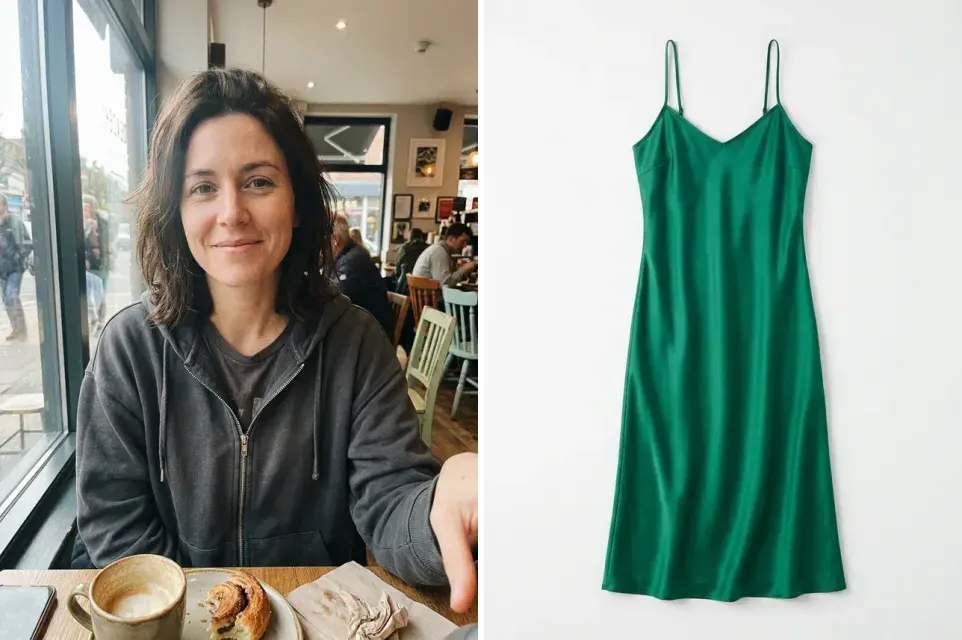
Wear a dress from a product photo
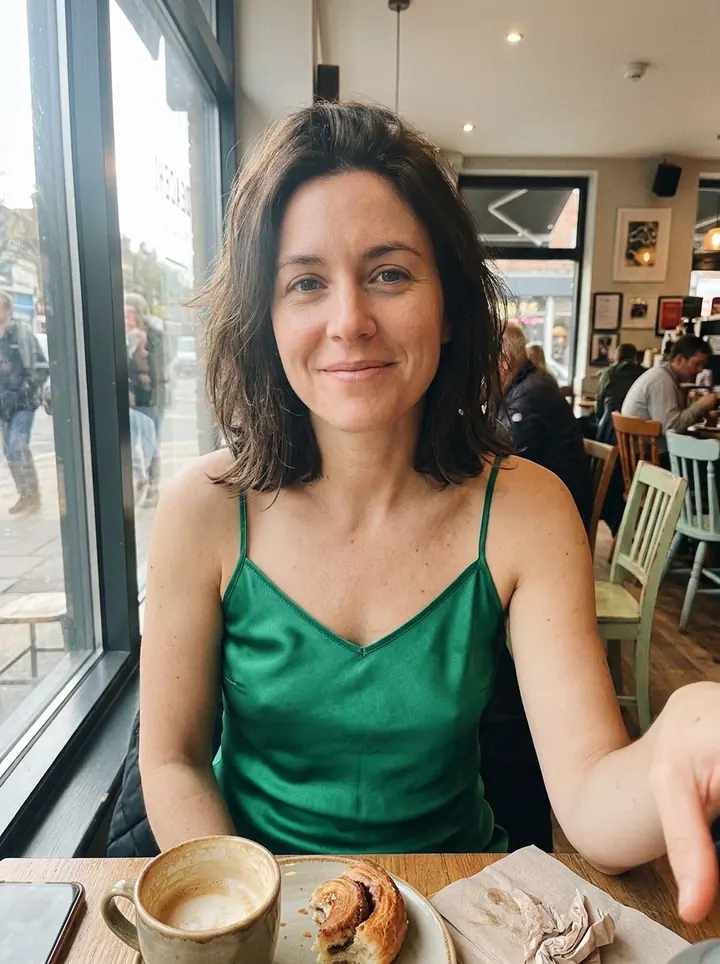
Use the woman from the first photo and keep her face, hair, pose and background exactly the same. Dress her in the green satin slip dress from the second photo, with the same color, fabric shine and thin straps, fitted naturally to her body. A realistic photo, like she really wore it to the cafe.
The green satin and thin straps carry over from the product photo, and her face, hair and the cafe stay the same. A selfie only shows the top of the dress.
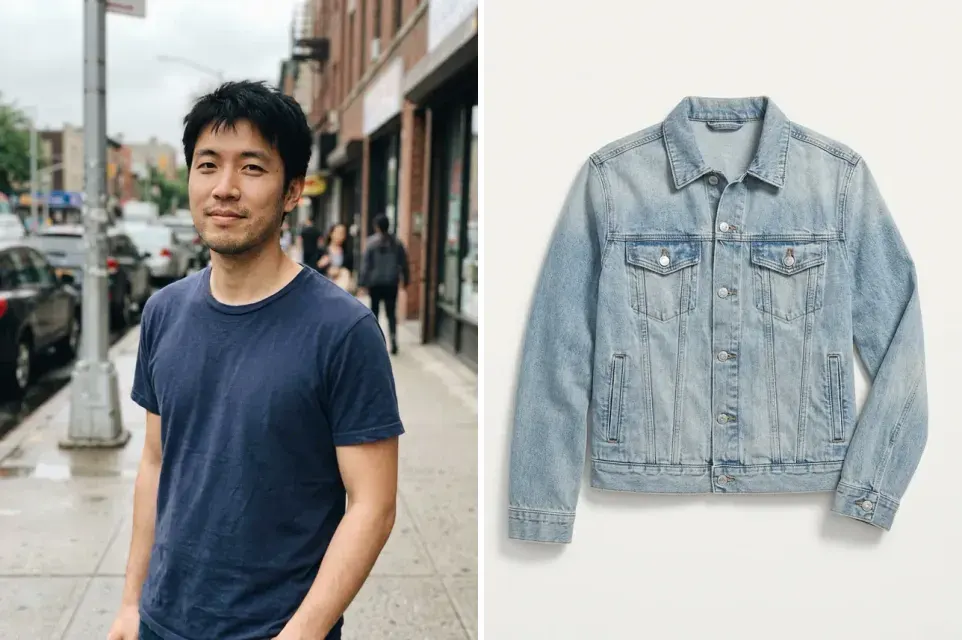
Try on a jacket from a product photo
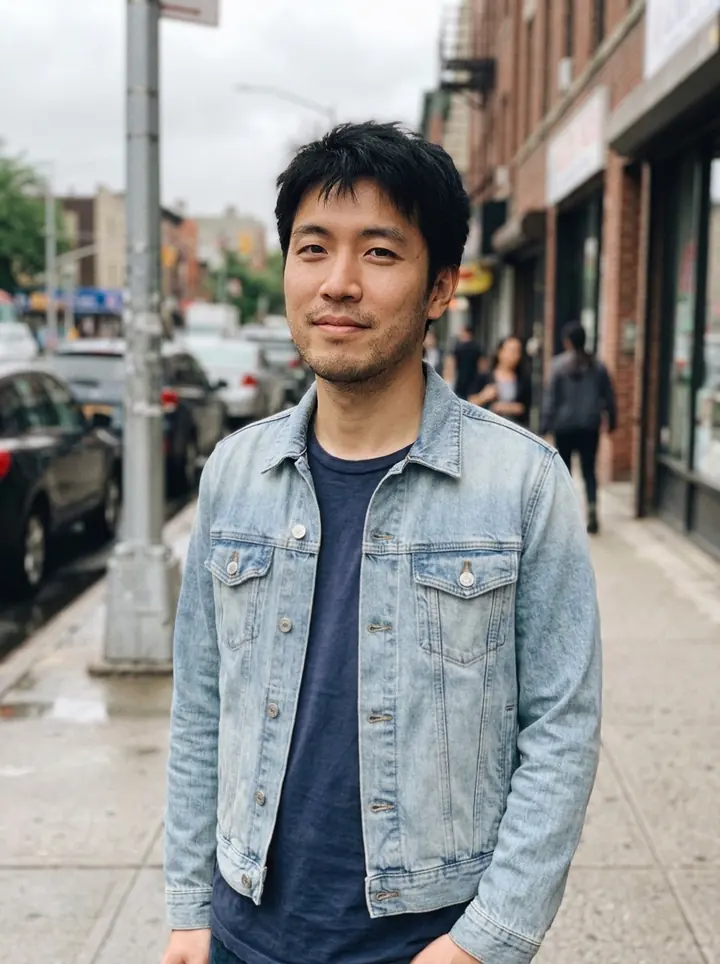
Use the man from the first photo and keep his face, hair, pose and background exactly the same. Put the denim jacket from the second photo on him, worn open over his navy t-shirt, with the same wash and silver buttons. A realistic street photo.
Worn open over his navy T-shirt, with the light wash and silver buttons of the product photo.
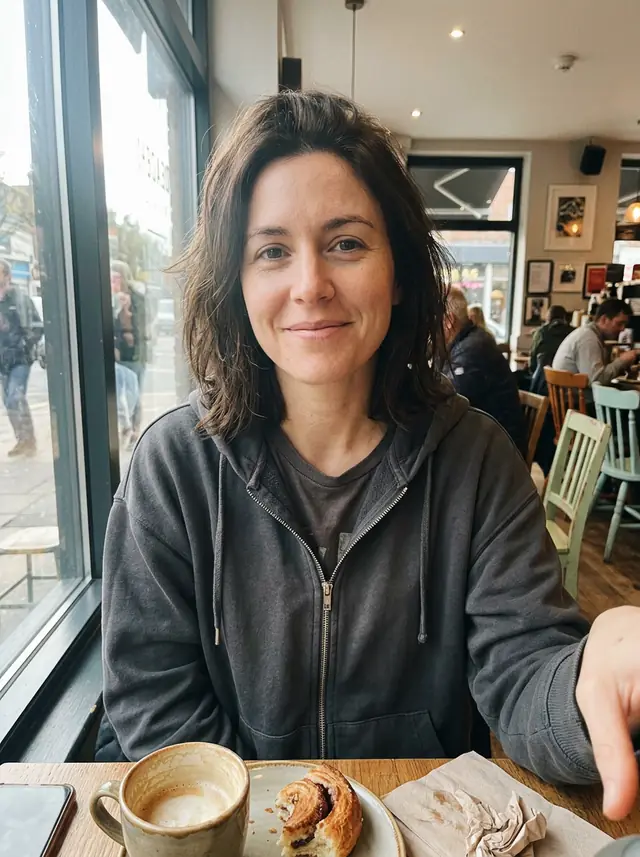
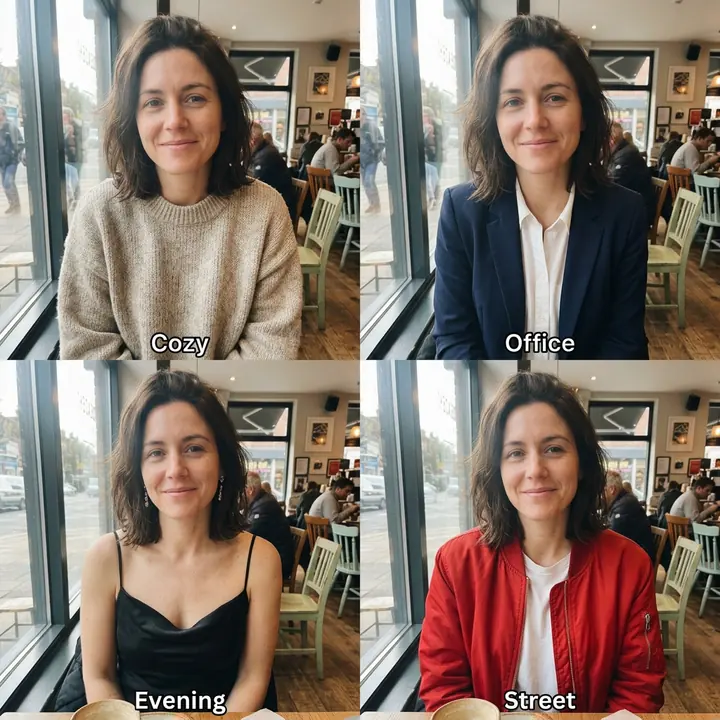
Four outfits in one picture
Use the woman in this photo and keep her face and hair exactly the same in every panel. A 2-by-2 grid of four full photos of her in different outfits, with the same cafe background: top left a cozy oversized knit sweater, top right a navy blazer with a white shirt, bottom left a black satin evening dress with thin straps and drop earrings, bottom right a bright red bomber jacket over a white t-shirt. Label each panel at the bottom in small white letters: "Cozy", "Office", "Evening", "Street". Each outfit clearly different, realistic fabrics and fit.
Four clearly different outfits, labels spelled right. Our first version said just "a black evening dress" and "streetwear with a cropped hoodie", and both came out too close to her own clothes, so we named each piece. This is the first result of the prompt shown.

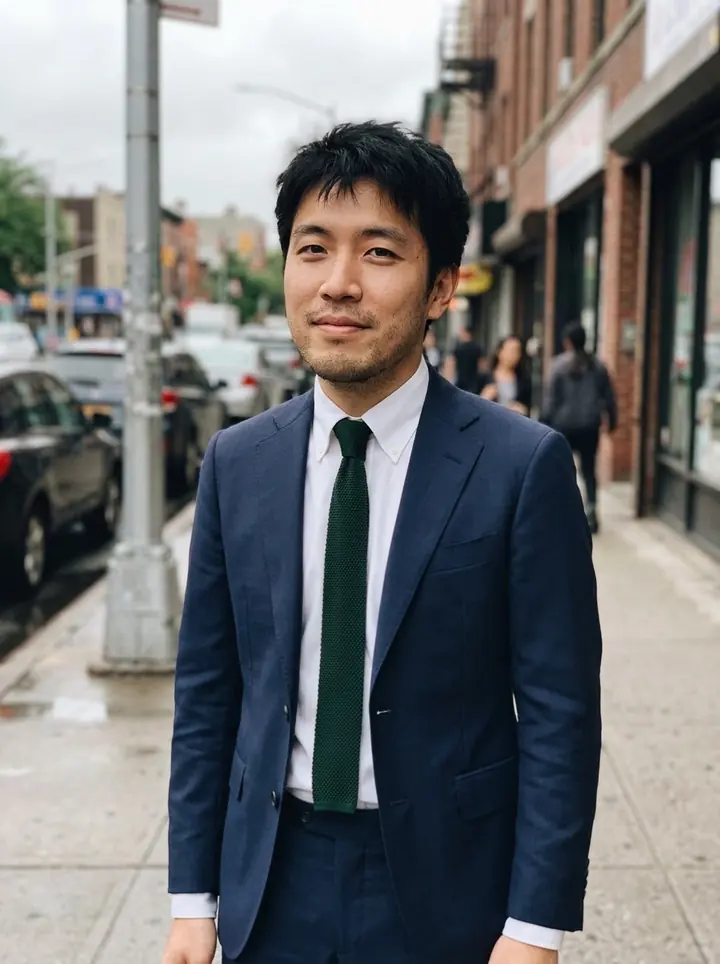
Suit him up
Use the man in this photo and keep his face, hair, pose and background exactly the same. Change only his clothes: a tailored navy two-piece suit with a crisp white shirt and a dark green knit tie. The suit should fit well, with natural folds and realistic fabric. A realistic street photo.
Navy suit, white shirt and the dark green knit tie, with natural folds. The street behind him is unchanged.
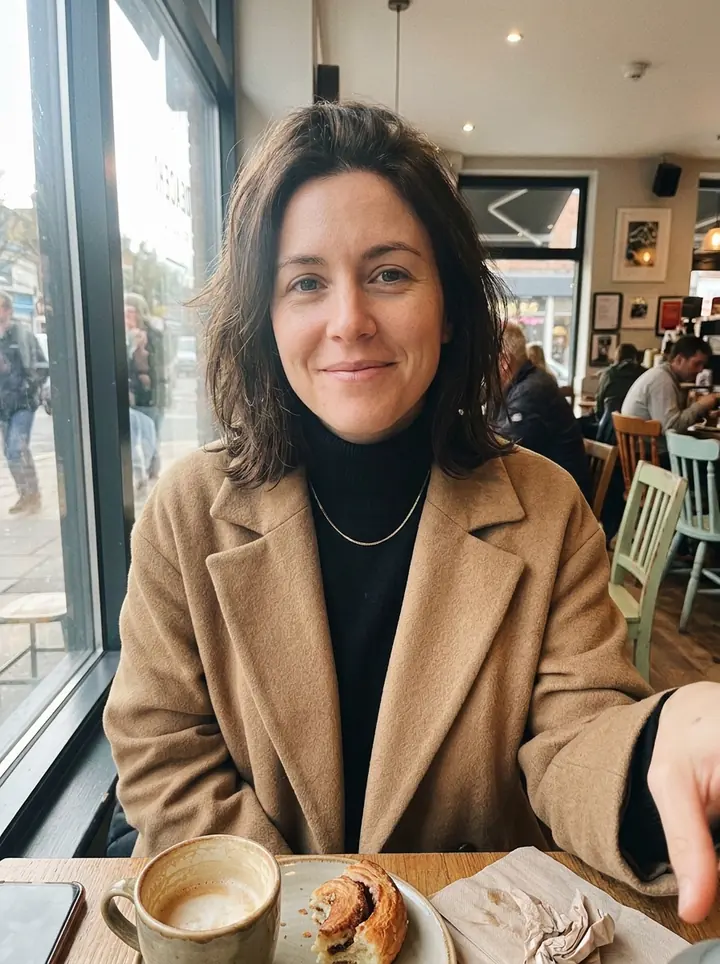
Camel coat and turtleneck
Use the woman in this photo and keep her face, hair, pose and background exactly the same. Change only her clothes: a long camel wool coat over a black turtleneck, with a thin gold necklace. Natural wool texture and folds, realistic fit. Everything else in the photo stays the same.
Camel coat, black turtleneck and a thin gold necklace. The cafe, the coffee and her pose are unchanged.
Tips
- Say what must stay the same. Face, hair, pose and background: all five results kept them.
- Use a product photo for a specific piece. The dress and the jacket kept the color, the fabric and the buttons of their product photos.
- Name each piece exactly. "A black evening dress" came out as a plain black top; "a black satin evening dress with thin straps and drop earrings" worked.
- Use a full-length photo to see the whole outfit. Our starting photos show the top half, so that's all the results show.
What it costs
On GetStepSnap your first 1K image is free. After that a picture takes 1 credit at 1K or 2K, however many photos you attach, and 100 credits cost $9.90 (plus local tax where it applies), about $0.10 each, with no subscription. Ours took 18 to 21 seconds each. Dressed for it? Try an AI headshot or a full AI photoshoot.
Questions
How do I change my outfit in a photo with AI?
Attach your photo and start with "Use the woman in this photo and keep her face, hair, pose and background exactly the same. Change only her clothes:" (or the man), then name each piece: the garment, the color, the fabric and any accessories.
Can I try on clothes from a store's product photo?
Yes. Attach your photo first and the product photo second, then ask to dress you in "the dress from the second photo". Ours kept the color, the satin shine and the buttons. A waist-up photo only shows the top of the piece, so use a full-length photo for a whole dress.
Does it show how the clothes will fit me?
It shows the look, not the size. The model fits the clothes to whatever body is in the photo, so check the size chart before you buy.
Is it free?
Your first 1K image on GetStepSnap is free. After that a picture takes 1 credit at 1K or 2K, however many photos you attach, and 100 credits cost $9.90 (plus local tax where it applies), about $0.10 each. No subscription.
What happens to the photos I upload?
We store them so the model can read them and so your results stay in your account. We don't sell them or use them for anything else. To have them deleted, email support@getstepsnap.com.