AI headshots with Nano Banana 2.1: eight looks from one selfie
By GetStepSnap · Tested October 8, 2026
A decent profile picture no longer needs a photographer. We gave Nano Banana 2.1 two ordinary snapshots and asked for eight kinds of headshot: LinkedIn, corporate, outdoor, black and white, startup, actor, and a matching pair for a team page. The face stayed the same in all eight.
Both snapshots were made with the model too, so no real person appears on this page. Each result is the first one we got, at 1K, resized and nothing else.
The two starting photos
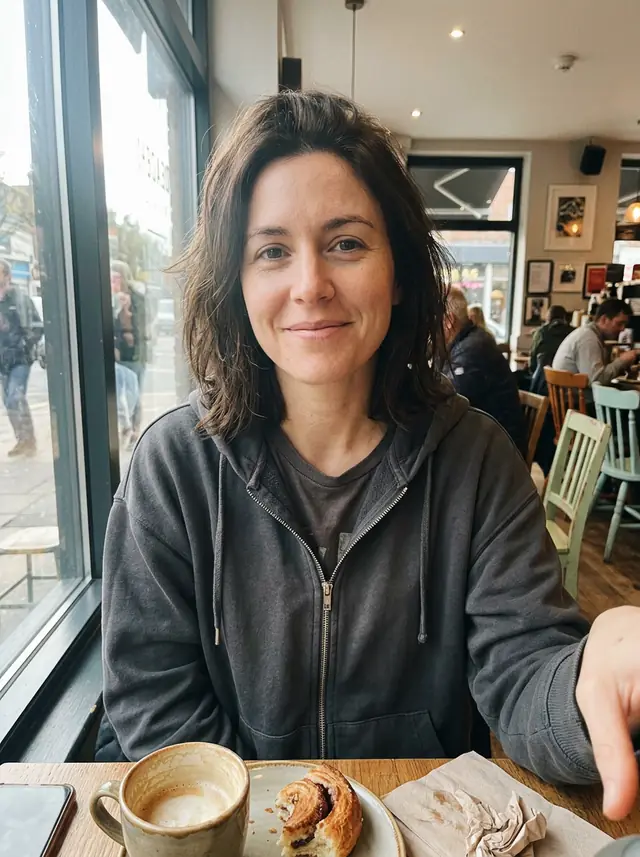
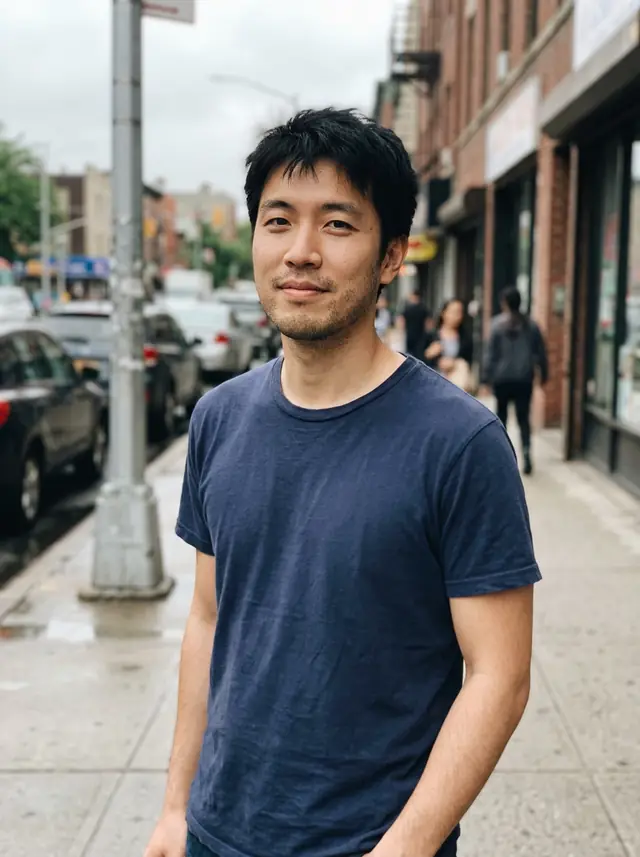
A cafe selfie and a street snapshot: phone photos, nothing posed.
Eight headshots and the prompts behind them
The prompts say "her" or "his" because that's what we ran. Swap in "my" when you try one with your own photo.

Turn this photo into a professional headshot for LinkedIn. Keep her face, hairstyle and skin tone exactly the same. A dark blazer over a simple top, soft studio light, a plain light-gray background, head and shoulders, a natural friendly expression, sharp focus on the eyes.
A blazer, a plain gray wall and the same face. The one most people need.
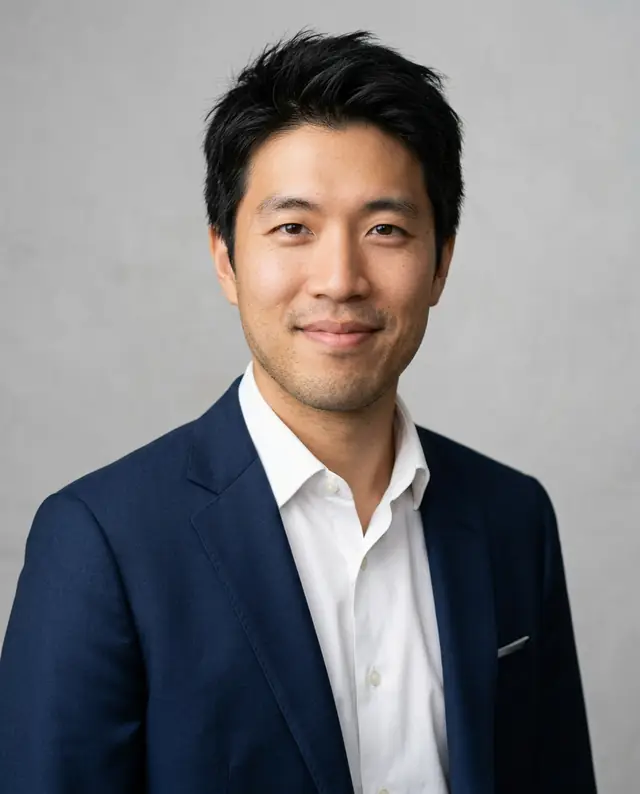
Corporate
Turn this photo into a professional corporate headshot. Keep his face, hair and skin tone exactly the same. A tailored navy suit, a white shirt with no tie, soft studio light, a plain light-gray background, head and shoulders, a confident, friendly expression.
Navy suit, open collar, soft studio light. Same face and hair as the street snapshot.
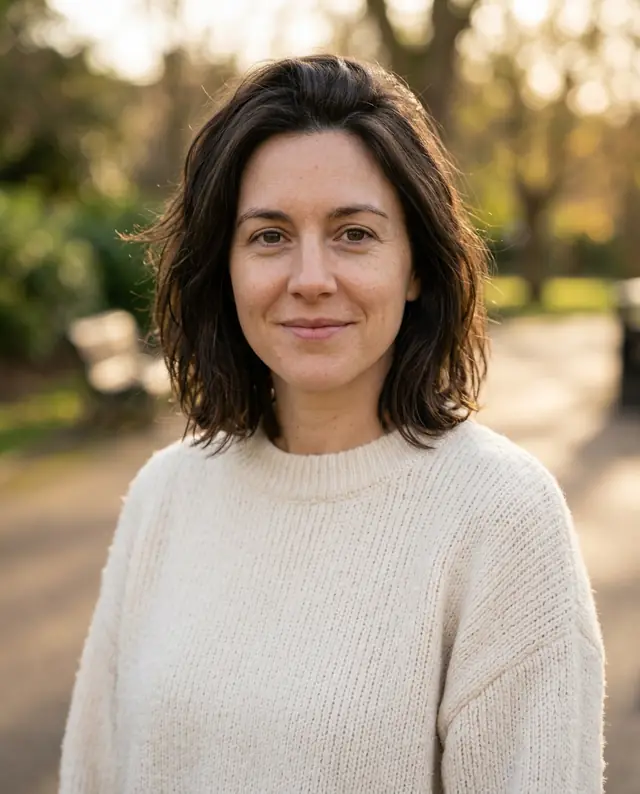
Outdoor, natural light
Turn this photo into a natural-light outdoor headshot. Keep her face, hairstyle and skin tone exactly the same. A soft cream sweater, late-afternoon light, a softly blurred park behind her, head and shoulders, a relaxed smile, sharp focus on the eyes.
Warm late light and a blurred park. Friendlier than a studio shot, still professional.
Black and white
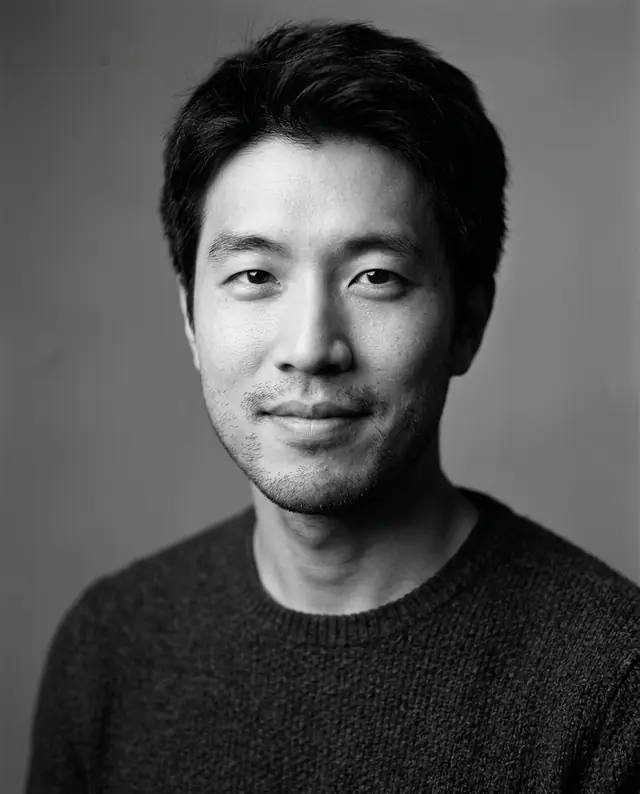
Make a classic black-and-white studio headshot from this photo. Keep his face and expression the same. A dark crew-neck sweater, a plain mid-gray background, soft key light from the left, fine detail in the skin, head and shoulders.
Black and white reads as classic and hides a busy background. Same half-smile.

Startup team page
Turn this photo into a headshot for a startup team page. Keep her face, hair and skin tone exactly the same. A casual olive overshirt, a bright modern office with plants softly blurred behind her, natural window light, a warm, approachable smile.
An olive overshirt and a bright office in the background: the look for startups and agencies.
Actor
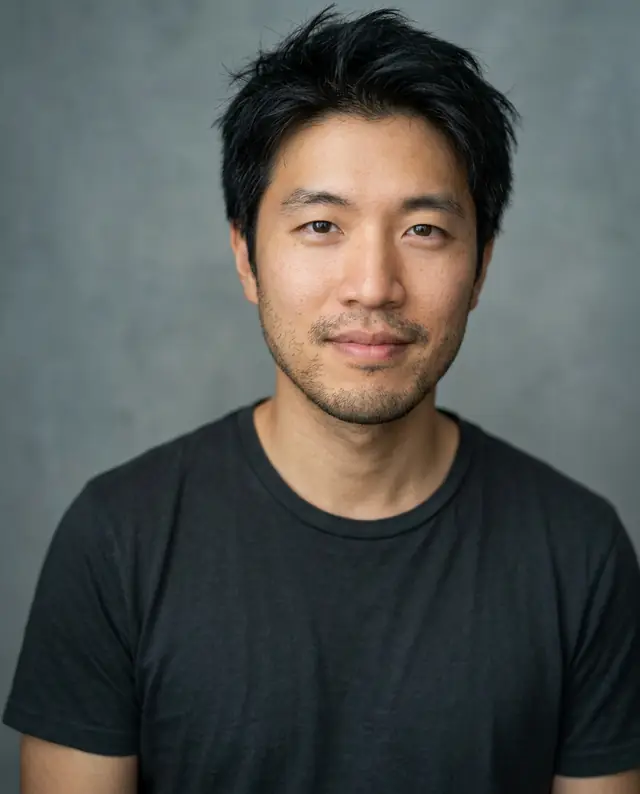
Turn this photo into an actor's headshot. Keep his face exactly the same, with no retouching of his features. A plain charcoal t-shirt, a neutral gray-blue background, soft natural light, a calm, direct look into the camera, framed from the chest up.
Plain t-shirt, neutral backdrop, a direct look. We asked for no retouching, and the skin texture stayed.
Matching team photos, 1
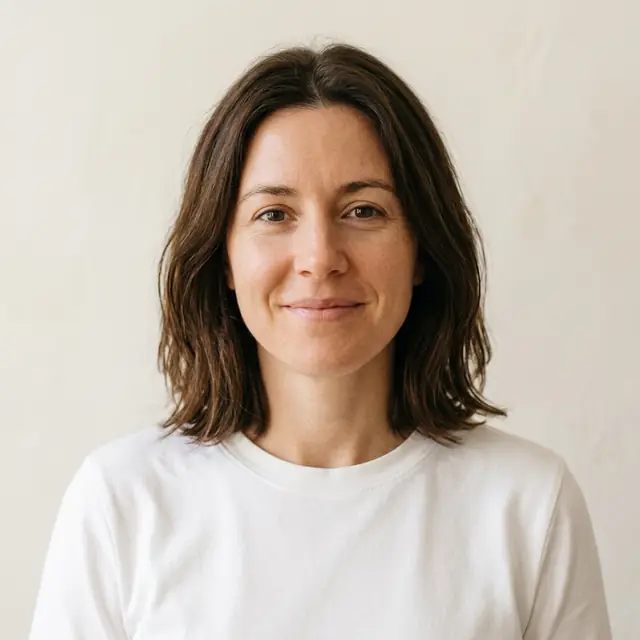
A team-page headshot. Keep this person's face, hair and skin tone exactly the same. A plain white shirt, a warm off-white background, soft even light, head and shoulders, centered, a natural smile.
Run one prompt on everyone's photo and the team page matches: same background, light and framing.
Matching team photos, 2
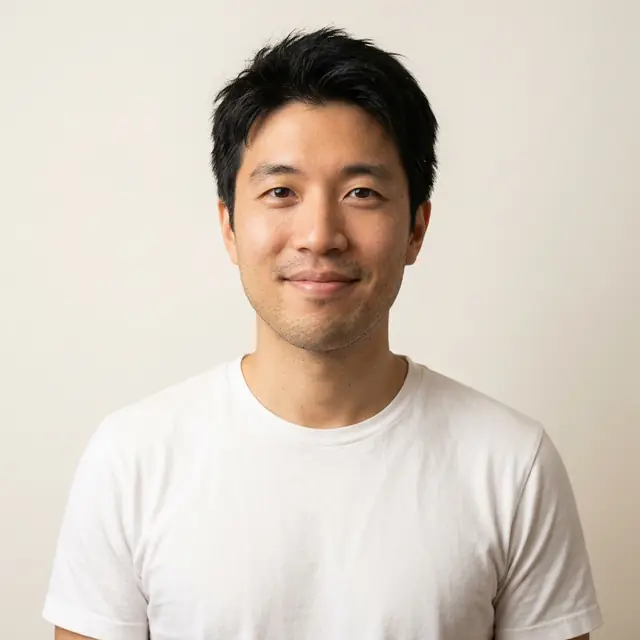
A team-page headshot. Keep this person's face, hair and skin tone exactly the same. A plain white shirt, a warm off-white background, soft even light, head and shoulders, centered, a natural smile.
The same prompt as the card before, on the other snapshot. The two sit together on a page.
How to get one that looks like you
- Start from a clear photo. Face the camera, good light, no sunglasses. The model keeps what it can see.
- Say what must stay. "Keep my face, hairstyle and skin tone exactly the same" is the line that matters most.
- Name the clothes and the background. Those are what you're changing, so be specific: a navy suit, a plain light-gray wall, a blurred park.
- Pick the shape. 4:5 suits LinkedIn and most profiles, 1:1 a team page. Choose 2K if you'll print it; it still takes 1 credit.
- Fix one thing at a time. If a collar or the smile is off, click "Edit this image" and ask for just that change.
What it costs
On GetStepSnap your first 1K image is free. After that a headshot takes 1 credit at 1K or 2K, and 100 credits cost $9.90 (plus local tax where it applies), about $0.10 a headshot, with no subscription.
Dedicated AI headshot services sell one-time packs instead. HeadshotPro's run $29 to $59 for 30 to 70 headshots; BetterPic's run $35 to $79 for 20 to 120, and it also has a free tier of up to 10. They're built for batches of variations. Here you make one look at a time and steer each with a sentence.
Here's what we actually think: if you need one good LinkedIn photo, one credit and two minutes is the better deal. If a whole company needs dozens of variations by Friday, a pack service is made for that.
Where not to use one
Passports, visas, driver's licenses and other ID photos: rules for those generally don't allow digitally altered photos, and an edited one can get an application rejected. If a job application or a dating app asks for an unedited photo, respect that too.
Questions
Can Nano Banana 2.1 make a professional headshot from a selfie?
Yes. Upload one clear photo, describe the clothes and the background, and add a line like "keep my face, hairstyle and skin tone exactly the same." In our eight tests the face stayed the same every time.
What's a good prompt for an AI LinkedIn headshot?
"Turn this photo into a professional headshot for LinkedIn. Keep my face, hairstyle and skin tone exactly the same. A dark blazer, soft studio light, a plain light-gray background, head and shoulders, a natural friendly expression." Use the 4:5 shape.
How much does an AI headshot cost on GetStepSnap?
Your first 1K image is free. After that a headshot takes 1 credit at 1K or 2K, and 100 credits cost $9.90 (plus local tax where it applies), about $0.10 each. No subscription.
Can I use an AI headshot for a passport or ID photo?
No. ID photo rules generally don't allow digitally altered photos, and an edited one can get an application rejected. Use a real photo for those.
What happens to the photo I upload?
We store it so the model can read it and so your results stay in your account. We don't sell it or use it for anything else. To have it deleted, email support@getstepsnap.com.
Prices of other services, checked October 8, 2026: HeadshotPro: choosing a package, BetterPic pricing.