Nano Banana 2.1 prompts: 30 we tested, with the results
By GetStepSnap · Tested October 7 and 8, 2026
Every prompt here went through Nano Banana 2.1 once, at 1K, with the same settings our own tool uses. What you see is the first result, resized for the page and nothing else. The "before" photos were made with the model too, so no real person's face is on this page.
Some of these ideas come from people sharing their prompts on X. We wrote our own versions and credit the idea next to each one. Click "Try this prompt" and it opens in our tool, filled in. For the photo edits, add your own picture first.
Portraits from one selfie
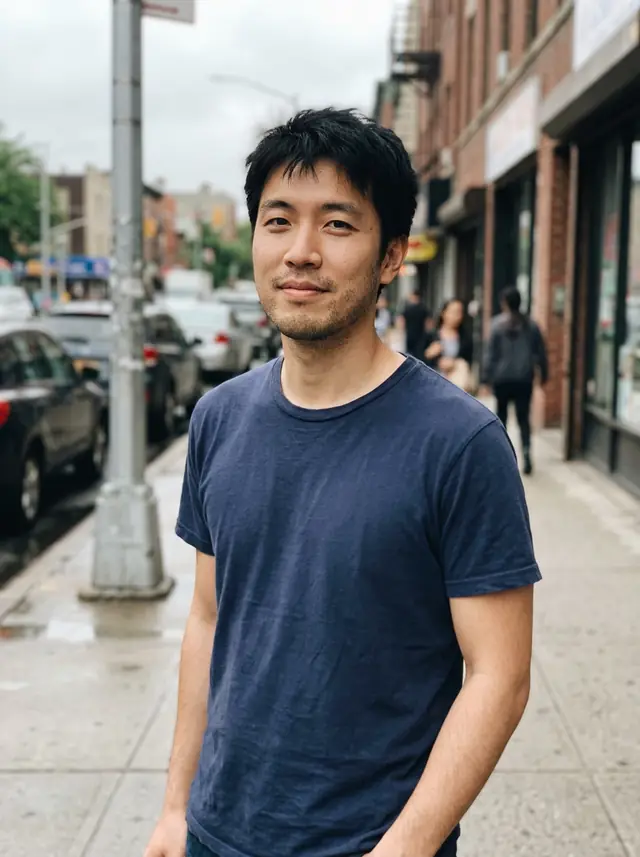
One ordinary cafe selfie and one street snapshot, both made with the model, turned into six different photos. The face stayed the same in all six.
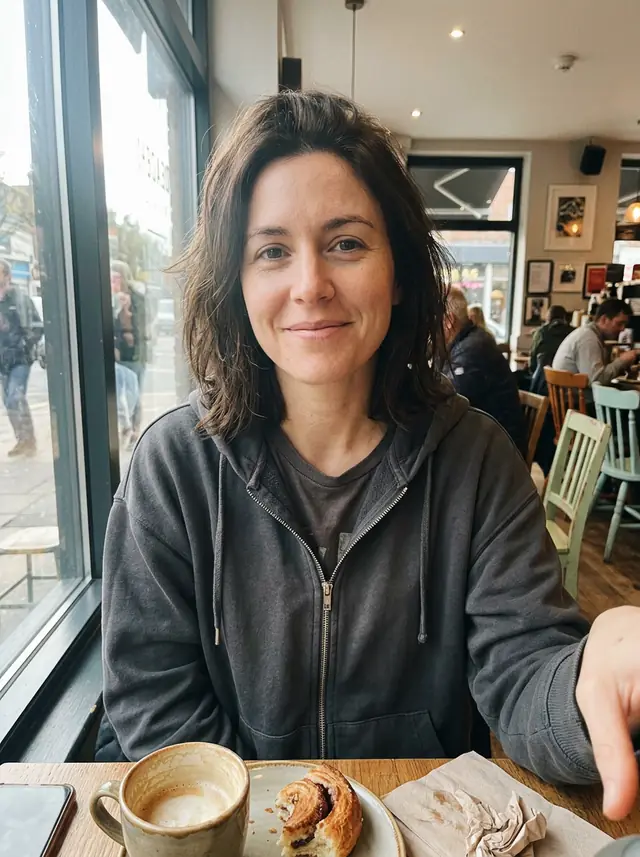

A LinkedIn headshot
Turn this photo into a professional headshot for LinkedIn. Keep her face, hairstyle and skin tone exactly the same. A dark blazer over a simple top, soft studio light, a plain light-gray background, head and shoulders, a natural friendly expression, sharp focus on the eyes.
The hoodie became a blazer and the cafe a plain studio wall. Same face, same hair.
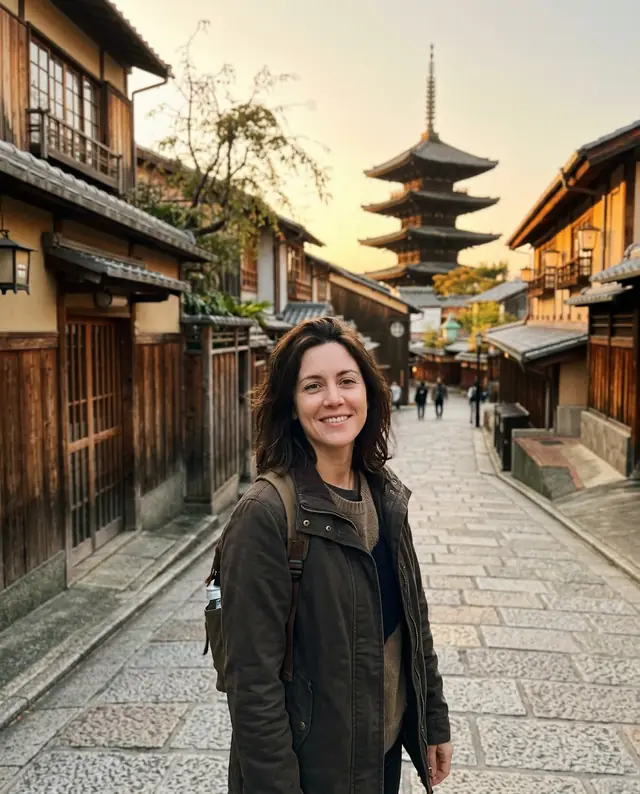
A travel photo you never took
Put the person from this photo in Kyoto at golden hour, standing on a quiet stone lane with wooden houses and a pagoda in the distance. Keep her face, hair and identity exactly the same, match the light and shadows to the scene, and make it look like a real travel photo taken by a friend.
The light on her face matches the street, and the hoodie became a jacket that fits the trip.
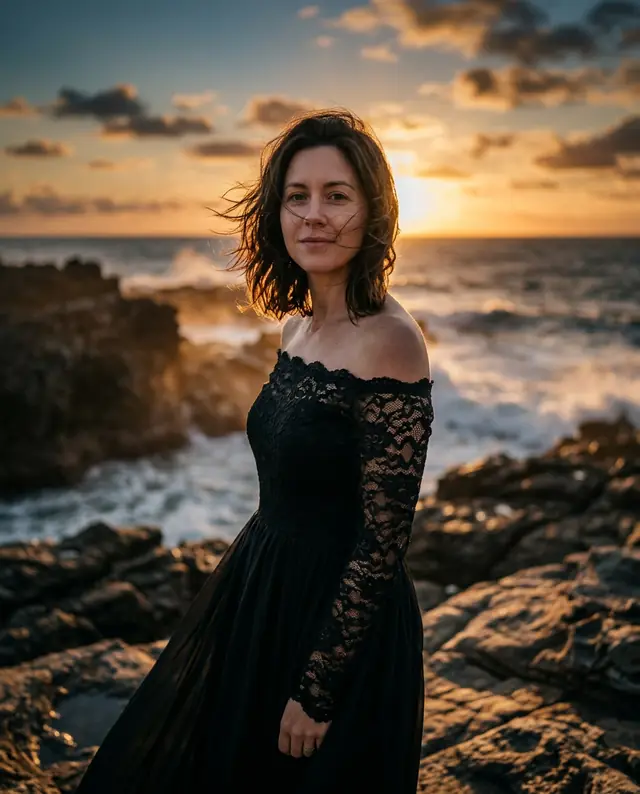
A cinematic portrait in an evening gown
Use the person in this photo as the model and keep her face exactly the same. Make a cinematic fashion portrait of her on a rocky coastline at sunset, wearing a black off-shoulder lace evening gown, wind in her hair, waves behind her, warm rim light, shallow depth of field, an 85mm lens look.
Lace, sunset rim light, waves on the rocks, and still the face from the cafe selfie.
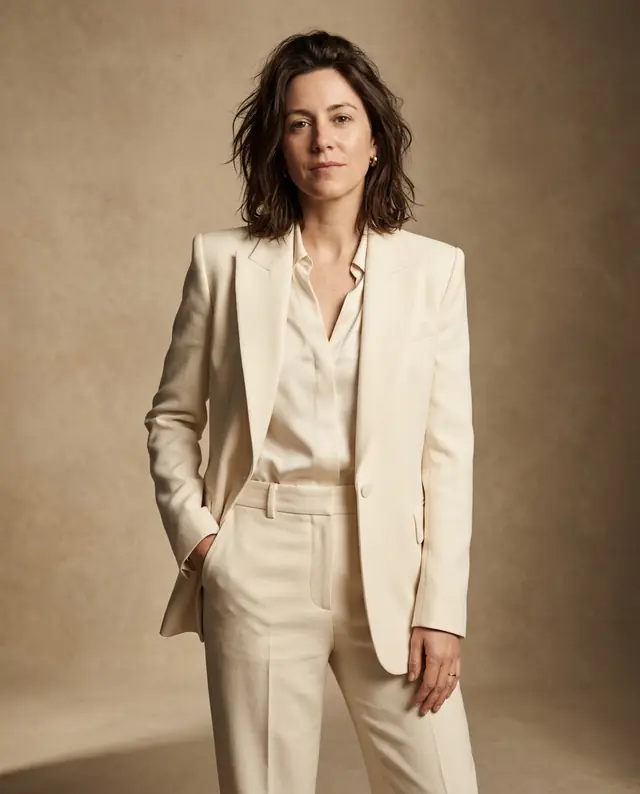
A fashion magazine shoot
Turn this into a high-fashion magazine shoot. Keep her identity and face the same. Studio lighting, a tailored cream suit, a confident pose, soft shadows on a warm beige backdrop, refined color grading, the look of a real editorial photo.
A cream suit on a beige backdrop: the quiet, expensive look the prompt asks for.
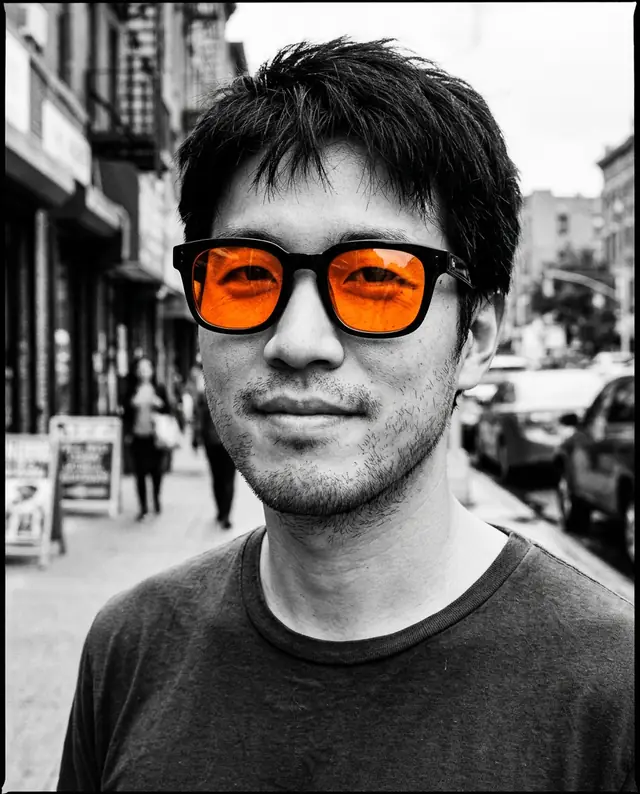
Black and white, except the sunglasses
Make a black-and-white magazine close-up of this person wearing sunglasses. Keep his face the same. The whole image is black and white except the sunglasses lenses, which are bright orange. High contrast, fine film grain.
Only the lenses kept their color. A strong profile picture.
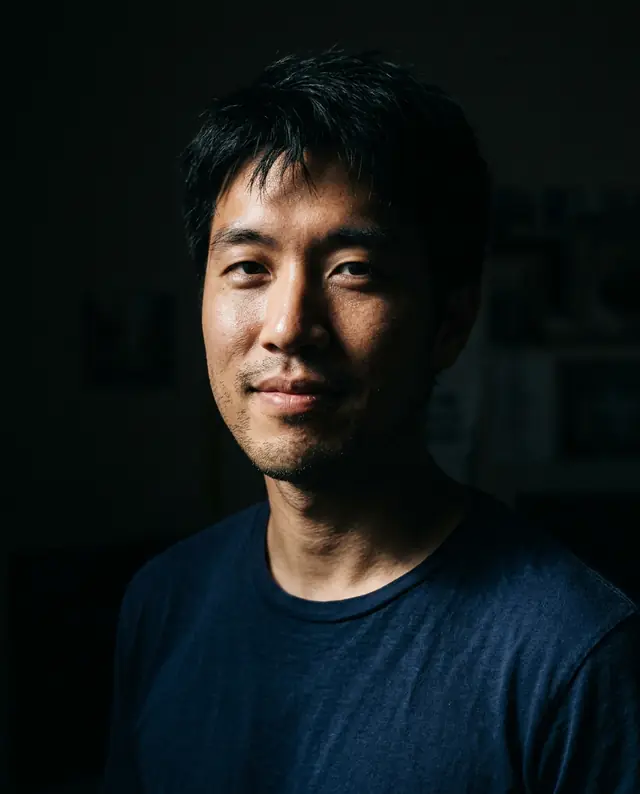
A dramatic one-light portrait
Relight this photo as a dramatic chiaroscuro portrait: one hard light from the side, deep shadows, a dark background, rich skin texture. Keep his face and expression exactly the same.
One light from the side and everything else in shadow. Same face, same half-smile.
Pets and products
Two of the most shared edits: a pet turned into a collectible, and a phone snapshot turned into a photo you could sell with.
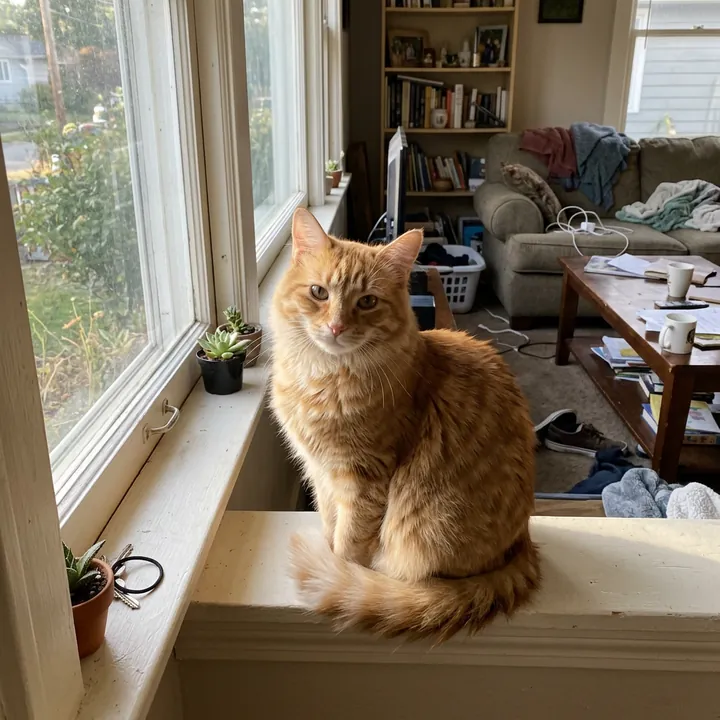
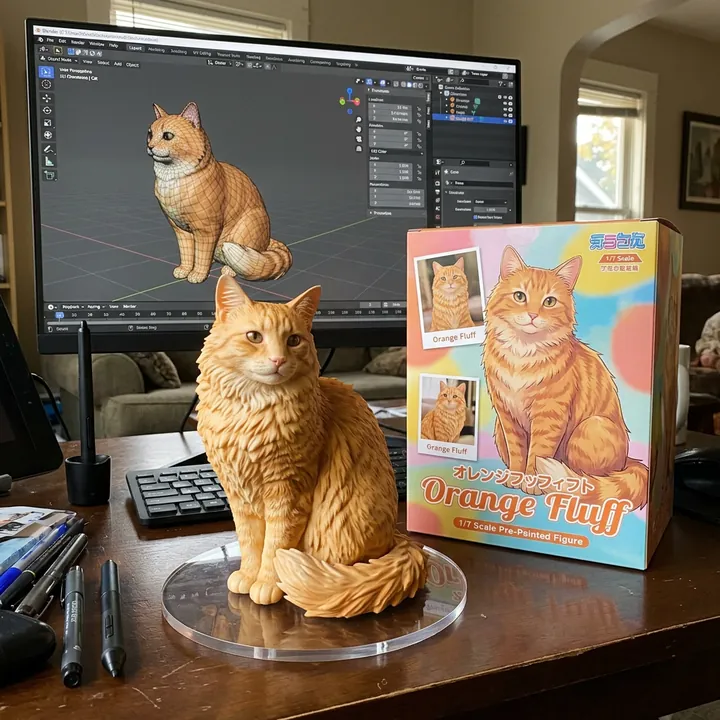
A pet as a 1/7 scale figure
Create a 1/7 scale commercialized figurine of the cat in the picture, in a realistic style, in a real environment. The figurine stands on a round transparent acrylic base with no text, on a computer desk. The computer screen shows the 3D modeling of this figurine. Next to the screen is a premium collectible toy box printed with artwork of the same cat.
Google's own example prompt for the viral figurine edit, with the cat named. The figure kept the cat's sitting pose.
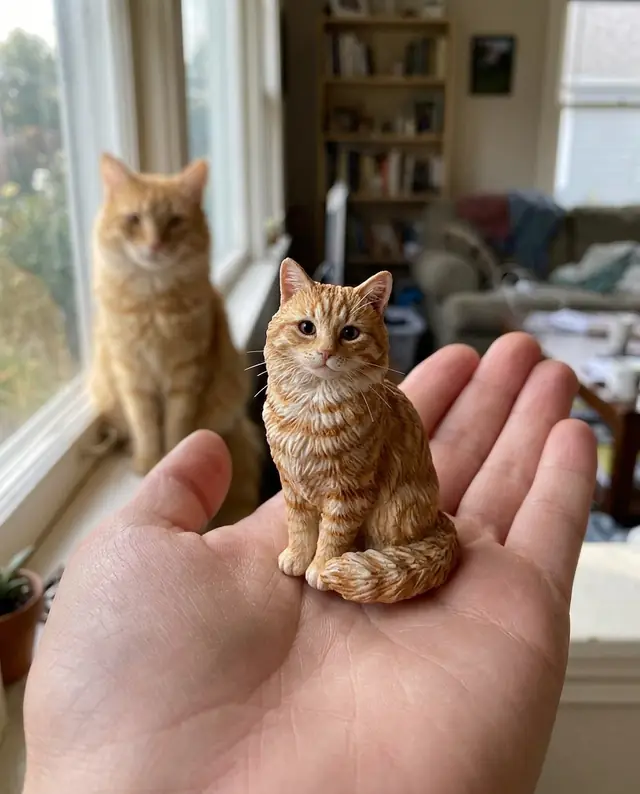
A tiny figure on your palm
Make a tiny, hyper-realistic collectible figure of the cat in this photo, standing on the open palm of a person's hand. Macro photo: the figure is sharp with fine paint detail, the hand slightly soft, and the real cat blurred in the background for scale.
The real cat sits out of focus behind the figure, which sells the scale.
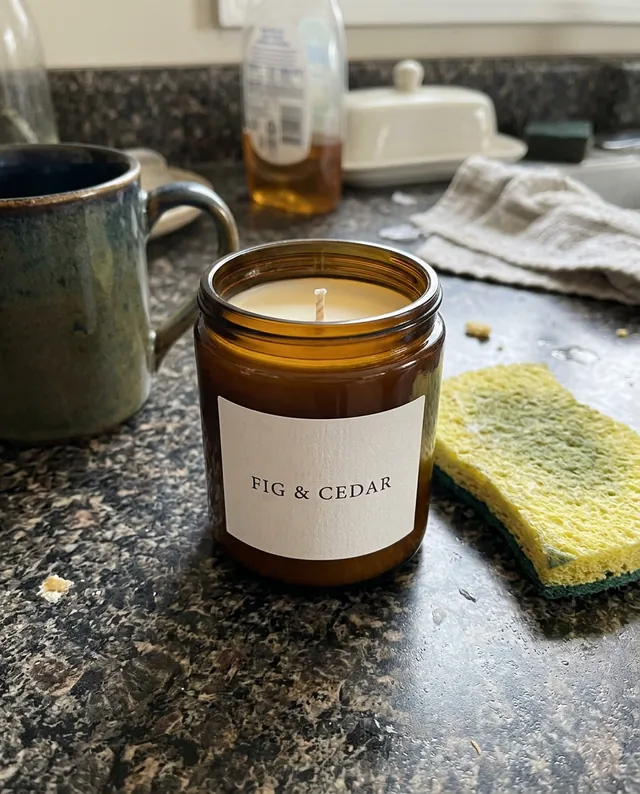
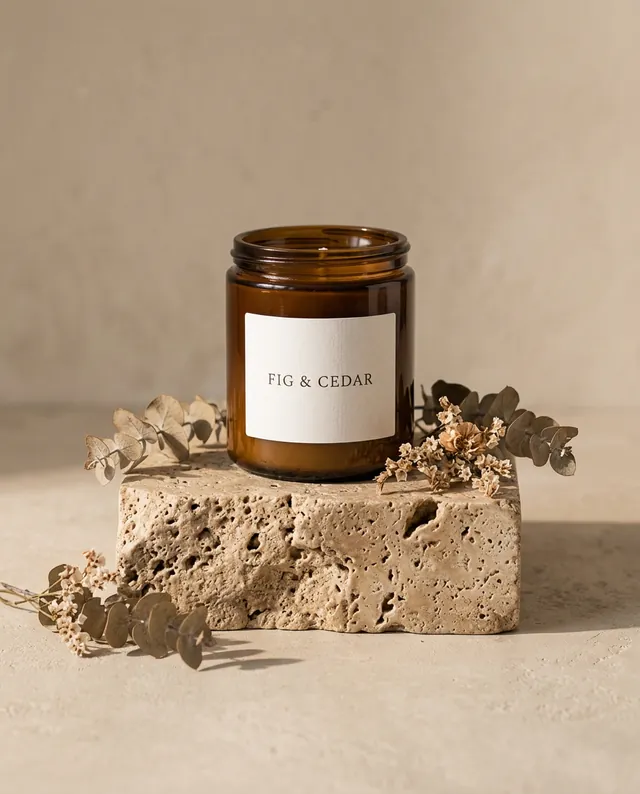
A phone snapshot into a studio product photo
Turn this into a professional product photo: the same candle on a travertine stone pedestal, soft warm light from the side, a gentle shadow, a clean beige background and a few dried flowers. Keep the jar and its label exactly the same.
The FIG & CEDAR label stayed letter for letter. That's a shop listing photo.
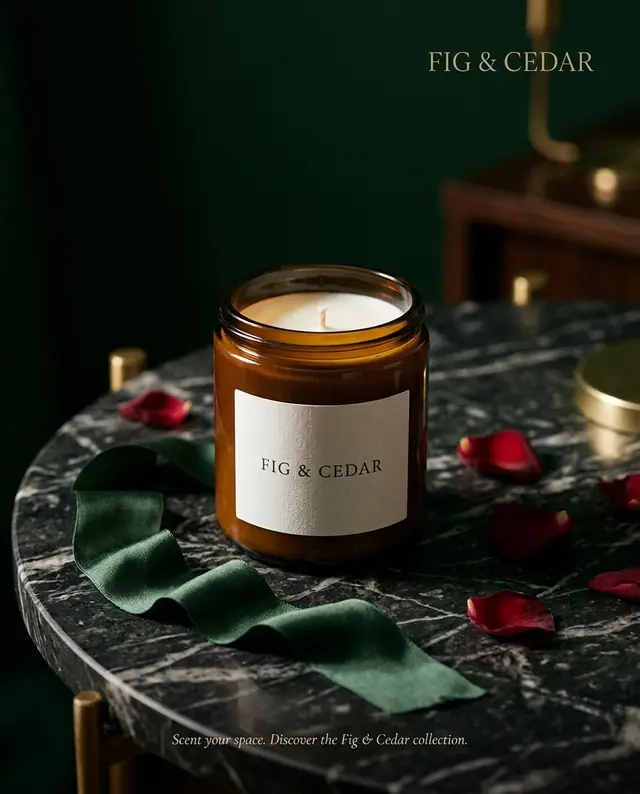
A luxury magazine ad
Turn this product into a luxury magazine ad: the same candle with its label unchanged, on a dark marble table under a soft spotlight, with a silk ribbon and a few scattered rose petals, a deep green background, elegant and moody.
It also wrote its own tagline along the bottom. Add "no text" if you'll put your own copy on it.
Fix and furnish
Edits that change one thing and leave everything else where it was.
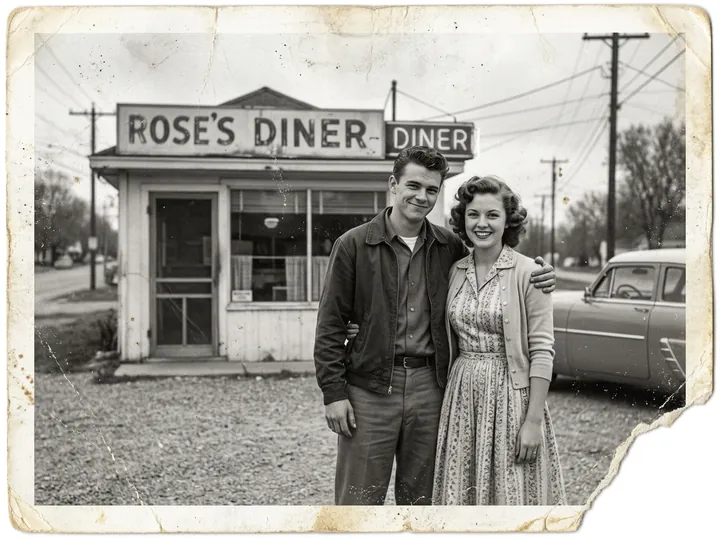
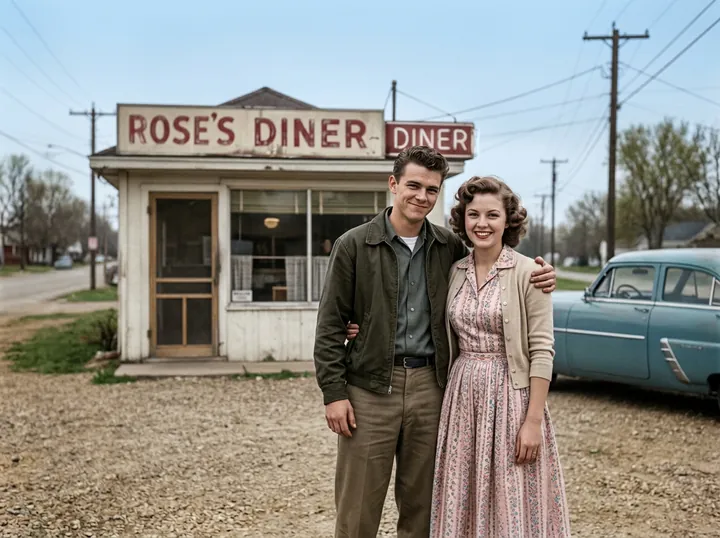
An old photo, restored and in color
Restore this old photo: remove the scratches, creases, dust and the torn corner, sharpen the faces and colorize it naturally. Keep the people, their poses and the composition exactly the same.
The damage and the gray went away. The faces, the diner sign and the car stayed put.
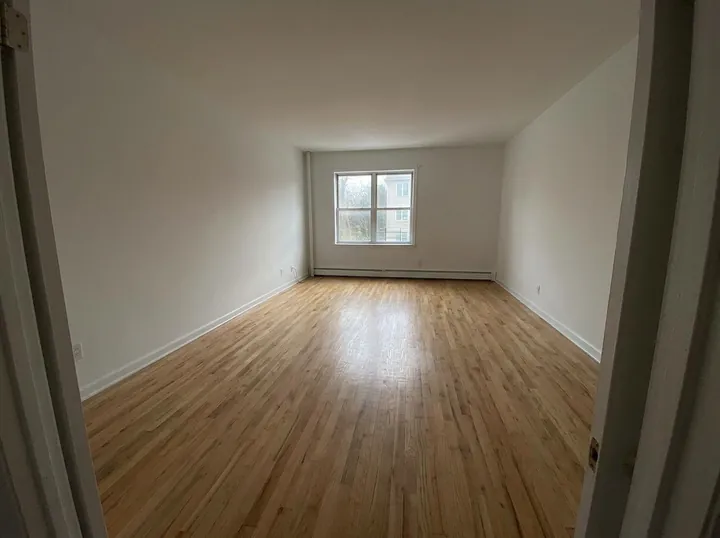
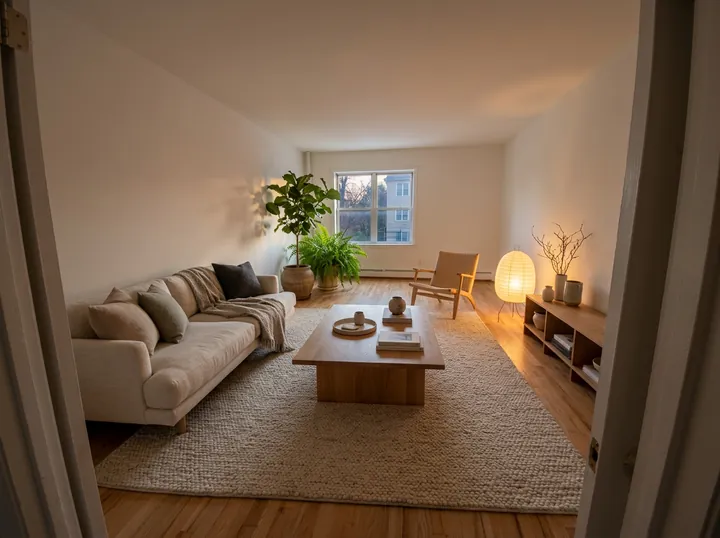
An empty room, furnished
Furnish this room in a warm Japandi style: a low linen sofa, a wooden coffee table, a wool rug, a large plant by the window and soft evening lamp light. Keep the walls, window and floor exactly as they are.
Walls, window and floor didn't move. Useful for listings, or to try a style before buying anything.
A photo into a page
Two layouts people love to share from a trip.
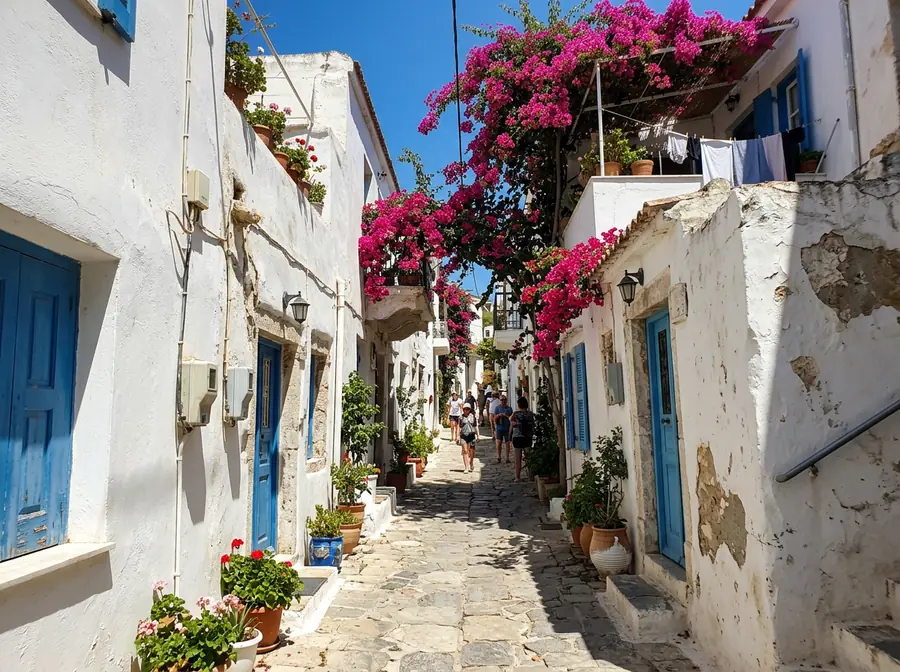
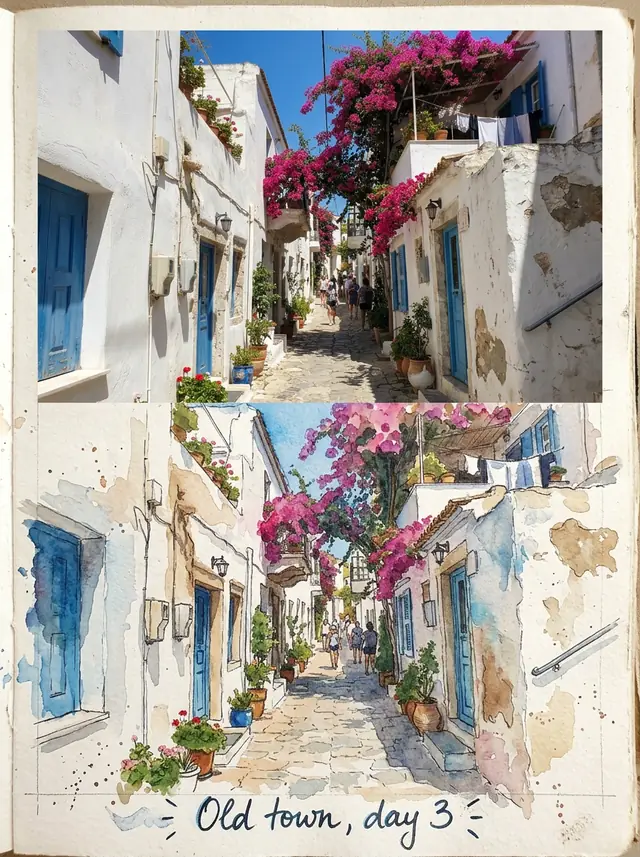
A travel journal page, half photo, half watercolor
Turn this travel photo into a travel journal page: the top half is the photo as it is, and the bottom half continues the same street as a loose watercolor sketch on textured paper, with a handwritten caption that reads "Old town, day 3".
The handwritten caption came out exactly as written.
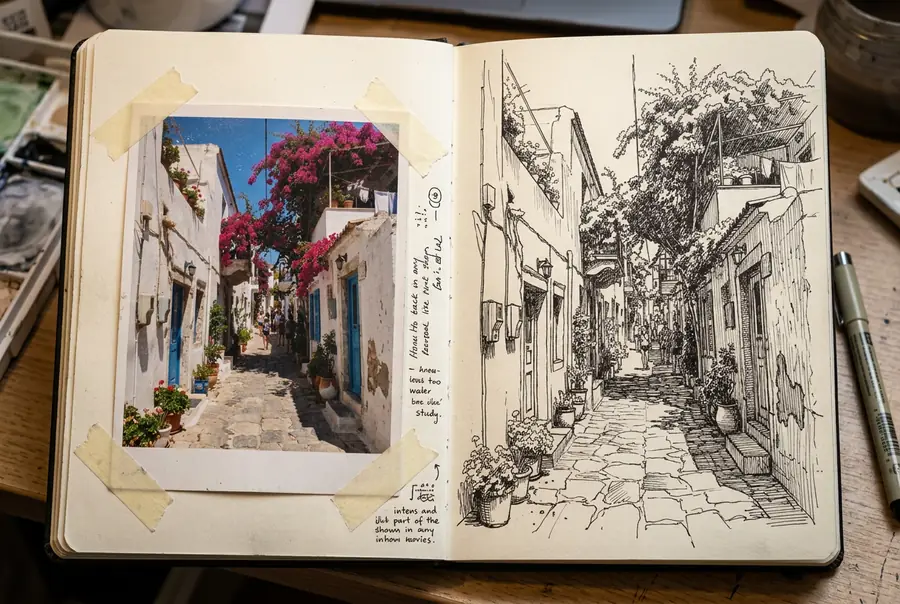
A sketchbook spread: photo and ink drawing
Make an open sketchbook spread: on the left page, this photo printed like a vintage film print and taped to the paper; on the right page, the same street drawn in black ink pen with cross-hatching.
It added a few lines of scribbled notes we didn't ask for, which actually suit a sketchbook.
Posters and graphics
Made from a sentence or two, no photo needed.
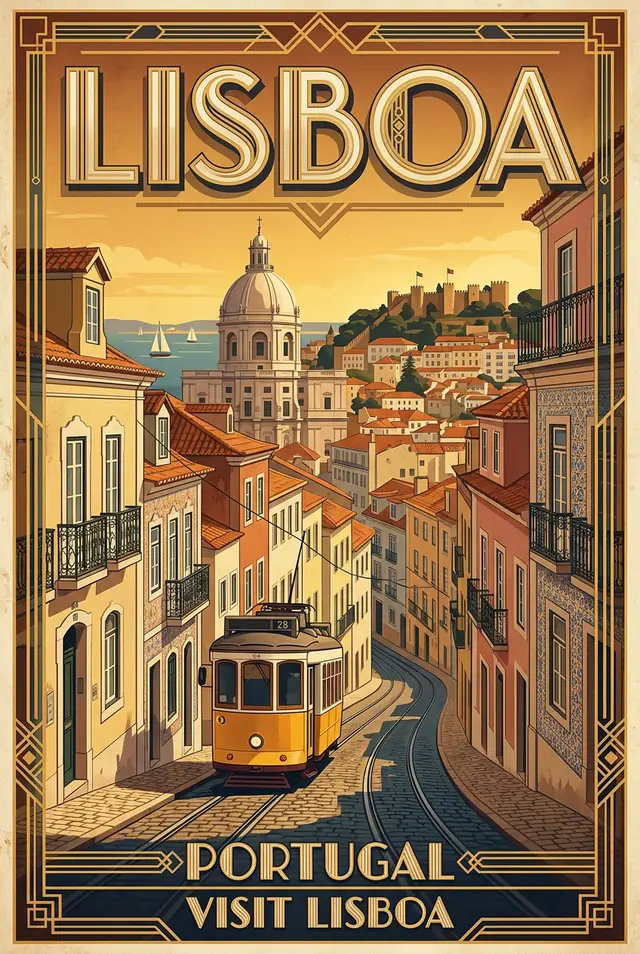
A vintage travel poster
A vintage travel poster for Lisbon with the word "LISBOA" in big art deco letters
One line of prompt. It added "PORTUGAL" and "VISIT LISBOA" on its own, both spelled right.
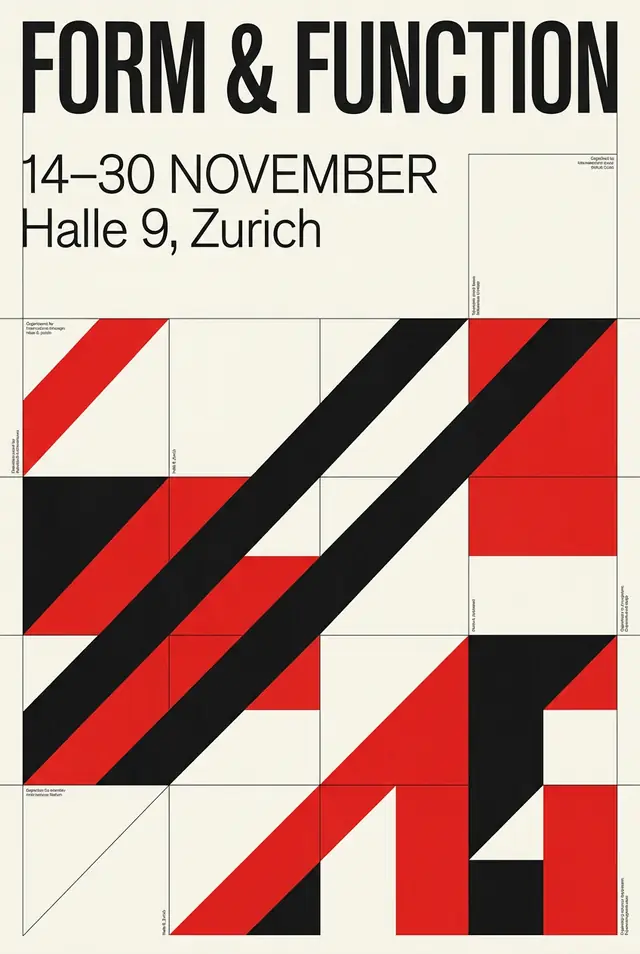
A Swiss-style exhibition poster
A Swiss International Style exhibition poster titled "FORM & FUNCTION", with the dates "14-30 NOVEMBER" and "Halle 9, Zurich" in a clean sans-serif. A strict grid, an asymmetric layout, bold red, black and white geometric shapes.
Title, dates and venue exactly as written, on a strict grid.
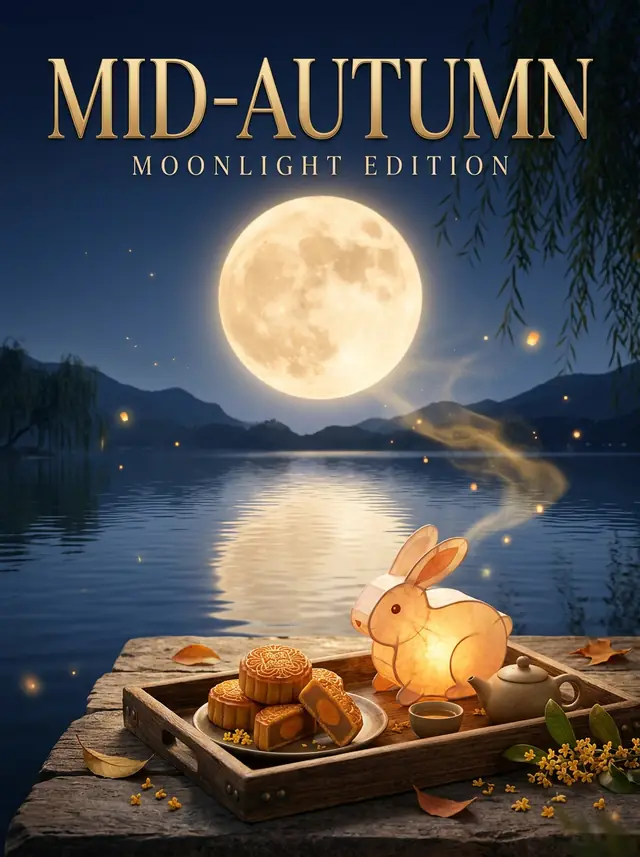
A festival poster
A Mid-Autumn Festival magazine poster: a huge full moon over a quiet lake, a rabbit-shaped lantern and mooncakes on a wooden tray in the foreground, an elegant serif title "MID-AUTUMN" and a small subtitle "MOONLIGHT EDITION".
Moon, rabbit lantern, mooncakes, and both lines of the title spelled right.
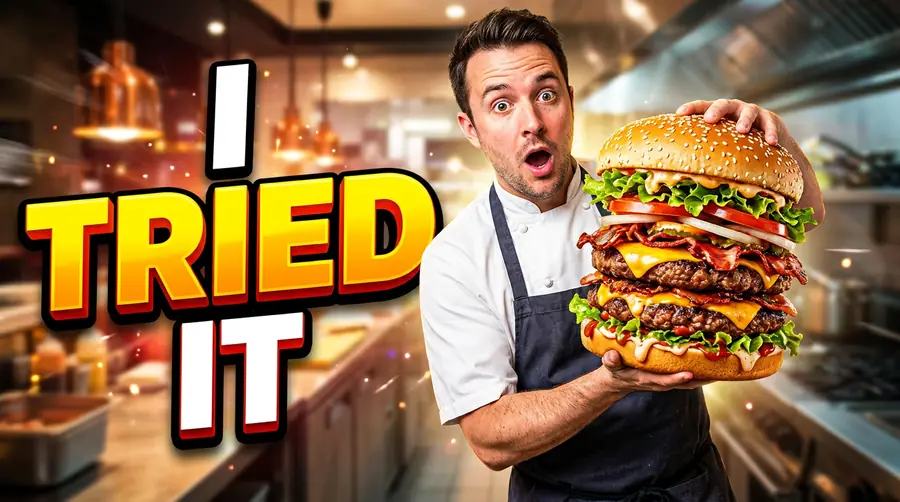
A YouTube thumbnail
YouTube thumbnail: a surprised chef holding a giant burger, bold text "I TRIED IT"
Three words, a big reaction and one bright object: the thumbnail formula, from one line.
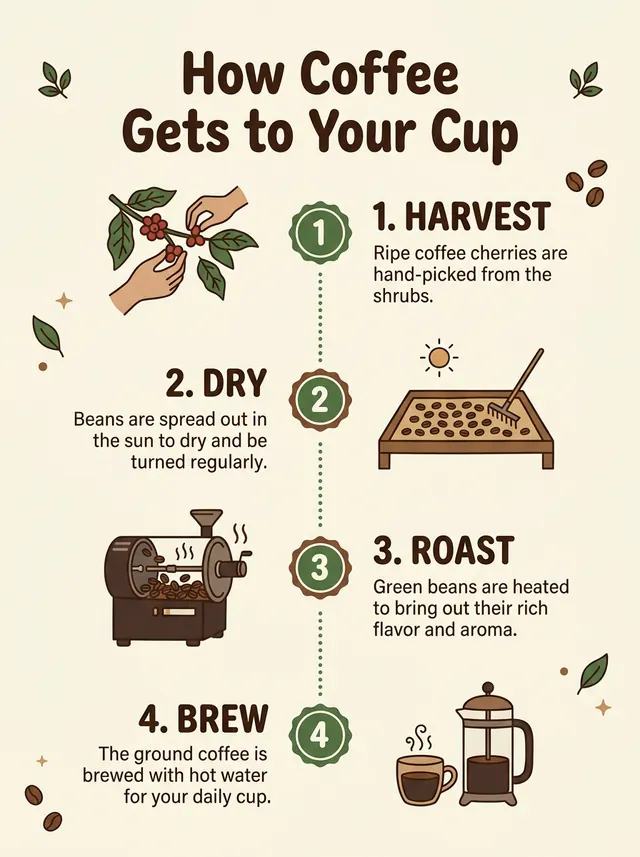
An infographic
A clean flat infographic titled 'How Coffee Gets to Your Cup' with four numbered steps in a vertical column: 1 Harvest, 2 Dry, 3 Roast, 4 Brew. Each step has a simple icon and a one-line caption. Cream background, brown and green accents.
Title, four numbered steps, icons and captions, all readable.
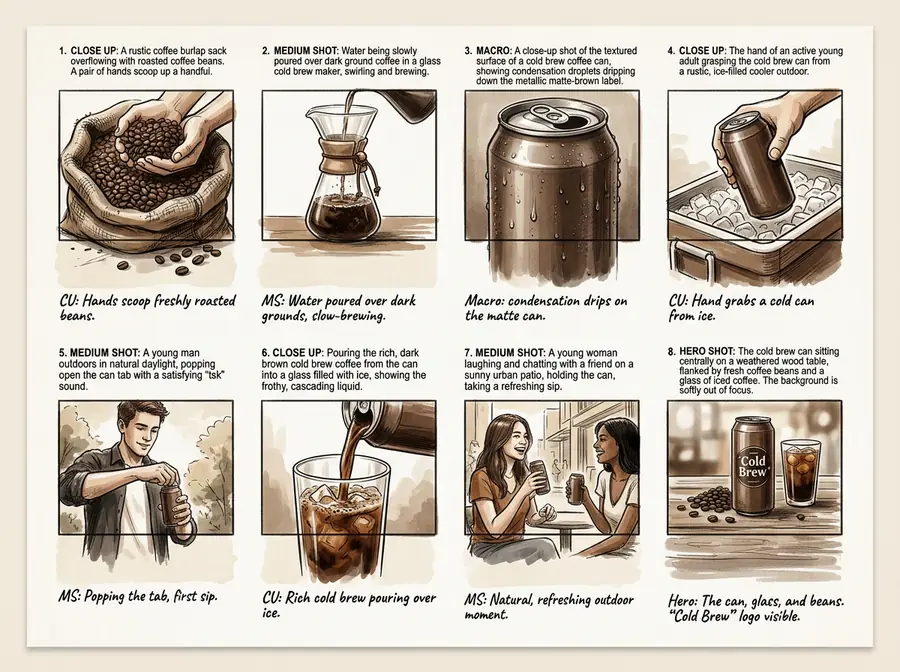
An ad storyboard
A one-page commercial storyboard for a cold brew coffee can: 8 numbered panels in a 4 by 2 grid, each with a short camera note under it such as "Macro: condensation drips", a clean presentation layout, a warm brown and cream palette.
Eight panels, each with a legible camera note. A quick way to pitch an ad before shooting it.
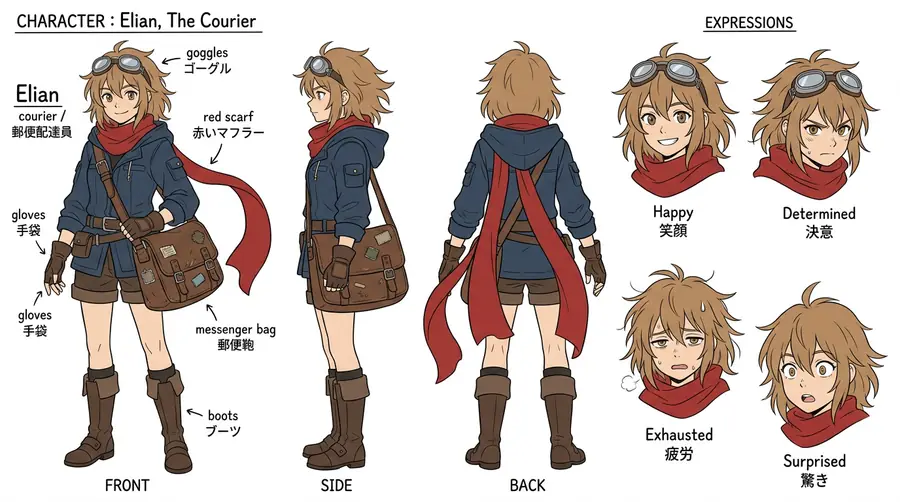
A character design sheet
A character design sheet for an original fantasy courier girl with a red scarf and a messenger bag: front, side and back views, plus four facial expressions, on a plain white background, clean anime-style line art with flat colors and small labels.
Front, side, back and four expressions of one consistent character. It labeled the parts in English and Japanese without being asked.
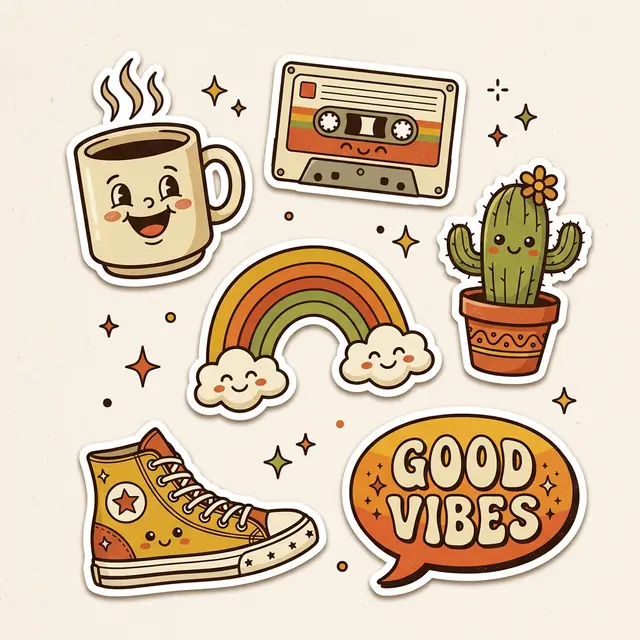
A sticker sheet
A sheet of retro cartoon stickers with white die-cut borders: a smiling coffee cup, a cassette tape, a cactus, a rainbow, a sneaker and a speech bubble that says "GOOD VIBES", bold outlines, 1970s colors.
Every sticker we listed, with die-cut borders, and "GOOD VIBES" spelled right.
Words inside the picture
The thing 2.1 does best. Put the exact words in quotes.
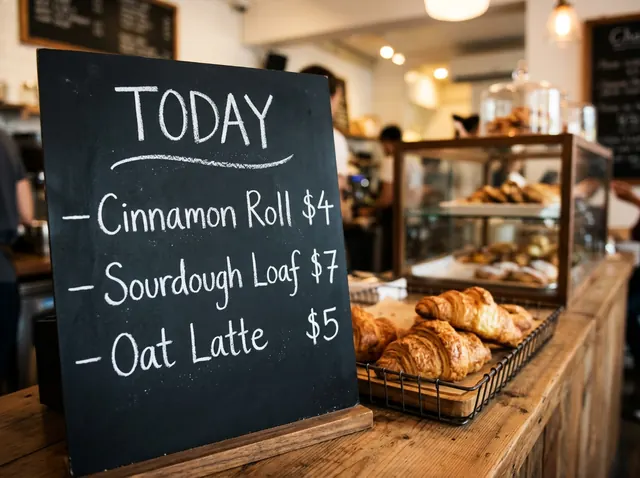
A chalkboard menu
A bakery chalkboard menu, hand-lettered in white chalk, that reads exactly: TODAY — Cinnamon Roll $4 — Sourdough Loaf $7 — Oat Latte $5. Warm cafe light, a few croissants on the counter in front.
Every line and every price right, dashes included.
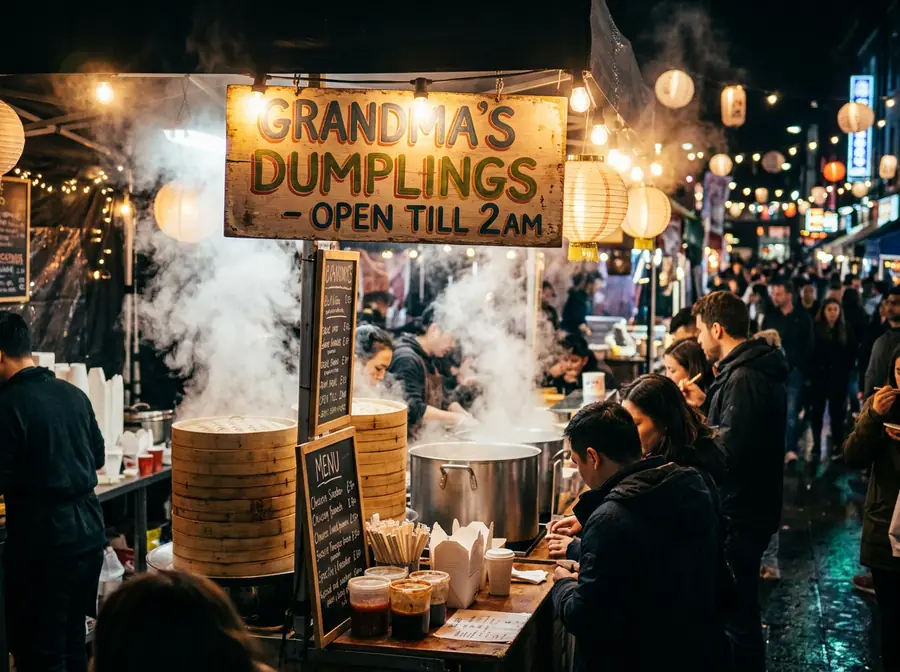
A hand-painted shop sign
A busy night-market food stall with a glowing hand-painted sign that reads exactly "GRANDMA'S DUMPLINGS - OPEN TILL 2AM", steam rising, string lights, people blurred in the background.
The sign reads exactly as written, apostrophe included.
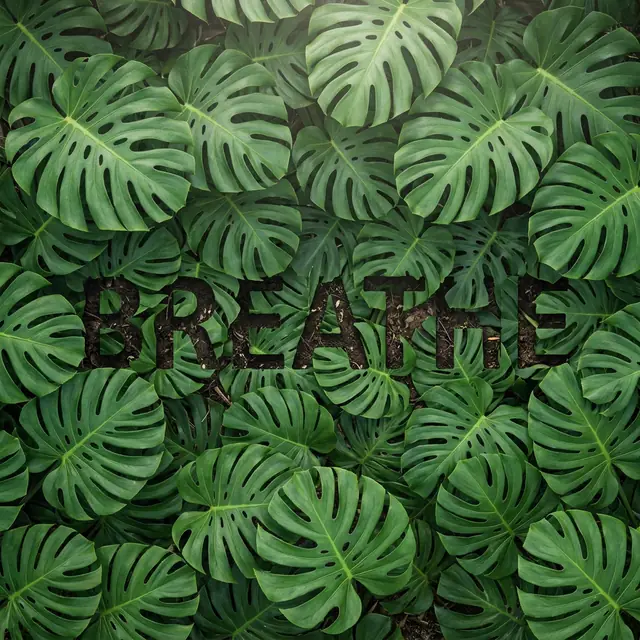
A word hidden in leaves
The word "BREATHE" formed by the gaps between dense green monstera leaves, seen from above, soft natural light, the letters visible only as negative space.
"BREATHE" shows up in the gaps between the leaves. Subtle, which is the point.
Photo looks from text
Name the camera and the light, and the model does the rest.
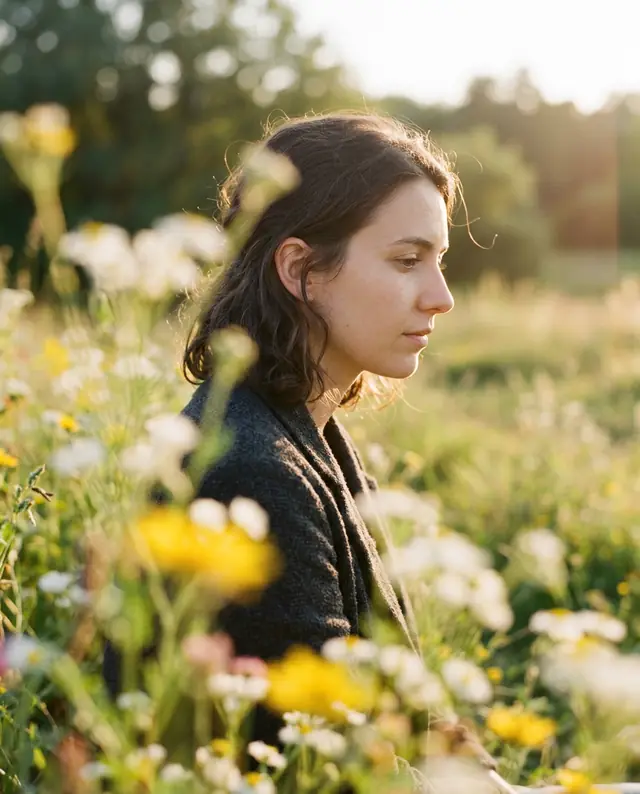
A film portrait through flowers
A vintage 35mm film portrait of a woman in profile, photographed through out-of-focus wildflowers in the foreground, warm late-afternoon light, soft grain, faded colors.
Soft foreground blur, warm light and grain. It looks shot, not made.
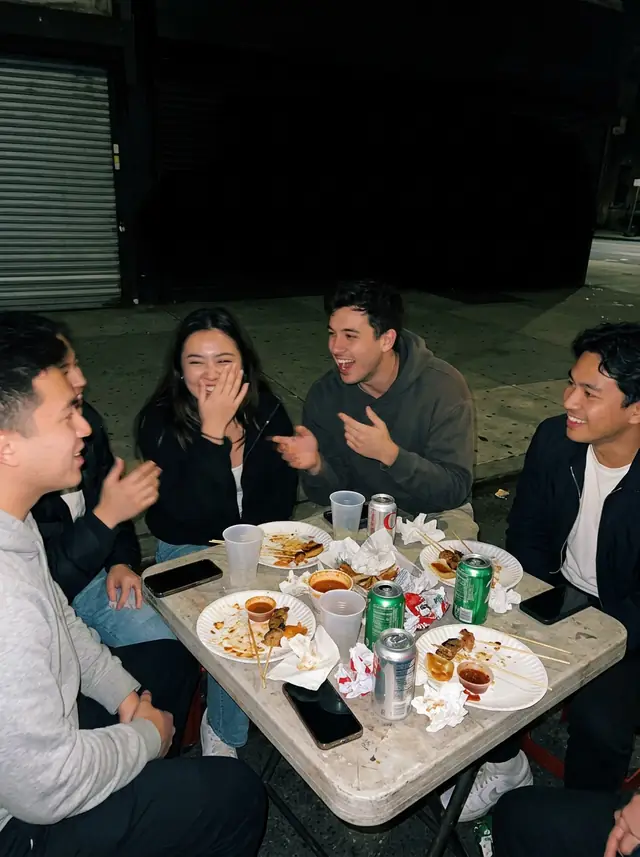
A phone-flash party photo
A candid phone photo taken with the flash at night: friends laughing around a street-food table, harsh flash light, a deep black background, slight motion blur, the look of a real party snapshot.
Harsh flash, black background, real snapshot energy.
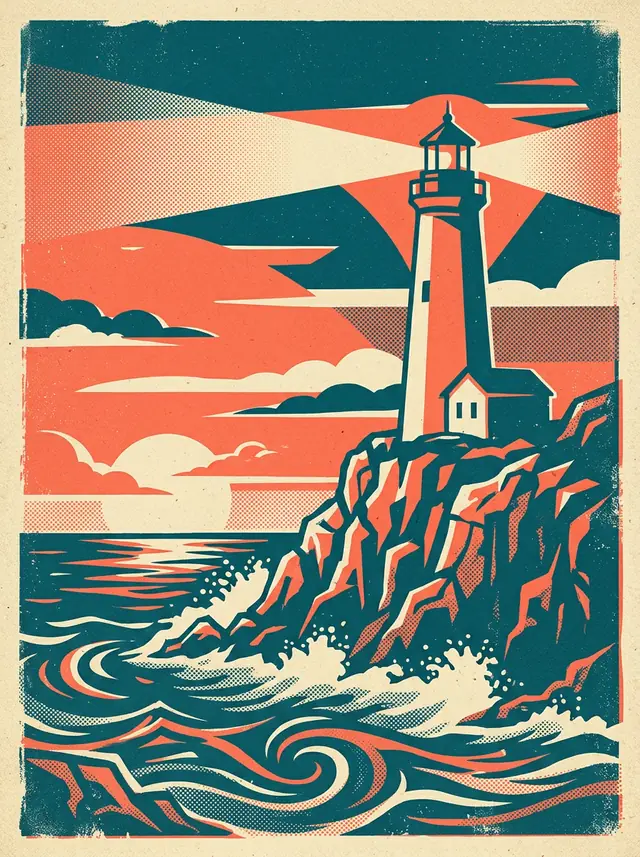
A screen-print illustration
A retro screen-print illustration of a lighthouse on a rocky cliff at dusk in three flat colors, teal, cream and coral, with visible halftone texture and slight misregistration, like a 1960s travel print.
Three flat colors and halftone dots, like an old print.
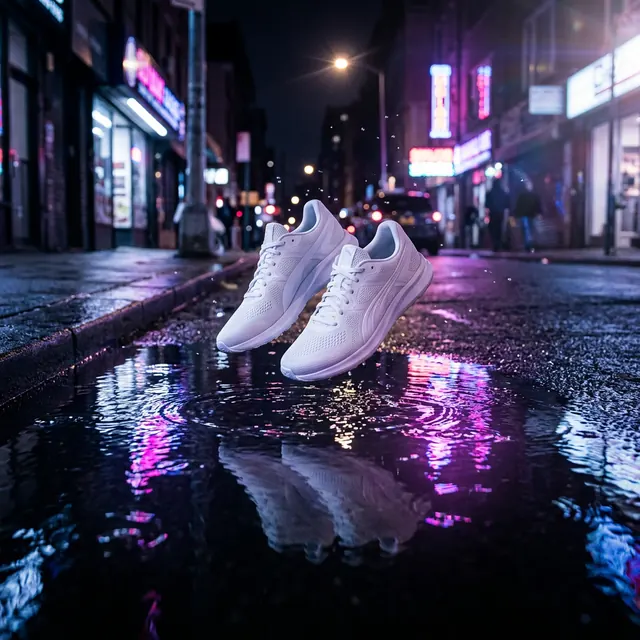
A product ad at night
Commercial ad photo: a pair of white running shoes floating above a puddle on a city street at night, pink and blue neon reflections in the water.
Neon reflections and no made-up brand names on the signs.
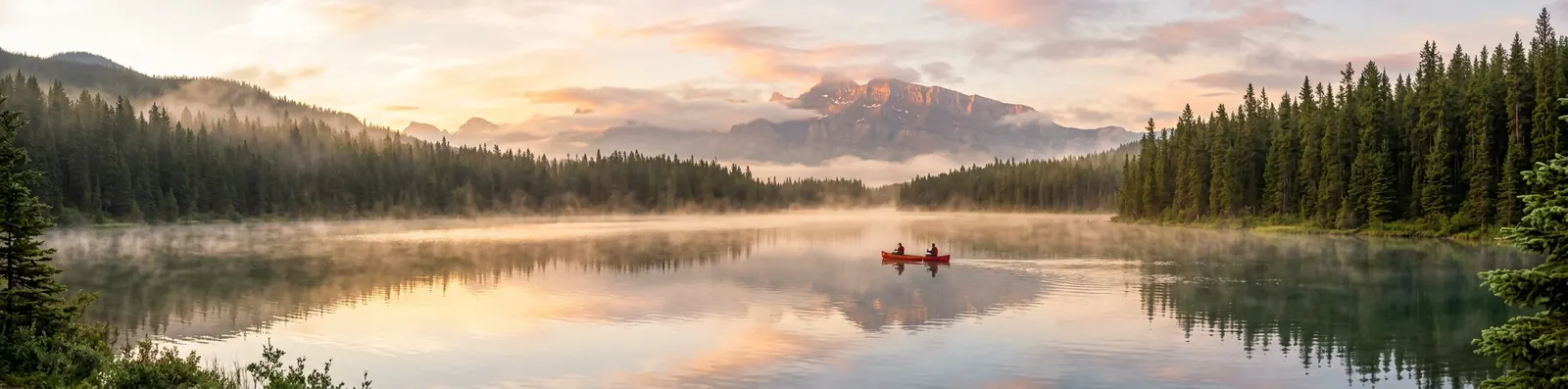
A 4:1 website banner
A wide panoramic photo of a mountain lake at sunrise, mist on the water, pine forest on both shores, a small red canoe near the middle.
4:1, 1:4, 8:1 and 1:8 came with Nano Banana 2, and Google says 2.1 makes better images in them. Made for banners and phone wallpapers.
What made these work
- Say what must stay. For edits, one line like "keep her face, hairstyle and skin tone exactly the same" did more than any amount of style words.
- Put exact words in quotes. Short text in quotes came out spelled right every time: menus, signs, poster titles, a handwritten caption.
- Name the camera and the light. "35mm film", "phone flash at night" and "golden hour" change the whole feel of a picture.
- Pick the shape first. 4:5 for portraits, 16:9 for thumbnails, 4:1 for banners. The shape is part of the result, so it's set in each "Try this prompt" link.
Here's what we actually think: you don't need long "magic" prompts with this model. Two or three clear sentences beat a paragraph of adjectives. When a result is close but not right, click "Edit this image" in the tool and ask for the one change you want, instead of starting over.
Questions
What are the best Nano Banana 2.1 prompts?
The ones that say exactly what should change and what must stay. In our tests, the strongest were edits of your own photo (a headshot, a travel photo, a product shot) and anything with short, exact text in quotes, like a menu, a sign or a poster title.
How do I keep my face the same in Nano Banana 2.1?
Say it in the prompt: "Keep her face, hairstyle and skin tone exactly the same." Upload one clear photo with your face well lit. In our six portrait edits, the face stayed the same in every one.
Can Nano Banana 2.1 write text in images?
Yes, and well. Put the words in quotes and keep them short. Every word we put in quotes on this page came out spelled the way we wrote it. Twice the model added text of its own, which we point out under those images.
Do these prompts work in the Gemini app?
They work with any Nano Banana model, but results depend on which one you get. From October 9, 2026, free Gemini accounts make images with Nano Banana 2 Lite, which isn't built for repeated edits or several reference images.
Can I try these prompts for free?
Yes. Click "Try this prompt", sign in with Google, and your first 1K image on GetStepSnap is free.