Nano Banana 2.1 vs Nano Banana Pro: the same 8 prompts, side by side
By GetStepSnap · Tested and published October 7, 2026
Google released Nano Banana 2.1 on October 6, 2026. The obvious question: can it replace Nano Banana Pro, which costs about four times as much per 1K image? So we ran the same eight prompts through both. Five pictures made from text, three edits of existing photos. Same settings, one try each, nothing retouched.
Short answer: for most everyday work, yes. 2.1 matched Pro on text, edits and product shots, finished faster, and got a counting test right that Pro got wrong. Pro still made the best portrait.
The quick comparison
| Nano Banana 2.1 | Nano Banana Pro | |
|---|---|---|
| Google image output price, 1K / 2K / 4K* | $0.0336 / $0.0504 / $0.113 | $0.134 / $0.134 / $0.24 |
| fal.ai, one 1K image† | about $0.04, by usage | $0.15 flat |
| Time to result in our tests | 10.6–16.5 s | 16.5–24.6 s |
| Text in images (2 tests) | Both right | Both right |
| Counting test | Right | Wrong: 4 apples, not 5 |
| Edits that kept the original (3 tests) | 3 of 3 | 3 of 3 |
| Most detailed portrait | Yes | |
| Very wide and tall shapes (4:1, 1:4, 8:1, 1:8) | Yes | No, up to 21:9 |
| Largest size | 4K | 4K |
*Google's Standard tier, for the image itself. The prompt, attached photos and the model's thinking are billed on top, and the slower Batch tier costs half. †fal.ai charges Pro a flat price per image. It bills 2.1 on the tokens each request uses: $0.04 is fal's estimate for a short prompt with thinking, and a long prompt or attached photos add a little. In our own bill, 2.1 came to $0.040 per image from text and $0.042 with one photo attached. Sources: Google's Gemini API price page and fal.ai's model pages, October 7, 2026. Details in our pricing guide.
The 8 tests
Every prompt went through fal.ai on October 7, 2026, at 1K with the same shape for both models. For 2.1 we used exactly the settings our own tool uses. Times run from sending the request to the finished image. One try per prompt is a small sample, so read these as eight honest examples, not a benchmark.
1. Words on a chalkboard
Prompt: "A bakery chalkboard menu, hand-lettered in white chalk, that reads exactly: TODAY — Cinnamon Roll $4 — Sourdough Loaf $7 — Oat Latte $5. Warm cafe light, a few croissants on the counter in front." · 4:3, 1K
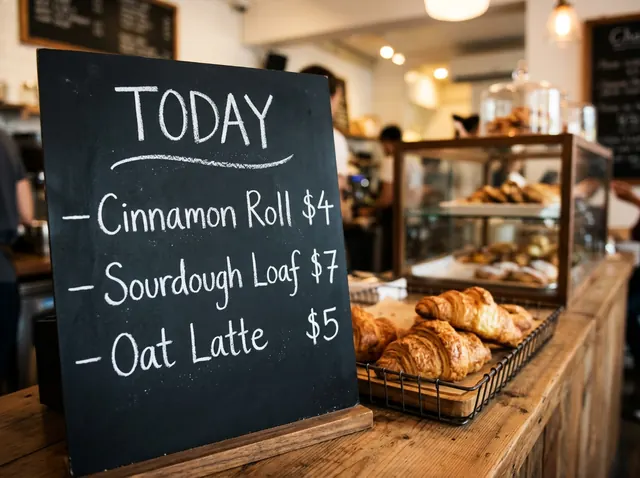
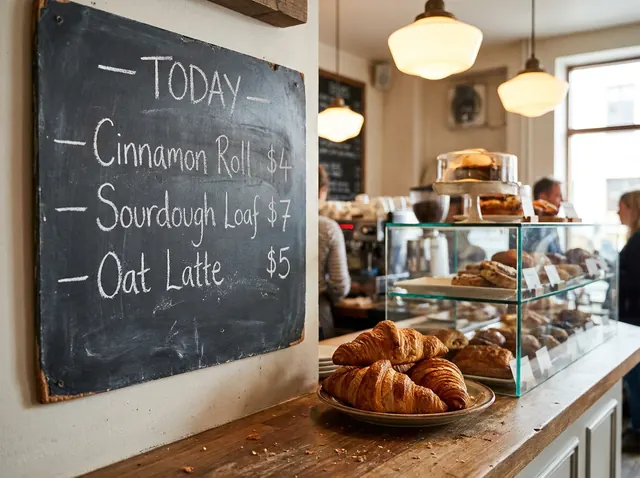
Every line came out spelled right in both, prices included. Pro's lettering looks a bit more like real chalk; 2.1 kept the dashes we asked for.
2. An infographic with four steps
Prompt: "A clean flat infographic titled 'How Coffee Gets to Your Cup' with four numbered steps in a vertical column: 1 Harvest, 2 Dry, 3 Roast, 4 Brew. Each step has a simple icon and a one-line caption. Cream background, brown and green accents." · 3:4, 1K
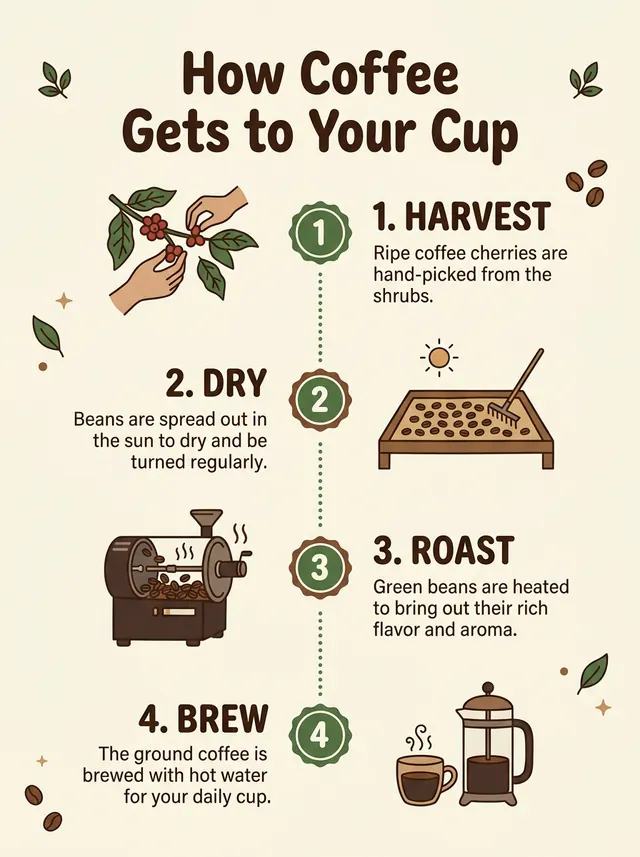
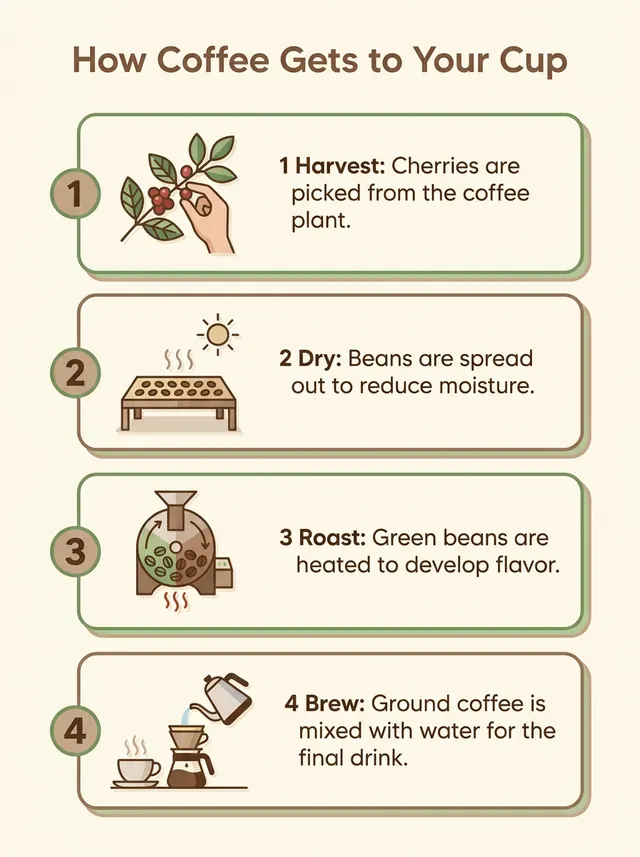
Both got the title, all four steps and readable captions. Pro's layout is tidier, 2.1's has more character. Call it a draw.
3. A realistic portrait
Prompt: "Candid 35mm film photo of an elderly fisherman mending a net on a wooden dock at dawn, weathered hands, soft natural light, shallow depth of field." · 4:5, 1K
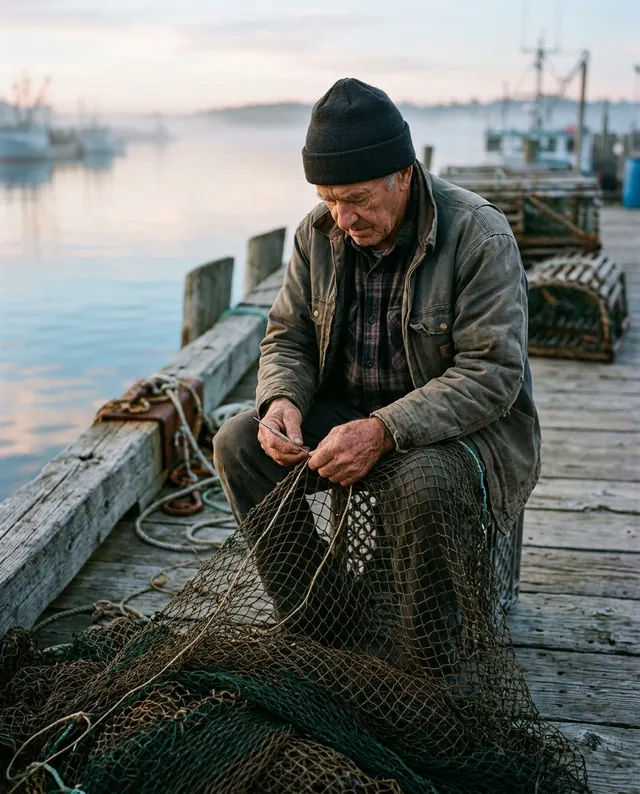
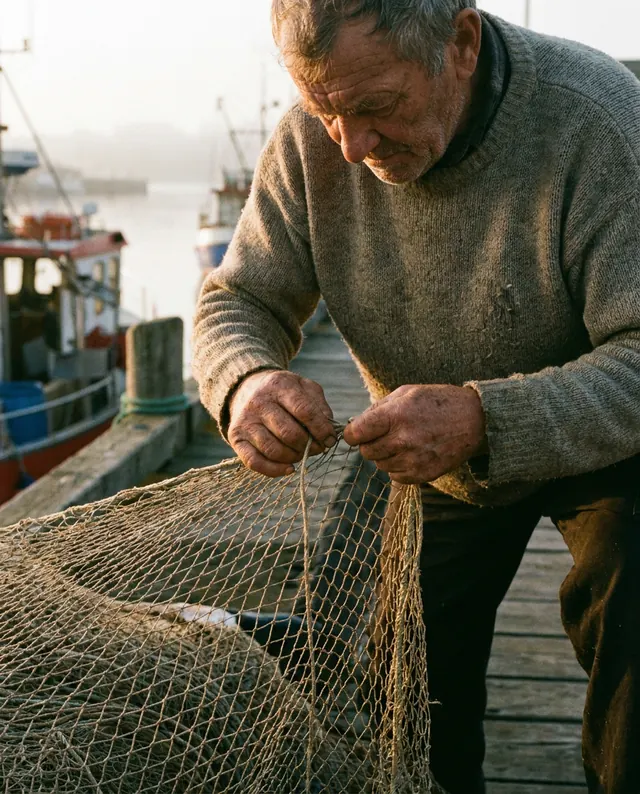
Pro wins this one. The face, the knit sweater and the hands are closer and sharper. 2.1's is a good photo, just wider and softer.
4. Counting objects
Prompt: "Exactly five red apples and three green pears in one straight row on a wooden table, studio lighting, white background." · 16:9, 1K
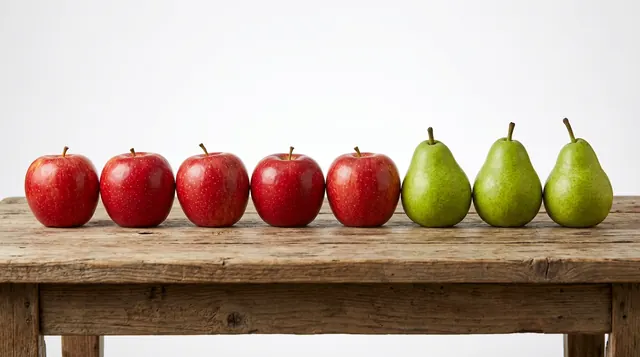
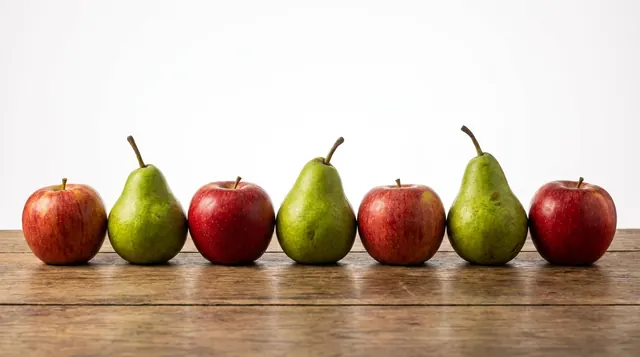
The clearest difference in our runs. We asked for exactly five apples and three pears. 2.1 got it right; Pro made four apples and alternated them with the pears.
5. A product ad
Prompt: "Commercial ad photo: a pair of white running shoes floating above a puddle on a city street at night, pink and blue neon reflections in the water." · 1:1, 1K
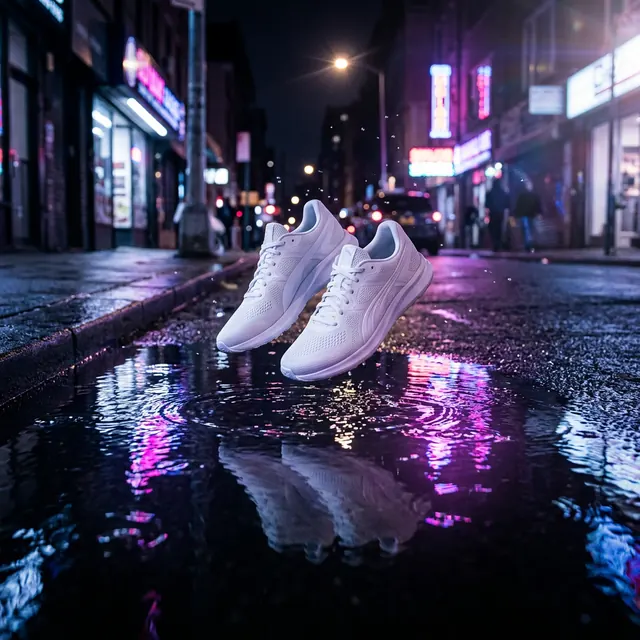
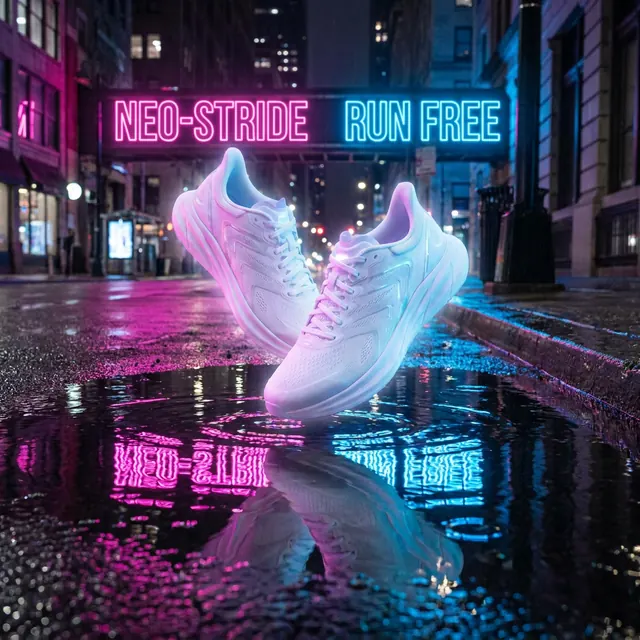
Both look like real ads. Pro invented neon signs with a made-up brand ('NEO-STRIDE'), which you'd have to clean up before using it. 2.1's has no stray text.
6. Restoring an old photo
Edit prompt: "Restore this old photo: remove the scratches, creases, dust and the torn corner, sharpen the faces and colorize it naturally. Keep the people, their poses and the composition exactly the same." · 4:3, 1K
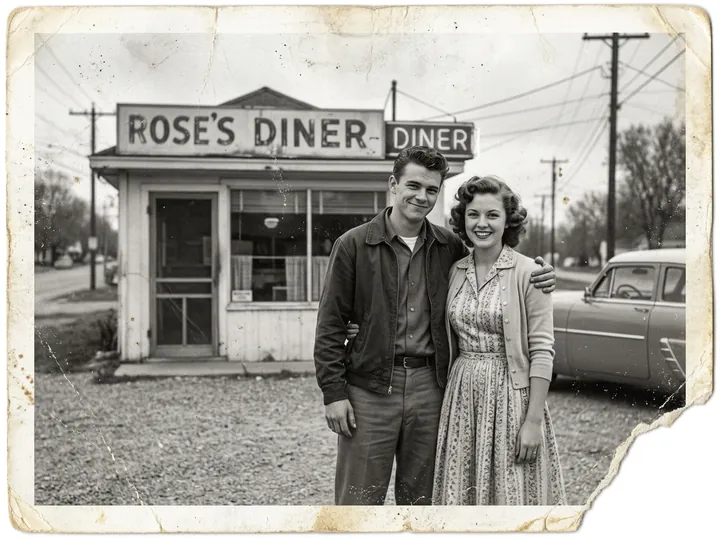
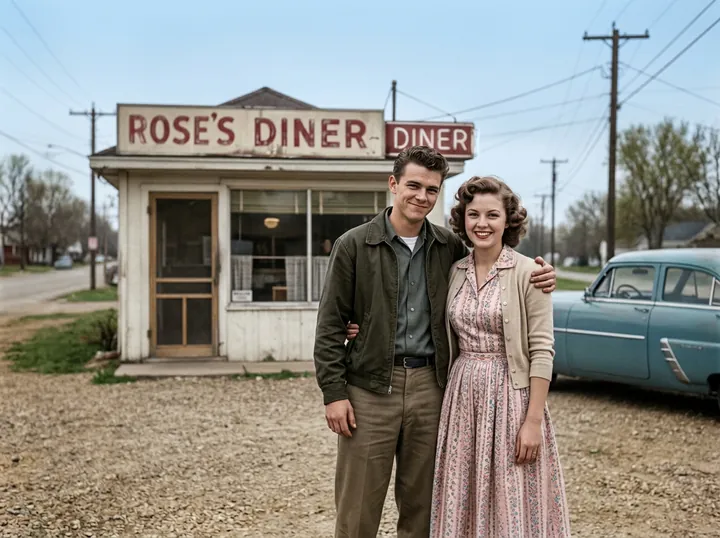
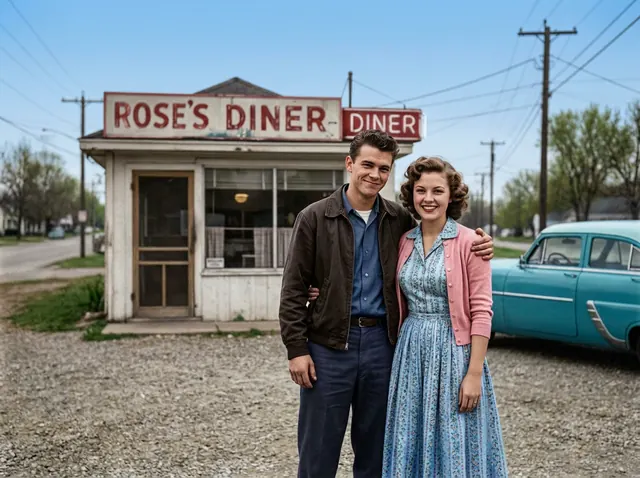
Both removed the damage, kept both faces and colorized naturally. They picked different colors for the clothes, which is a guess either way.
7. A phone snapshot into a product photo
Edit prompt: "Turn this into a professional product photo: the same candle on a travertine stone pedestal, soft warm light from the side, a gentle shadow, a clean beige background and a few dried flowers. Keep the jar and its label exactly the same." · 4:5, 1K
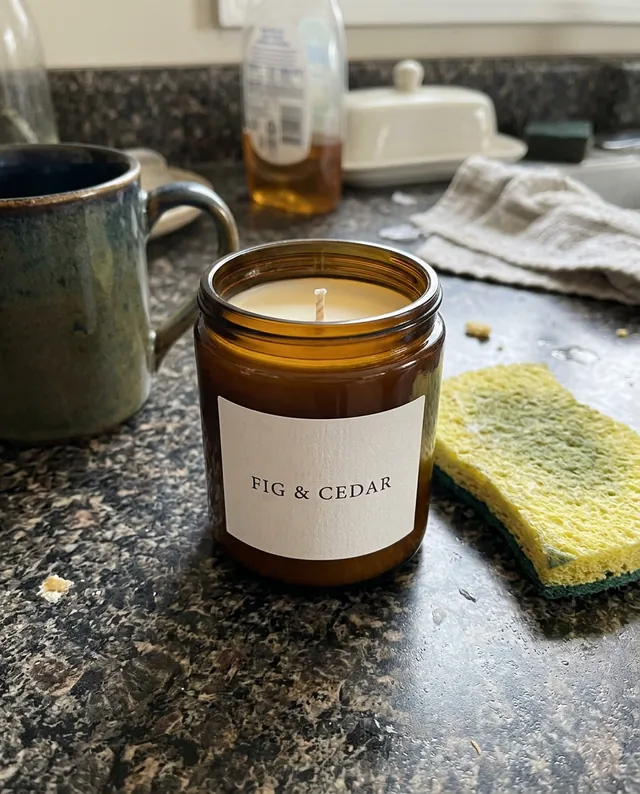
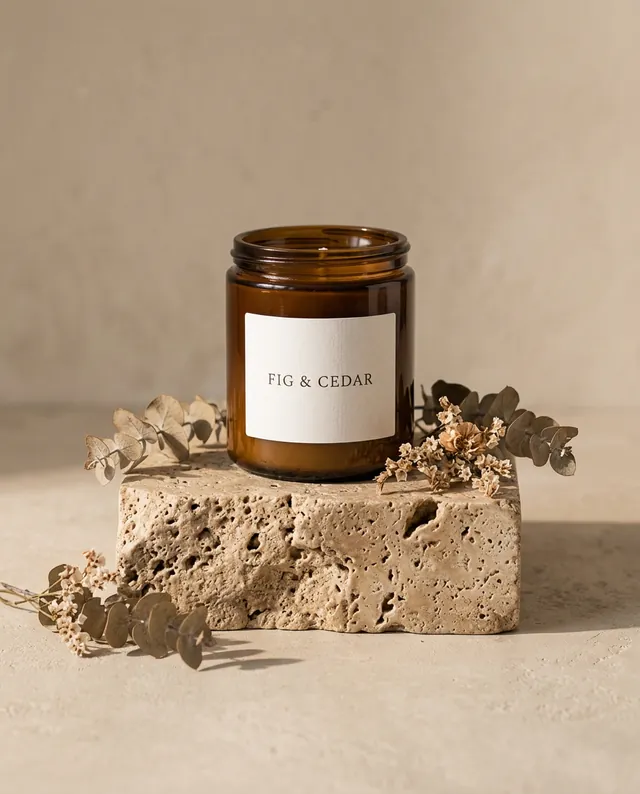
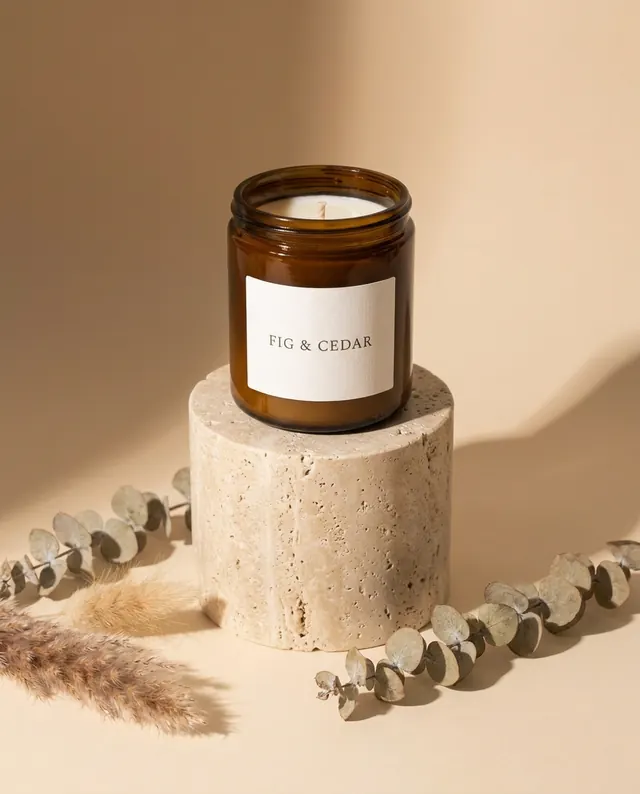
Both kept the FIG & CEDAR label letter for letter. Pro's pedestal is a smooth cylinder; 2.1's looks more like real travertine. Either works for a shop listing.
8. A pet photo into a collectible figure
Edit prompt: "Create a 1/7 scale commercialized figurine of the cat in the picture, in a realistic style, in a real environment. The figurine stands on a round transparent acrylic base with no text, on a computer desk. The computer screen shows the 3D modeling of this figurine. Next to the screen is a premium collectible toy box printed with artwork of the same cat." · 1:1, 1K
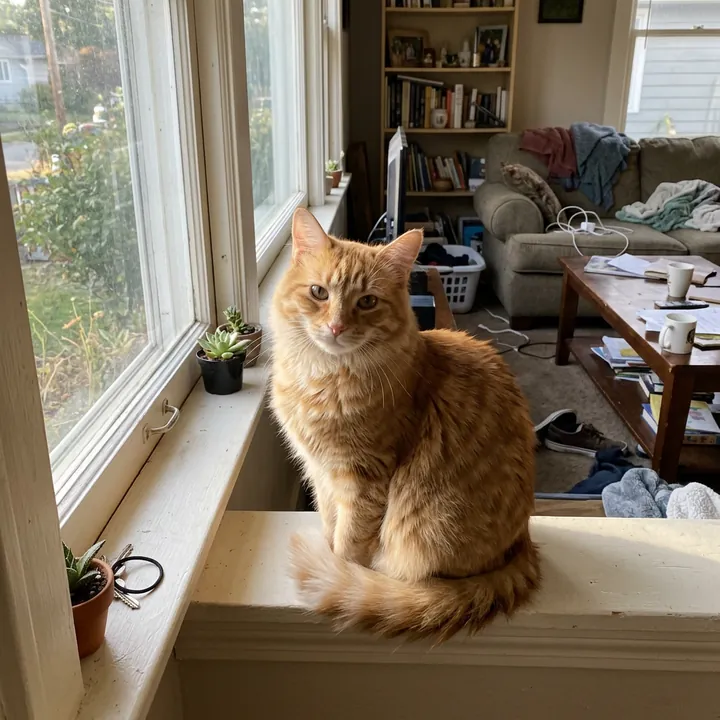
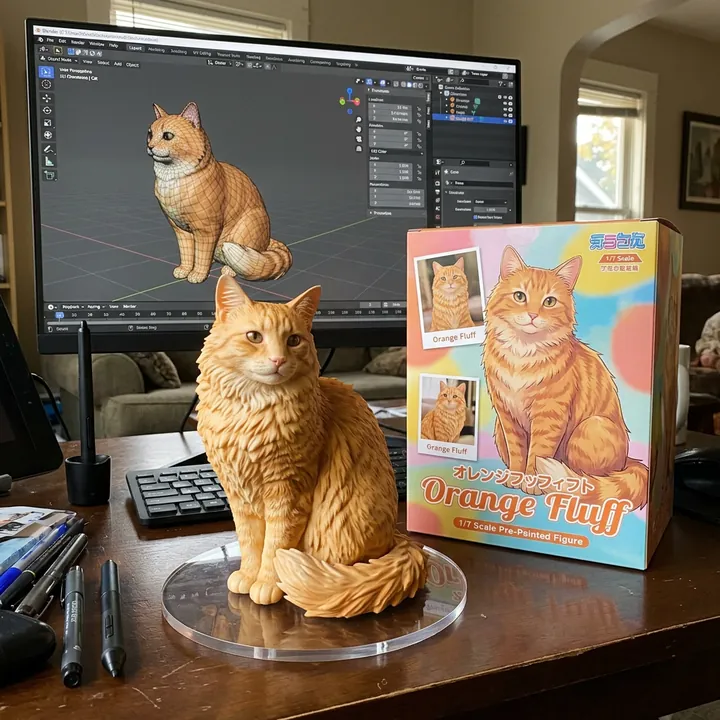
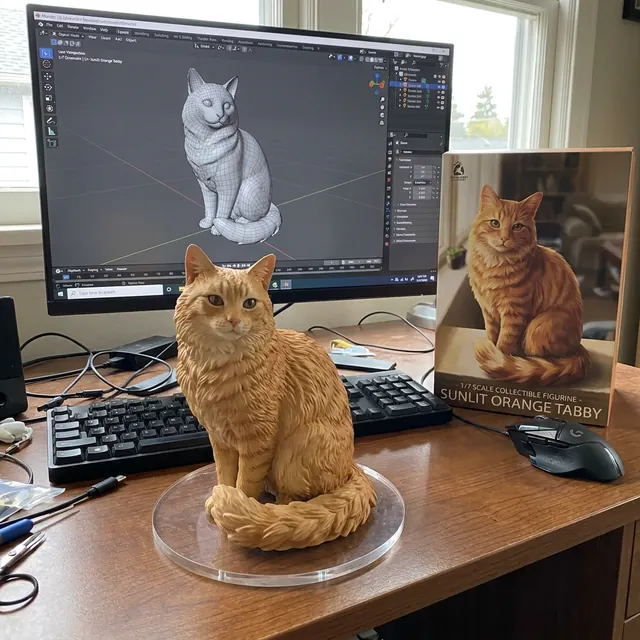
Both kept the cat's sitting pose and its markings. 2.1's toy box is busier and more fun; Pro's is calmer.
Which one should you use?
- Pick 2.1 for words on images (menus, posters, thumbnails), editing your own photos, product shots, and anything you make in volume.
- Pick Pro for close-up portraits where every wrinkle and thread matters, if paying two to four times more per image is fine (the gap is widest at 1K).
Here's what we actually think: start with 2.1. If a portrait comes back too soft, that's when Pro earns its price. For everything else in our tests, the extra money bought nothing we could see. Want the full price picture first? See what one Nano Banana 2.1 image really costs.
Questions
Is Nano Banana 2.1 better than Nano Banana Pro?
Not across the board. In our 8 tests, 2.1 matched Pro on text, the infographic, the product shot and all three photo edits, and it got a counting test right that Pro missed. Pro made the most detailed portrait. 2.1 was also faster and, at 1K, costs about a quarter as much.
How much cheaper is Nano Banana 2.1 than Pro?
It depends on the size. Google's Standard-tier price for the image itself is $0.0336 with 2.1 and $0.134 with Pro at 1K (about four times cheaper), $0.0504 against $0.134 at 2K, and $0.113 against $0.24 at 4K. Your prompt, attached photos and thinking add a little on top. On fal.ai, Pro is a flat $0.15 per 1K image, while 2.1 is billed on the tokens each request uses: about $0.04 for a 1K image from a short prompt.
Which one is faster?
2.1. At 1K it finished in 10.6 to 16.5 seconds in our runs, Pro in 16.5 to 24.6 seconds.
When should I still pick Nano Banana Pro?
When the picture is a close, detailed photo of a person and the price doesn't matter much. For text, edits, product photos and anything you make a lot of, 2.1 is the better deal.
Can I use Nano Banana 2.1 without an API key?
Yes. On GetStepSnap you sign in with Google, type a sentence or upload a photo, and your first 1K image is free. After that, 100 credits cost $9.90 plus local tax where it applies.