AI Polaroid photo from your selfie: Nano Banana Polaroid and 90s film prompts
By GetStepSnap · Tested October 8, 2026
Flash glare, faded color, a white frame with something scribbled on it: the instant-film look is easy to ask for. Attach a recent photo and Nano Banana 2.1 turns it into a Polaroid, a 90s disposable-camera snapshot or a photo booth strip.
Every result below is the first one we got at 1K, resized and nothing else. The starting photos were made with the model.
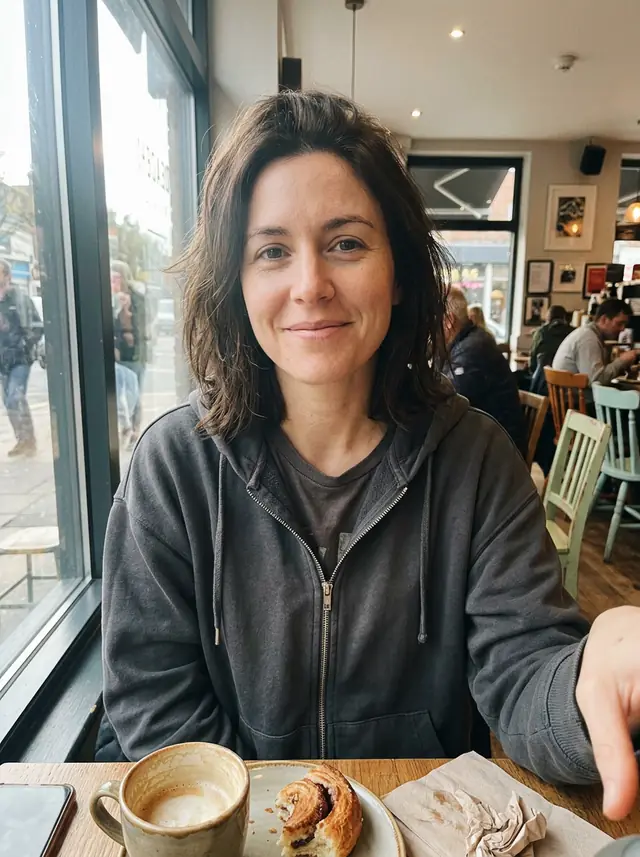
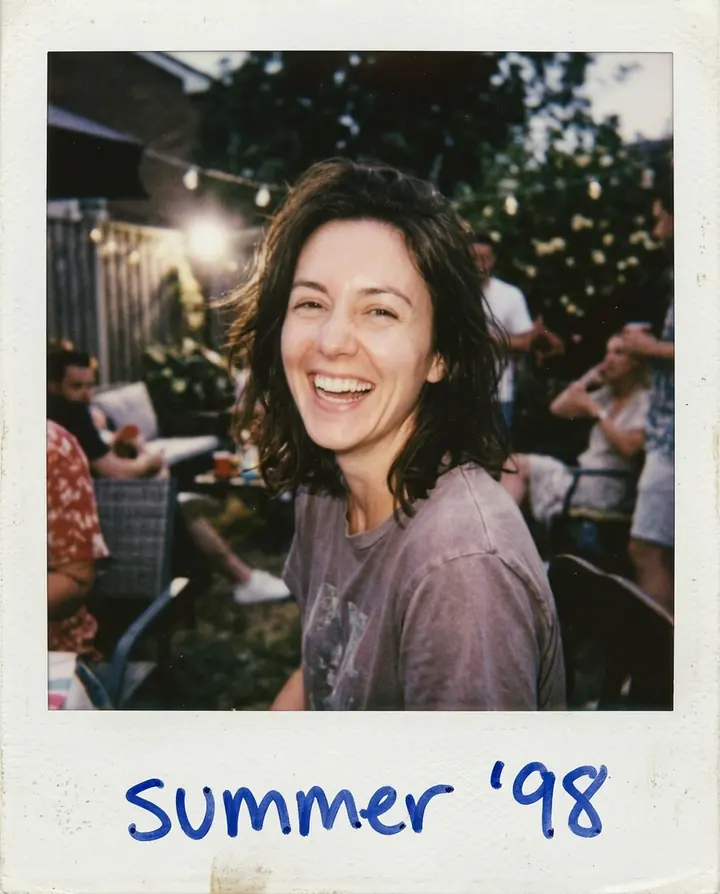
Polaroid with a handwritten caption
Use the woman in this photo and keep her face exactly the same. A real instant Polaroid photo of her laughing at a summer backyard party, taken with direct flash, with the classic white Polaroid frame and a thicker bottom border where "summer '98" is written in blue pen. Slightly faded colors, soft focus and the warm tint of instant film.
The white frame, the flash and "summer '98" in blue pen, spelled right. Her face stays close to the selfie.

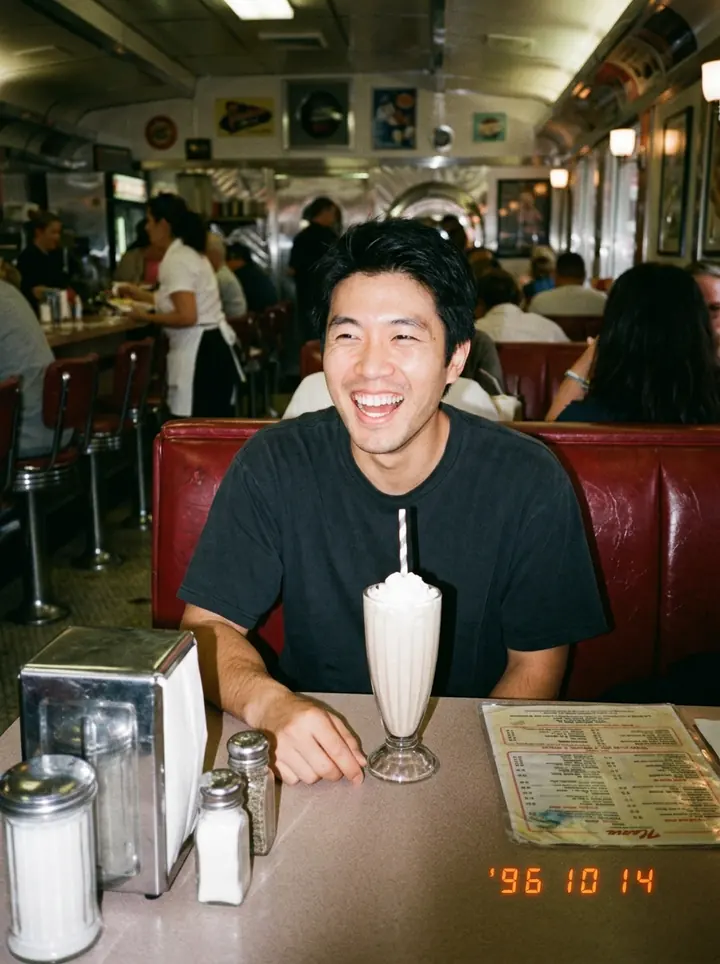
90s disposable camera at a diner
Use the man in this photo and keep his face exactly the same. A 1990s disposable-camera photo of him sitting in a red vinyl booth at a retro diner with a milkshake, caught mid-laugh. Harsh direct flash, film grain, slightly washed-out colors and an orange date stamp in the bottom right corner.
Red booth, milkshake, harsh flash and an orange date stamp, which reads '96 10 14; it picked the date itself.
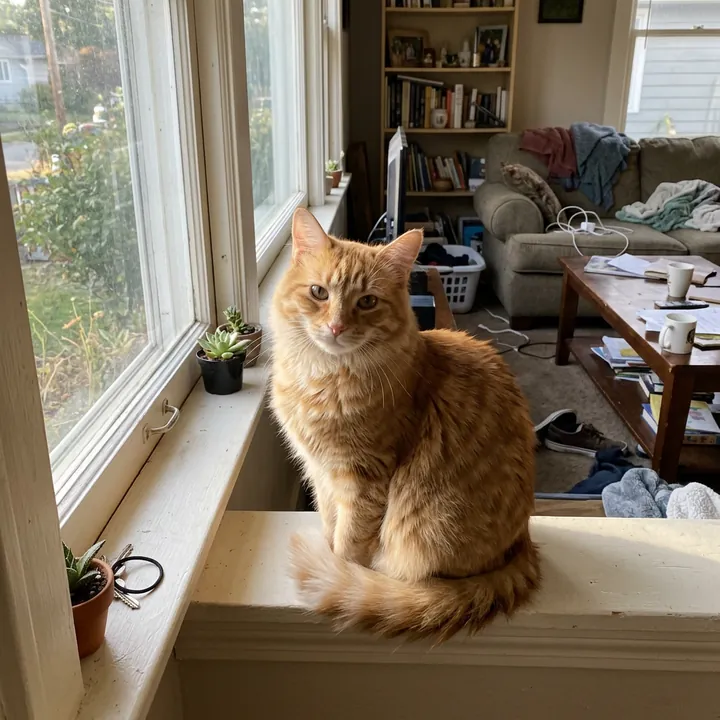
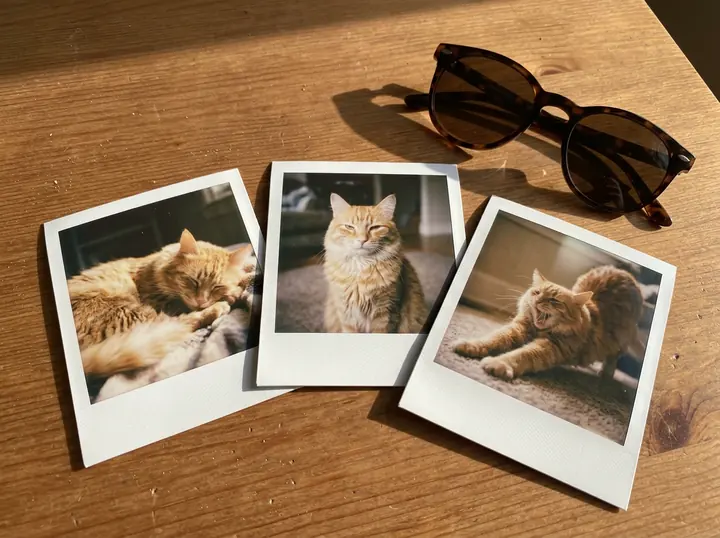
Three Polaroid prints of your cat
Use the cat in this photo and keep it looking exactly like this cat. Three instant Polaroid prints of this cat lying on a wooden table in afternoon sun: the cat napping, the cat looking at the camera and the cat stretching, each in a white Polaroid frame, slightly overlapping, with a pair of sunglasses beside them. A realistic photo of real prints.
Three prints, three poses of the same orange tabby, and the sunglasses, as asked.
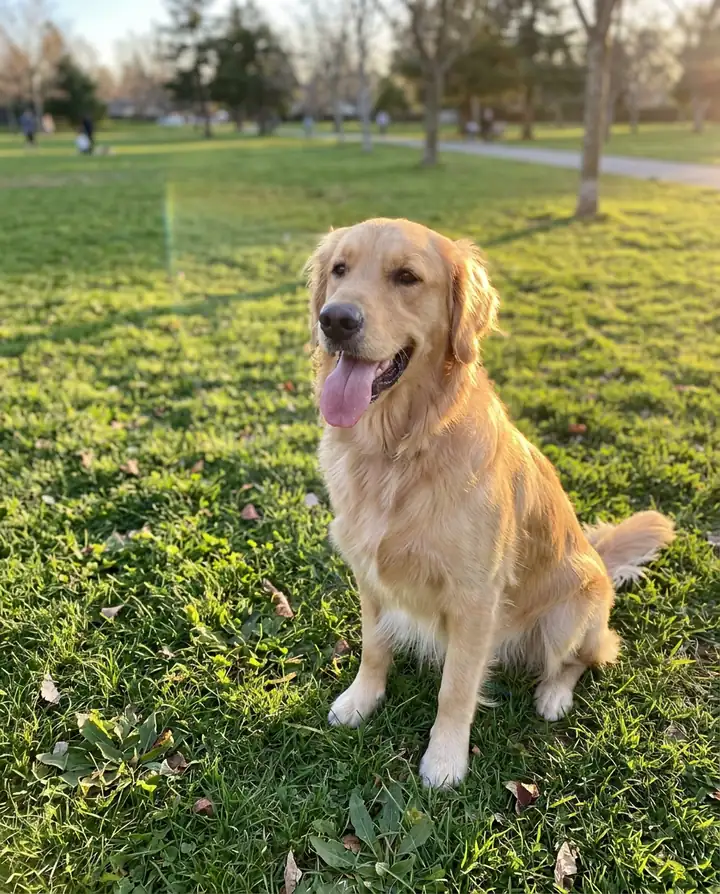
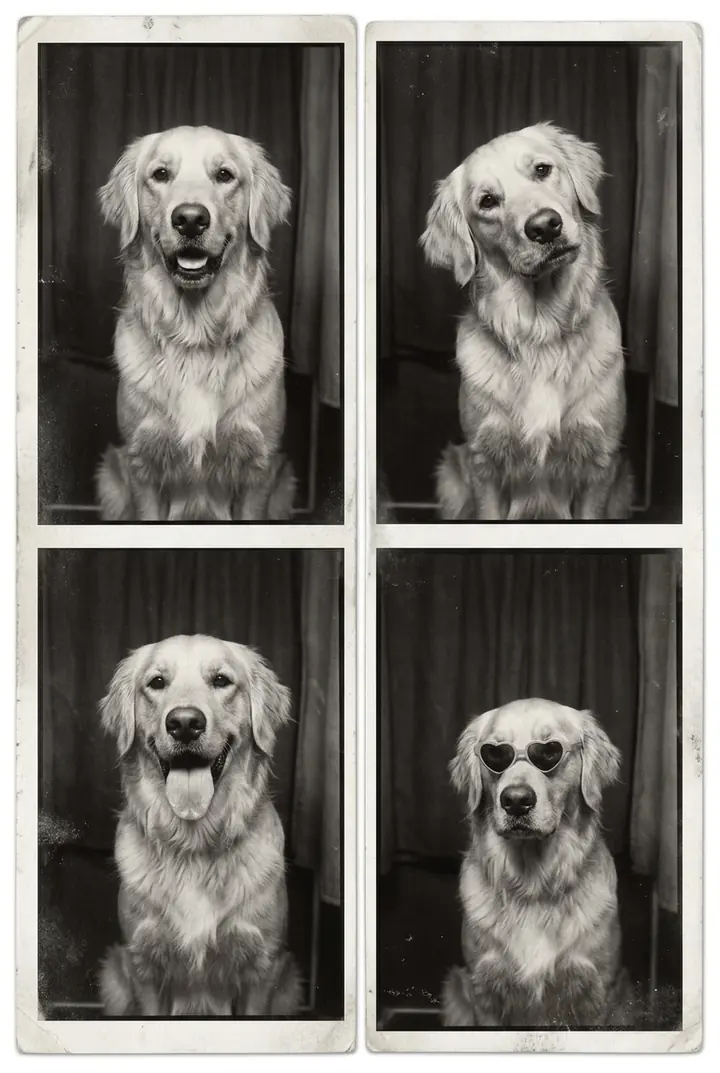
Black-and-white photo booth strip
Use the dog in this photo and keep it looking exactly like this dog. A vintage black-and-white photo booth strip with four frames of this dog: looking at the camera, tilting its head, sticking out its tongue and wearing tiny heart-shaped sunglasses. A real printed strip with slightly uneven contrast and a white border.
All four frames as listed. It printed them as two strips side by side, two frames each, rather than one long strip.
Tips
- Name the camera. "Instant Polaroid", "disposable camera" and "photo booth strip" each gave a different, recognizable look.
- Ask for the flaws. Direct flash, film grain and faded color are what make it feel old; all of ours ask for them.
- Put captions and dates in quotes. Without a date in quotes, the model picks one.
What it costs
On GetStepSnap your first 1K image is free. After that a photo takes 1 credit at 1K or 2K, and 100 credits cost $9.90 (plus local tax where it applies), about $0.10 each, with no subscription. Ours took 20 to 32 seconds each. For more looks, see AI photoshoot from one selfie.
Questions
How do I turn my photo into a Polaroid with AI?
Attach your photo, start with "Use the woman in this photo and keep her face exactly the same" (or the man, cat or dog), then ask for "a real instant Polaroid photo" with the white frame, direct flash and faded instant-film colors. Put any caption in quotes.
Can I add a date stamp or a handwritten caption?
Yes. Our Polaroid got "summer '98" in blue pen, spelled right. For the disposable-camera photo we only asked for "an orange date stamp" and it chose the date itself; put the date in quotes if you want a specific one.
Is it free?
Your first 1K image on GetStepSnap is free. After that a photo takes 1 credit at 1K or 2K, and 100 credits cost $9.90 (plus local tax where it applies), about $0.10 each. No subscription.
What happens to the photos I upload?
We store them so the model can read them and so your results stay in your account. We don't sell them or use them for anything else. To have them deleted, email support@getstepsnap.com.