Nano Banana product photography prompts: from a phone photo to store-ready shots
By GetStepSnap · Tested October 8, 2026
You don't need a studio for a clean listing photo. Take a quick picture of the product wherever it is, attach it, and Nano Banana 2.1 can put the same product on a white background, on velvet, on stone and water, or in a cozy scene.
Every result below is the first one we got at 1K, resized and nothing else. The phone photos were made with the model, so the products are not real brands.
Clean shots for your store
Plain backgrounds and studio light, for a product page or a marketplace listing.
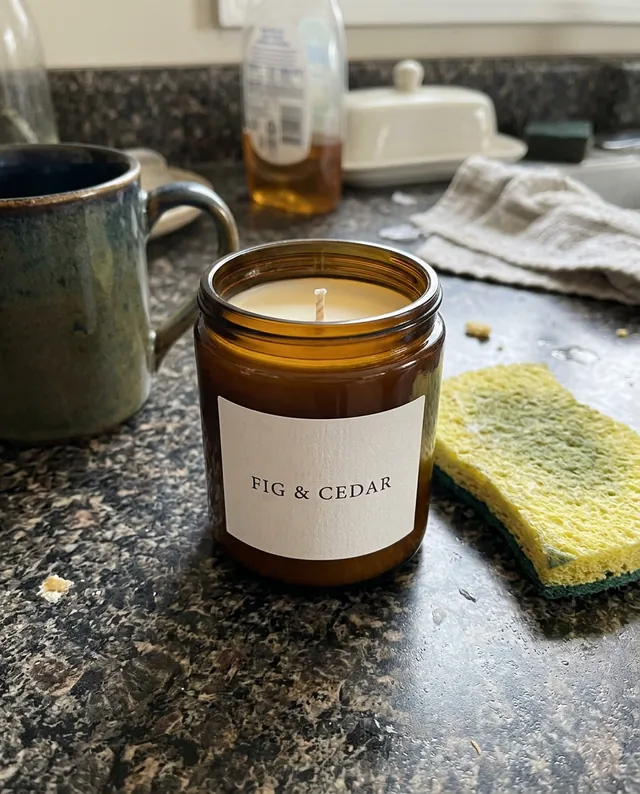
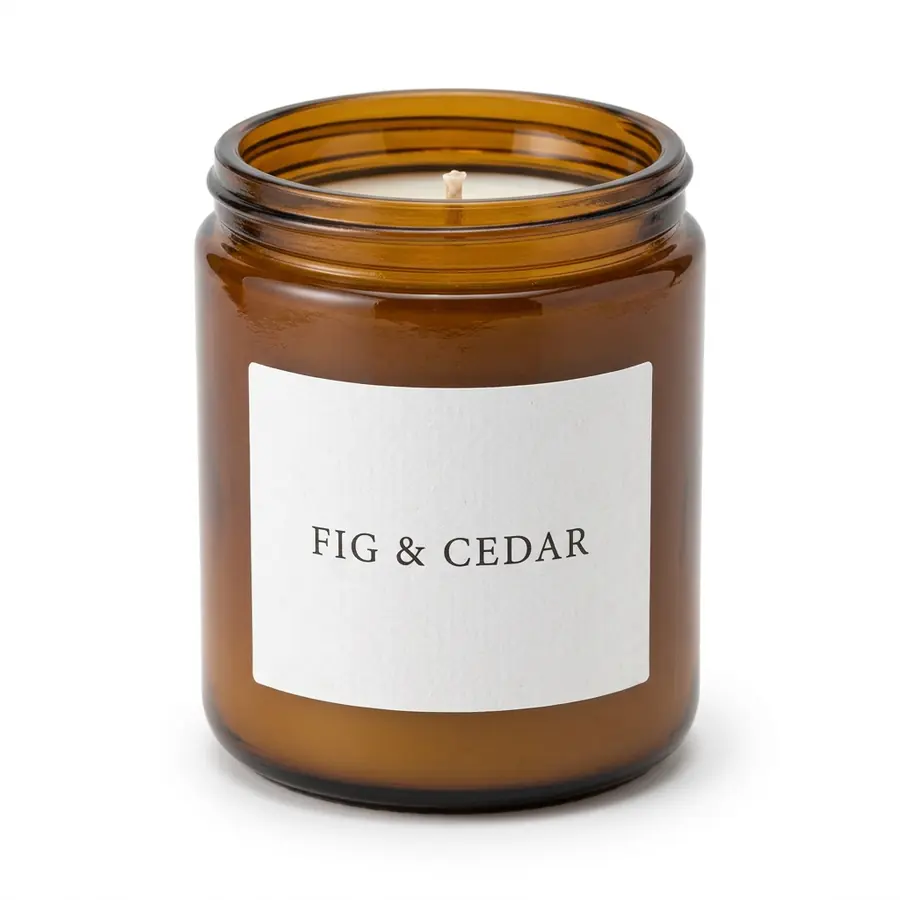
Candle on a white background
Turn this phone photo into a clean e-commerce product photo: the same candle with its jar and label exactly as they are, centered on a pure white background with a soft natural shadow, bright even studio light and sharp focus. No other objects.
The kitchen clutter is gone; the jar and the "Fig & Cedar" label look the same as in the phone photo.
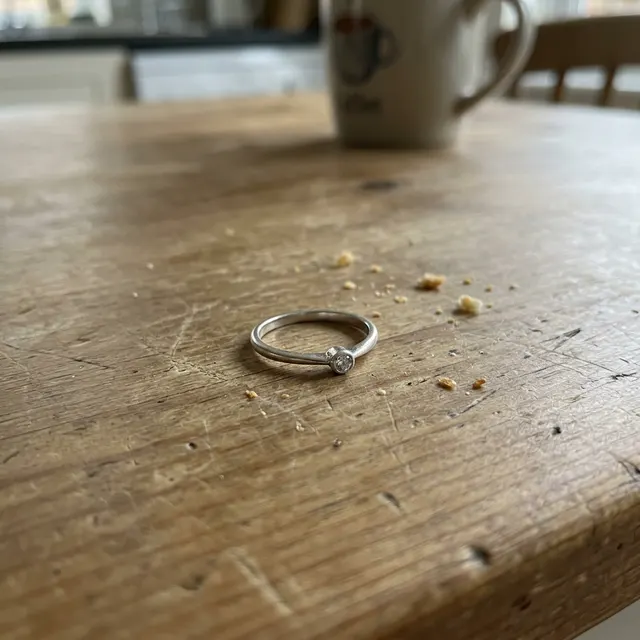
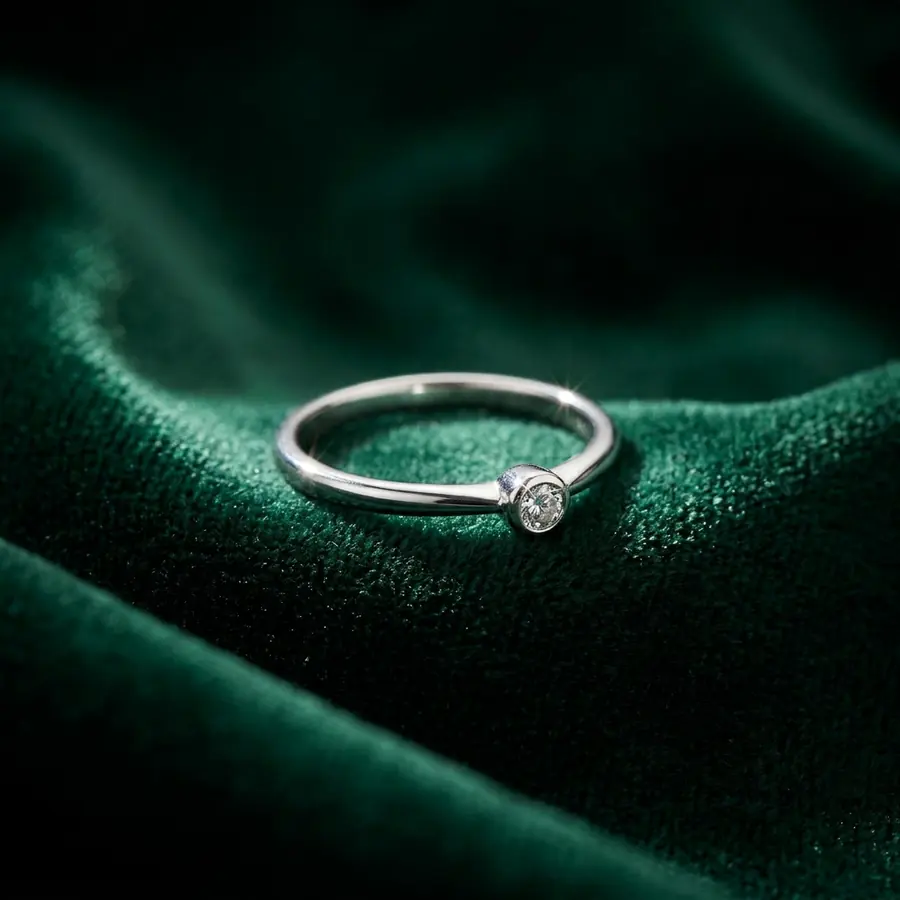
Ring on velvet
Turn this phone photo into a luxury jewelry product photo: the same ring, with its shape, stone and metal exactly as they are, resting on dark green velvet under a soft spotlight, with crisp macro detail and a few natural sparkles in the stone. No other objects.
From a ring among crumbs to a jewelry-store shot; the band and the single stone match the phone photo.
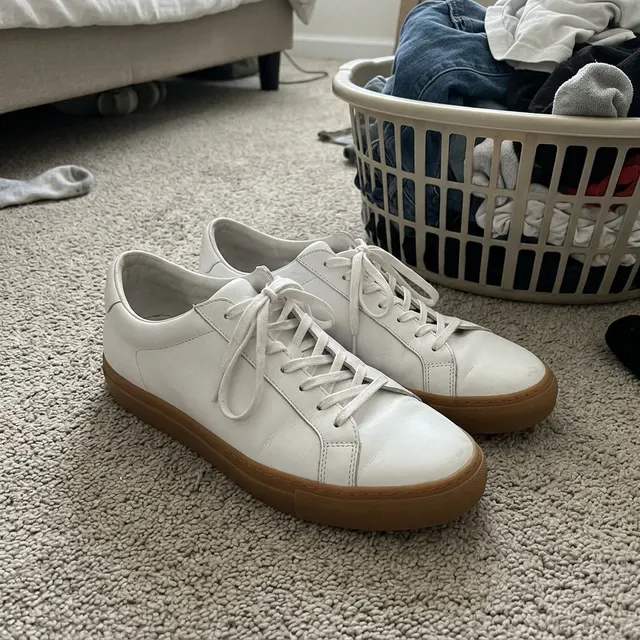
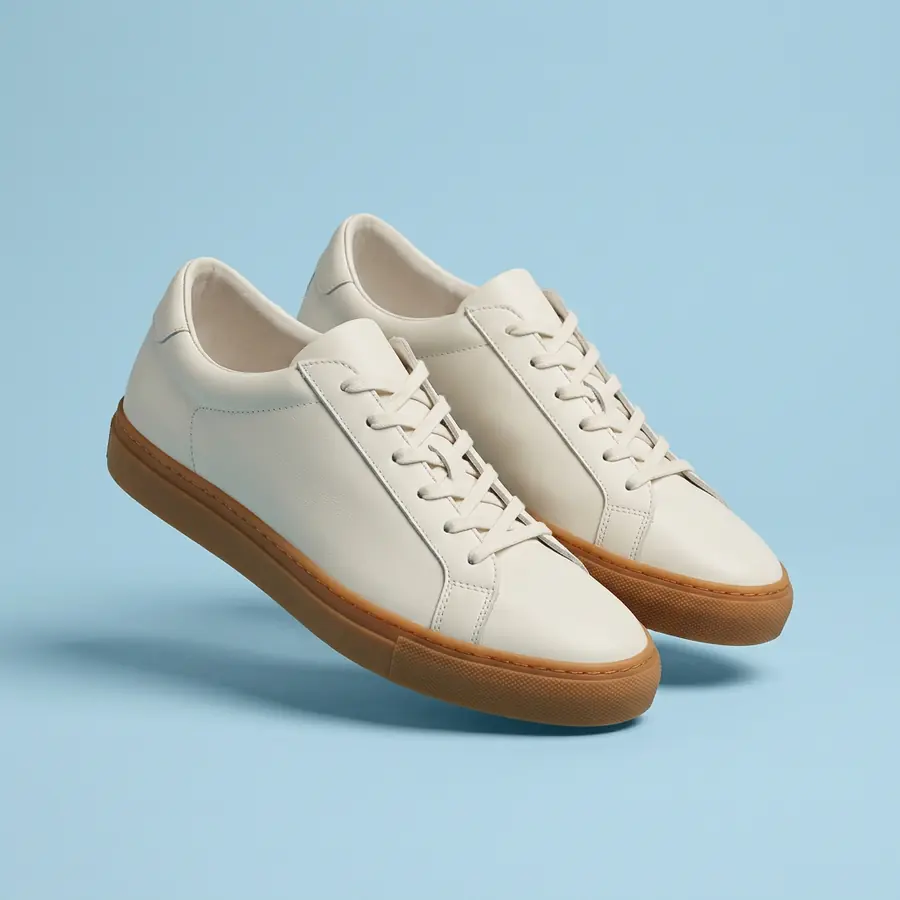
Floating sneakers
Turn this phone photo into a studio product photo: the same pair of sneakers, with their design, color, laces and soles exactly as they are, floating at a slight angle against a soft pastel blue background with a gentle shadow below. Clean studio light. No logos or text.
White leather, white laces and gum soles kept; no logos were added.
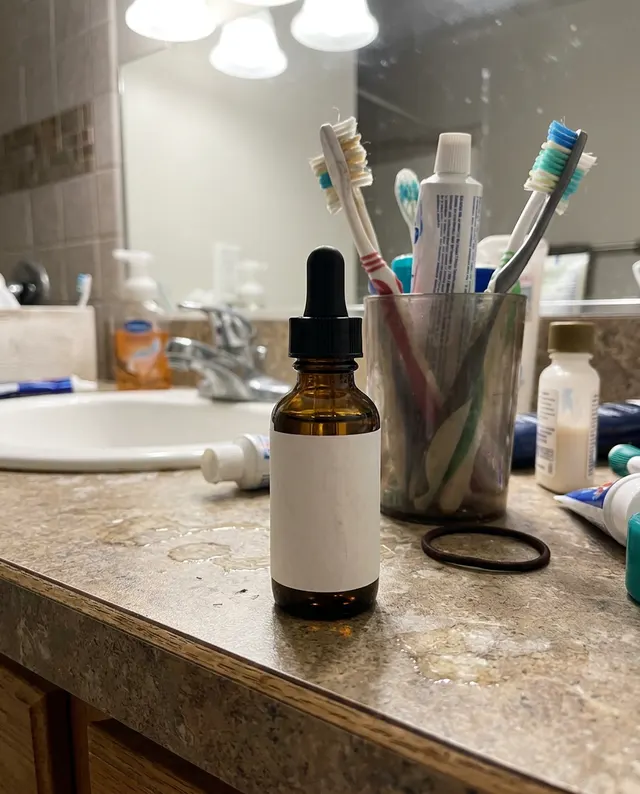
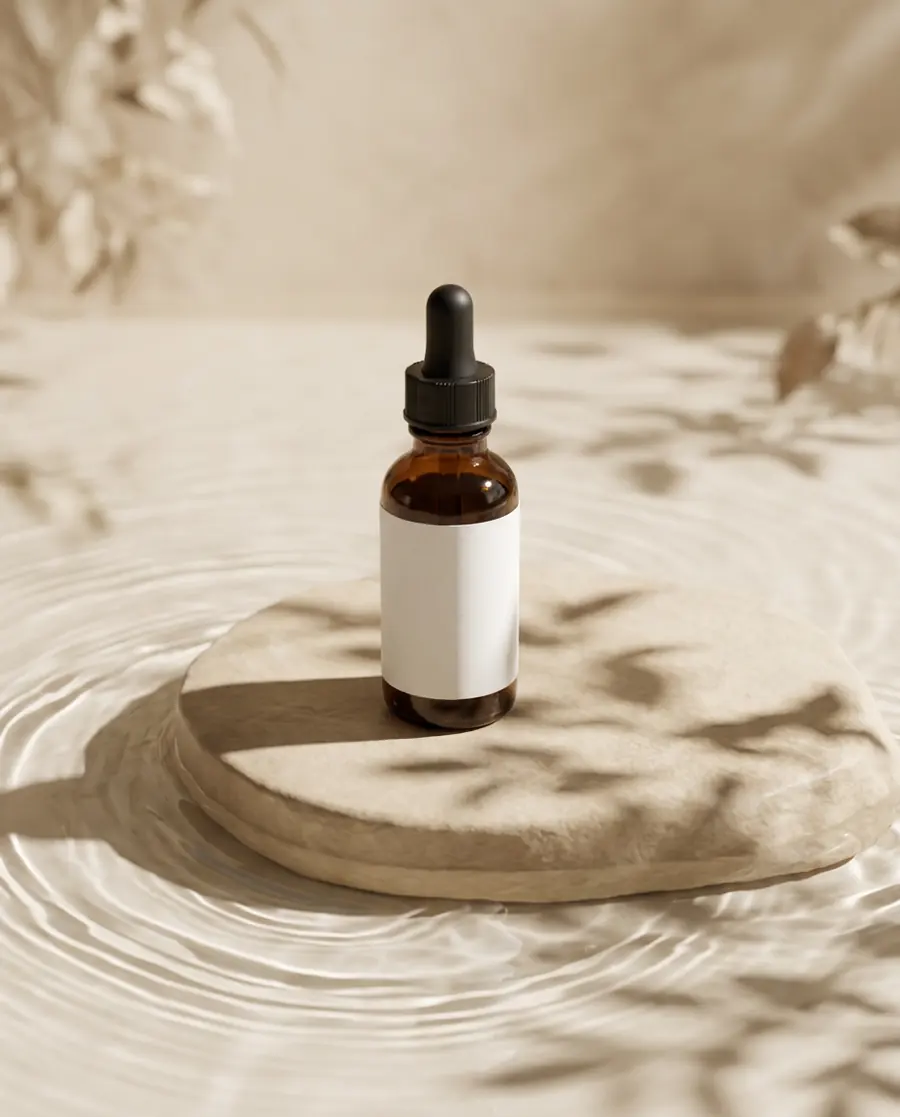
Skincare bottle on stone and water
Turn this phone photo into a skincare product photo: the same amber dropper bottle with its plain white label, exactly as it is, standing on a smooth beige stone pedestal surrounded by gentle water ripples, with soft shadows of leaves falling across the scene. Warm neutral colors, clean and calm. No text.
The bathroom counter became the calm stone-and-water look skincare brands use; the label stayed blank.
Lifestyle and social photos
The product in a real-looking scene, for social media or the second image on a listing.
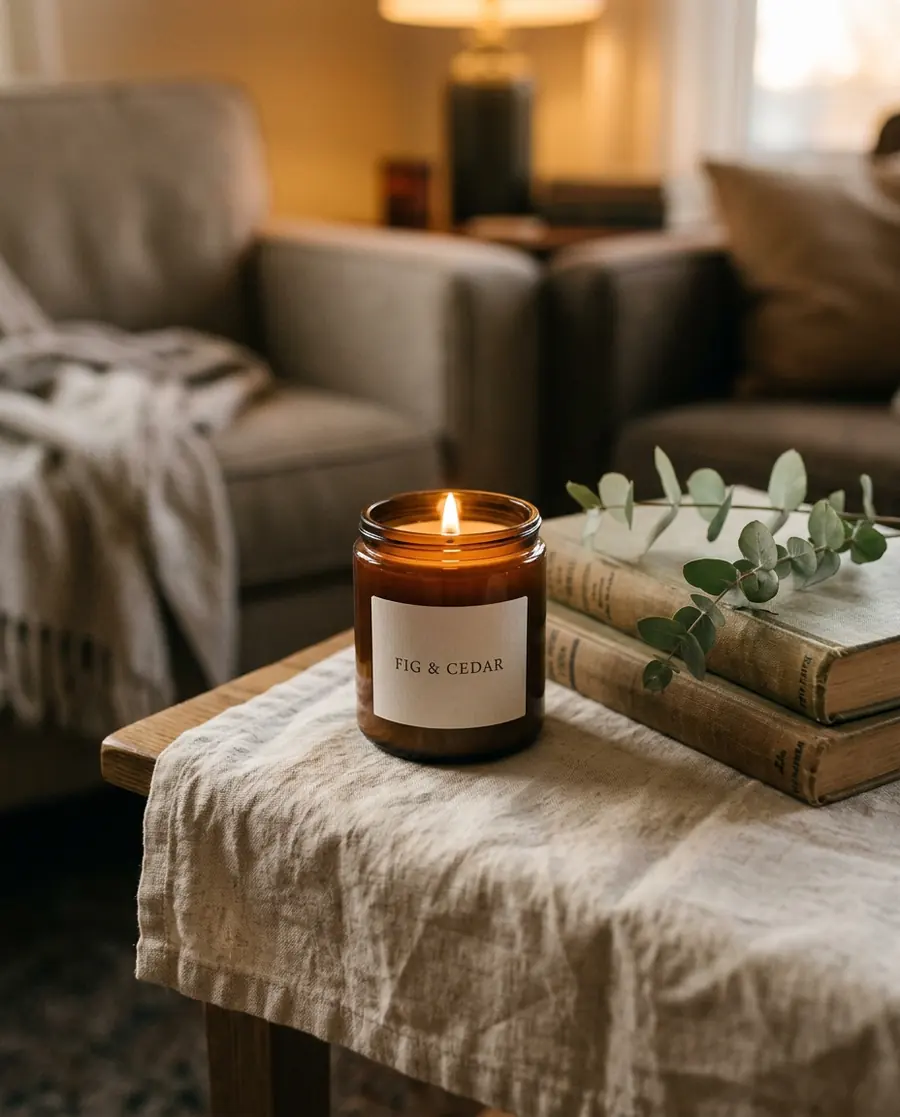
Lit candle in a cozy room
Turn this phone photo into a lifestyle product photo: the same candle, lit, with its jar and label exactly as they are, on a linen-covered side table next to a small stack of books and a sprig of eucalyptus, in warm evening light with a cozy home mood. Realistic.
Lit, on the linen table with the books and eucalyptus; the label still reads "Fig & Cedar".
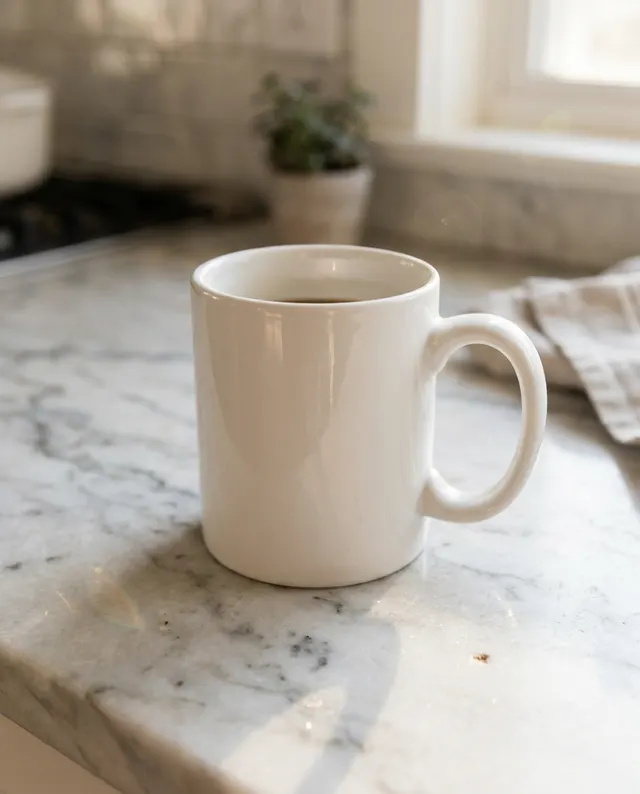

Mug at a sunny cafe table
Turn this photo into a lifestyle product photo: the same white mug, exactly as it is, filled with coffee on a wooden cafe table by a sunny window, with a croissant on a small plate beside it. Soft morning light, shallow depth of field, realistic.
Coffee, croissant and morning light as asked. It added other cafe guests, softly out of focus.
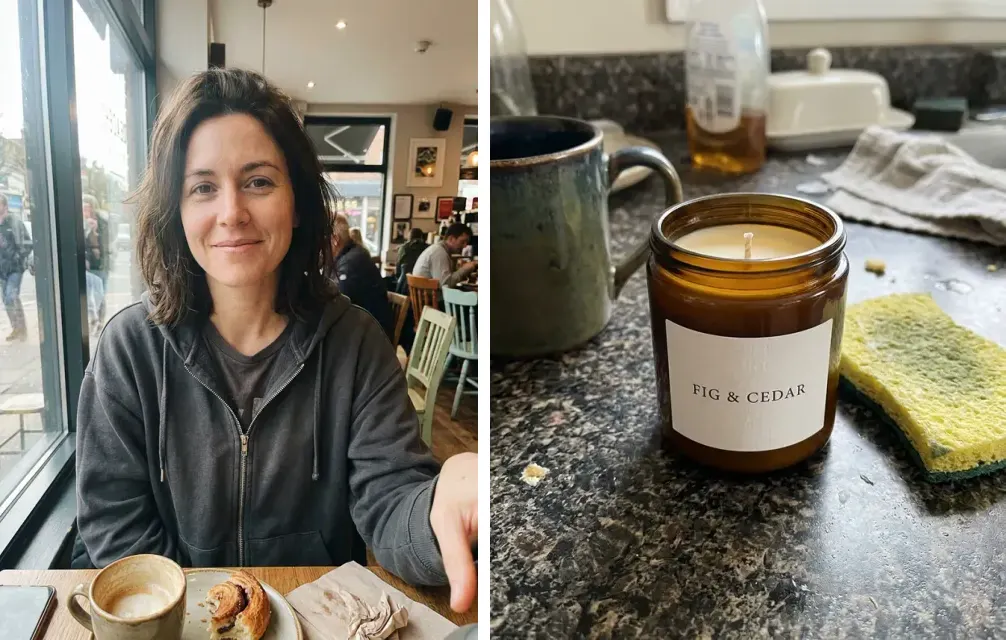
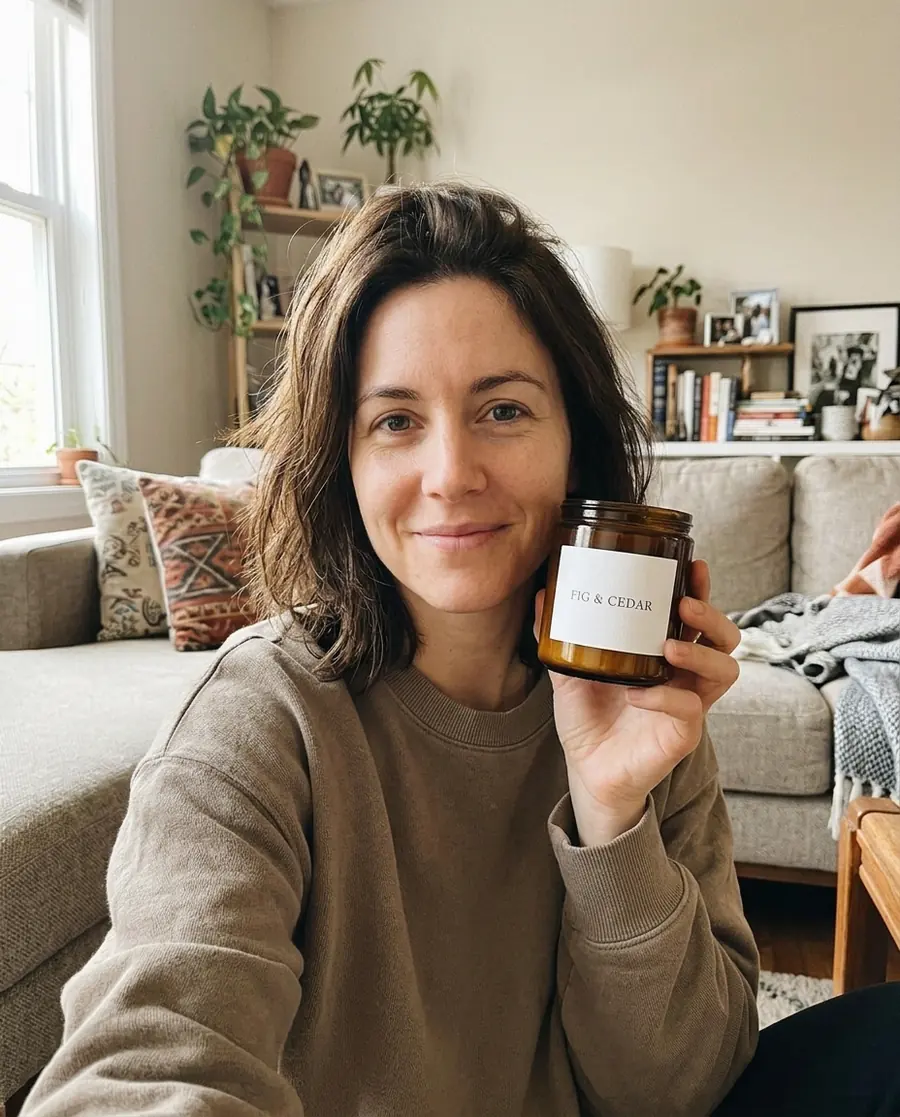
A customer-style photo, from two photos
Use the woman from the first photo and the candle from the second photo. Keep her face and the candle's jar and label exactly the same. She holds the candle up next to her face and smiles at the camera in a cozy, sunlit living room, like a casual photo a customer would post on social media.
A selfie and a product photo made into one picture; her face stays close to the selfie and the jar matches.
Write your own product prompt
Our store shots follow this shape. Fill in the brackets.
Turn this phone photo into a [clean e-commerce / lifestyle / jewelry] product photo: the same [product], with its [shape, label, color] exactly as it is, [the background or scene, and one or two props], [the light]. No other objects.
Tips
- Name what must not change. "The same candle with its jar and label exactly as they are" is in every one of our prompts, in some form.
- Add "No other objects" or "No text" when you want a clean shot; we used them on the white background, velvet, sneaker and skincare shots.
- Start from a sharp photo in good light. The model can clean up the scene, but the details of your product come from your photo.
What it costs
On GetStepSnap your first 1K image is free. After that a product photo takes 1 credit at 1K or 2K, and 100 credits cost $9.90 (plus local tax where it applies), about $0.10 a photo, with no subscription. Ours took 18 to 37 seconds each. For rooms instead of products, see Nano Banana interior design prompts.
Questions
Can I make product photos from a phone picture?
Yes. Attach a clear photo of the product, say what kind of shot you want and ask to keep the product "exactly as it is". All seven of ours started from casual phone photos.
Will it change my product?
In our tests the shapes, colors and labels stayed the same as in the phone photos. Small text is where models slip, so compare the result with your real product before you list it; buyers should get what the picture shows.
What shape should product photos be?
Square (1:1) suits most store listings; 4:5 suits social posts. Ours use both. Choose 2K for a sharper listing image.
How much does it cost?
Your first 1K image on GetStepSnap is free. After that a product photo takes 1 credit at 1K or 2K, and 100 credits cost $9.90 (plus local tax where it applies), about $0.10 a photo. No subscription.
What happens to the photos I upload?
We store them so the model can read them and so your results stay in your account. We don't sell them or use them for anything else. To have them deleted, email support@getstepsnap.com.