AI Sprite Sheet Generator
Upload a photo or a character drawing, pick an action, and get a pixel-art sprite sheet of that character: 25 frames of an idle loop, a walk cycle, a jump or a punch, ready to cut up for your game. 2 credits a sheet.
Your photo
Your character as a small pixel-art game sprite, frame by frame on a white background: 25 frames for a move, 8 for the directions, 4 for a turnaround.
Size
about 1 megapixel · 2 credits
1:1, set by the style
 Before
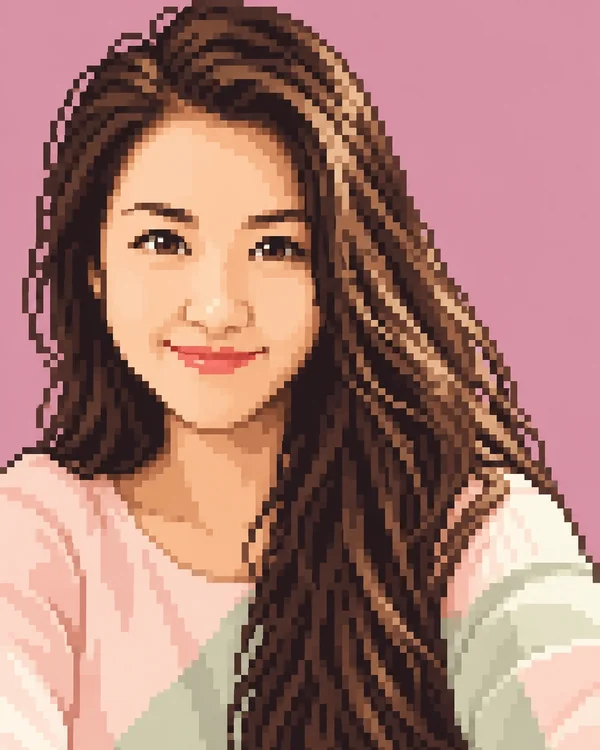
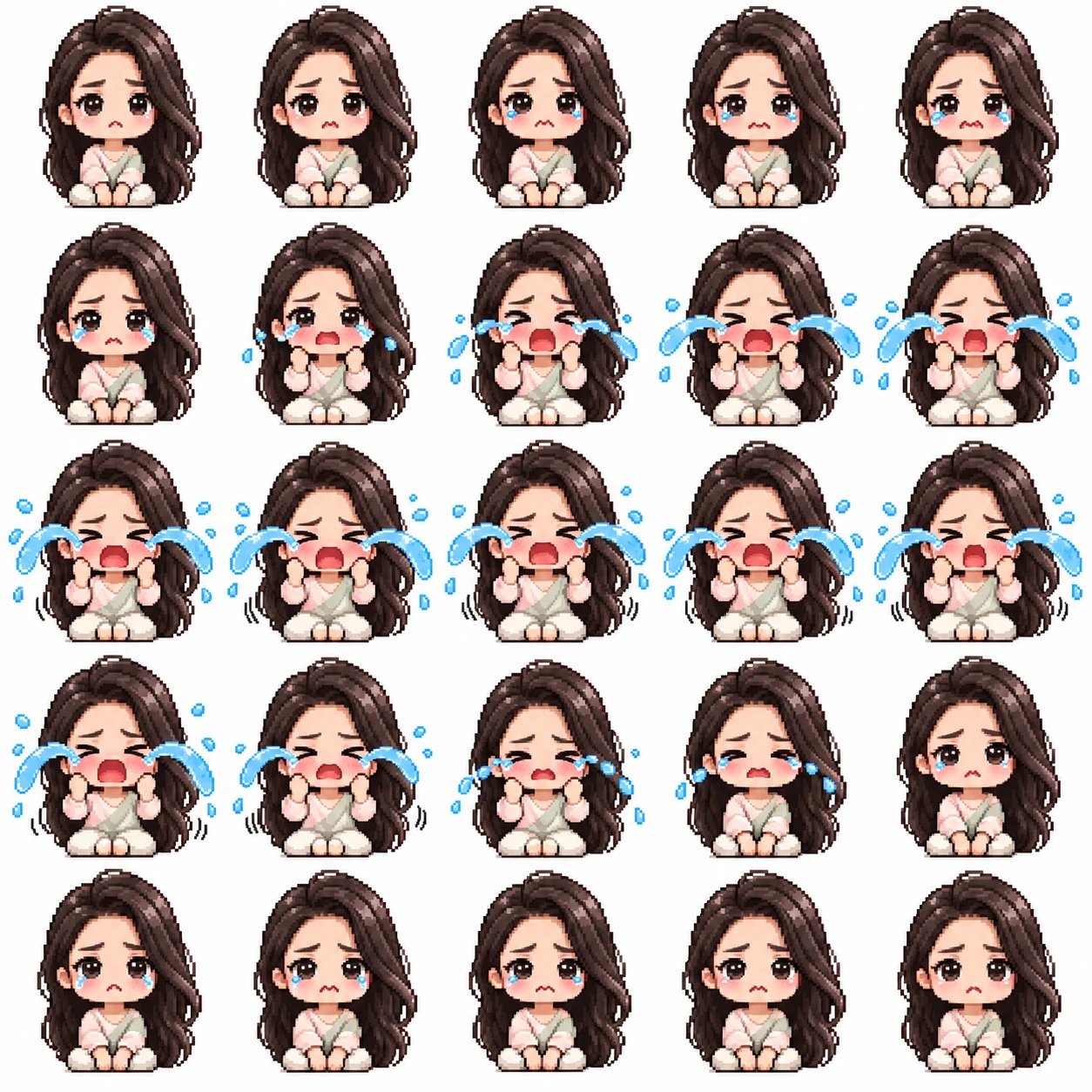
Cry, 25 frames, from the selfie on the left. Pick an action and upload your own.
Your own image will show up here.

How to make a sprite sheet from an image
- Upload one picture of your character: a photo of you or your pet, or a character you drew.
- Pick an action. Idle is a safe first sheet; it shows whether the character looks right.
- Click Generate. The sheet takes about half a minute.
- Download it and slice it in your engine: 5 columns and 5 rows for a move. Turn off smoothing (nearest neighbor, or "Point" filtering) so the pixels stay sharp when you scale them up.
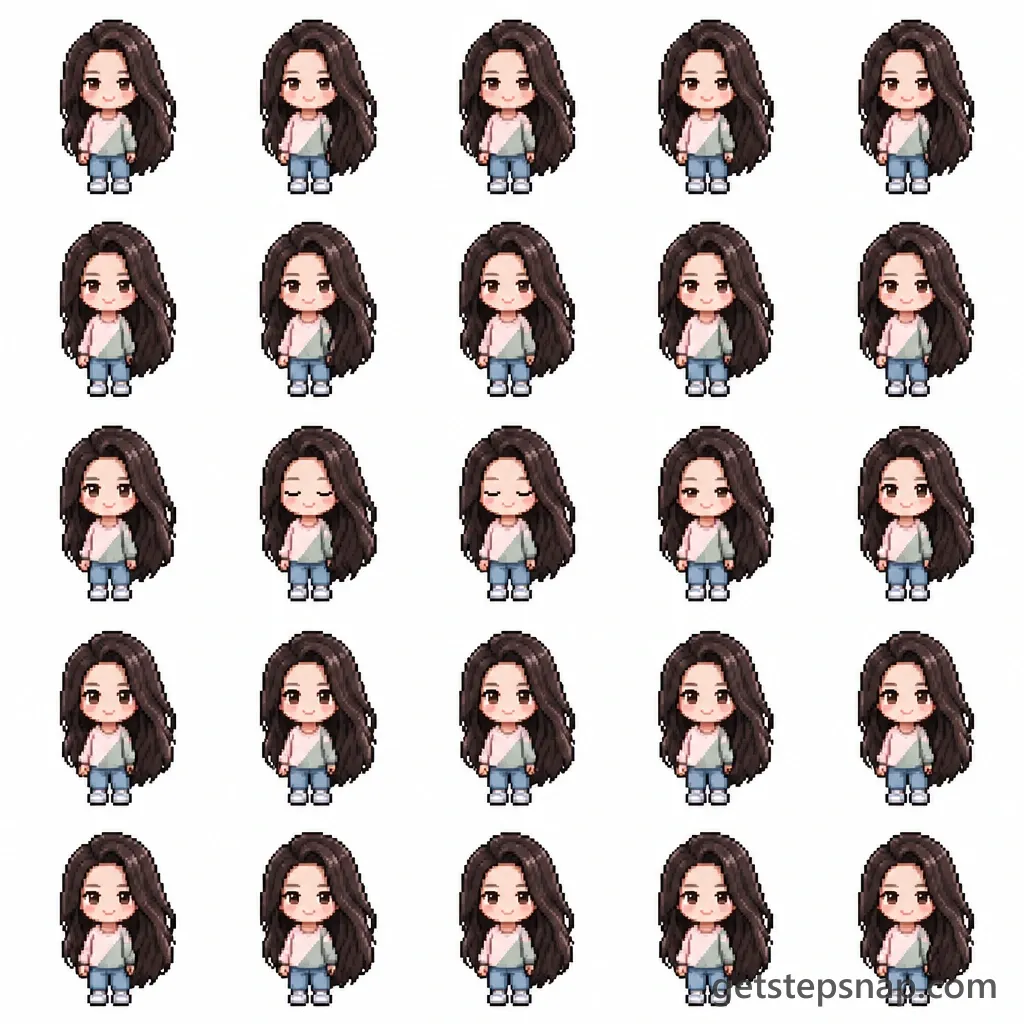
Two real sheets, from one selfie
The actions
14 to pick from: Idle, Walk cycle, Run, Jump, Attack, Hurt, Knocked down, Dance, Sleep, Cry, Laugh, Wave, 8-direction standing, Turnaround (front, side, back). The ones game makers ask for most:
- Idle. The loop a character plays when the player isn't pressing anything: slow breathing, a little sway, one blink. It's the default here because every character needs one, and it's the animation people look at most.
- Walk cycle. Seen from the side, facing right, with the legs taking turns and the arms swinging against them. Flip it in your engine for walking left. 25 frames is a smooth cycle; for a chunkier retro walk, keep every third frame.
- Run. Longer strides, the body leaning forward and a moment with both feet in the air, also facing right. Play it faster than the walk, around 12 frames a second.
- Attack. A punch from a ready stance: wind-up, strike, follow-through, back to ready. It's a punch rather than a sword swing because hands holding things are where AI drawings go wrong most.
- 8-direction standing. Eight frames, one per direction, for top-down games where the character can face anywhere: front, front-right, right, back-right, back, back-left, left, front-left. This one comes on a wide sheet, so each frame has room for the whole body.
- Turnaround. Front, three-quarter, side and back on one sheet. Animators call it a character turnaround sheet; it keeps a character looking the same when you draw more poses by hand.
Jump and Knocked down keep the ground line level instead of the feet, because the feet leave it. Cry, Laugh, Wave, Dance and Sleep are made for emotes and cutscenes as much as for gameplay.
A character sprite sheet from a photo
A photo of a grown-up doesn't fit in a 200-pixel frame, so the tool draws the person (or the dog) as a small chibi game character first: a big head, a short body, the same face, hair, colors and clothes. That's the shape most pixel-art characters have anyway, and it's why a selfie comes out as a sprite you'd believe in a game. A drawing of a character works the same way and keeps its own look.
Want the character on its own first, as a bigger picture? Try the chibi maker for a full-body chibi, or image to pixel art for a 16-bit portrait. No picture at all? Describe the character in the AI pixel art generator and use that image here.
Using the sheet in a game engine
- Unity: set Sprite Mode to Multiple and Filter Mode to Point, open the Sprite Editor, then Slice, Grid By Cell Count, 5 by 5.
- Godot: in an AnimatedSprite2D, open the SpriteFrames panel and choose Add Frames from Sprite Sheet, 5 horizontal and 5 vertical. Set the texture filter to Nearest.
- GameMaker: import it as a strip image, 25 frames, 5 per row.
- Aseprite: File, Import Sprite Sheet, By Rows, with the frame size set to a fifth of the sheet.
The background is white, not transparent. Clear it once in a pixel editor before slicing, and every frame comes out clean.
What it costs
A sheet takes 2 credits on OpenAI's GPT Image 2.5, the same as one picture anywhere else on the site. Packs cost $11.90 for 20 credits or $32.90 for 70, paid once. A whole set for one character, say idle, walk, run, jump and attack, is five sheets.
AI sprite sheet generator FAQ
How much does a sprite sheet cost?
2 credits, whichever action you pick. Packs cost $11.90 for 20 credits or $32.90 for 70, paid once, no subscription.
What picture should I upload?
One character, seen whole or from the waist up, in good light: a selfie, a photo of your pet, or a character you drew. A busy group photo gives the model too many people to choose from. Use a photo of yourself or one you have permission to use.
How many frames do I get?
25 for a move (a 5 by 5 grid), 8 for 8-direction standing (4 by 2) and 4 for a turnaround (2 by 2). The sheet is 1024 by 1024 pixels, so a frame of a move is about 200 pixels across; the 8-direction sheet is 1536 by 1024, so each standing frame gets 384 by 512.
Is the background transparent?
No, it's plain white, which makes the frames easy to cut apart. To clear it, select the white with your editor's magic wand (with contiguous off) and delete it, or use any background remover.
Can I make a GIF or an animation from it?
Yes. Cut the sheet into frames in a game engine or a pixel editor and play them in order at 8 to 12 frames a second, or load the frames into a GIF maker.
Does it work for Friday Night Funkin' mods?
Partly. FNF characters need an XML file that says where each frame sits. This tool gives you the frames on a sheet, not the XML, so you'd still pack them with an FNF sprite tool.
Will every frame match exactly?
Close, not perfect. The model draws all the frames at once and keeps the face, hair and outfit the same, but a strand of hair or a button can shift between frames. Look through the loop and touch up a frame or two in a pixel editor if it matters for your game.
What happens to the picture I upload?
We store it so the model can read it and so your result stays in your account, and use it for nothing else. To have it deleted, email support@getstepsnap.com.