AI Photo Generator
Type one sentence and get a realistic photo, or upload a photo and say what to change. Uses Google's Nano Banana 2.1; a photo takes 1 credit at 1K or 2K.
Images to edit (optional, up to 4)
JPG, PNG or WebP, up to 10 MB each. Leave empty to make a new image.
Size
about 1 megapixel · 1 credit
 Before
Same siding, roof, porch and windows; only the sky and the lights changed. For a real listing, check your local rules on edited photos first.
Your own image will show up here.
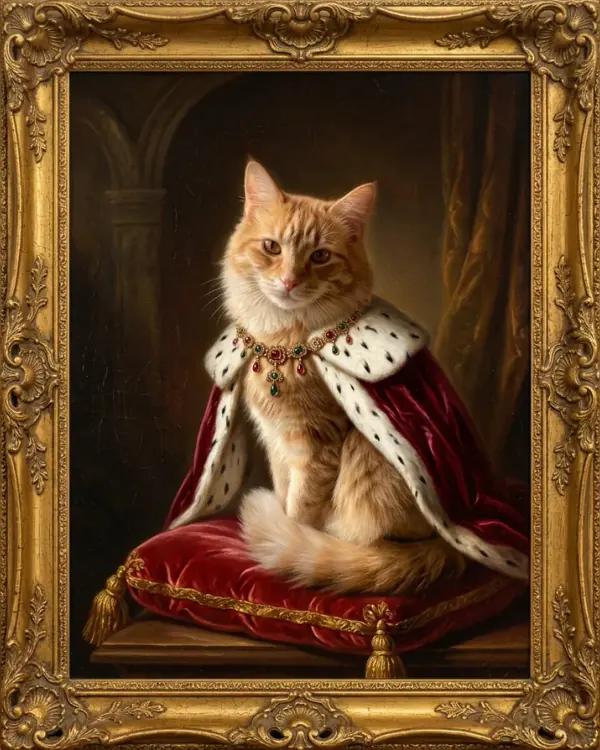
Photos made from a sentence
No photo uploaded, just the prompt under each picture. The first result we got for each, at 1K; "Use this prompt" puts it in the tool above.
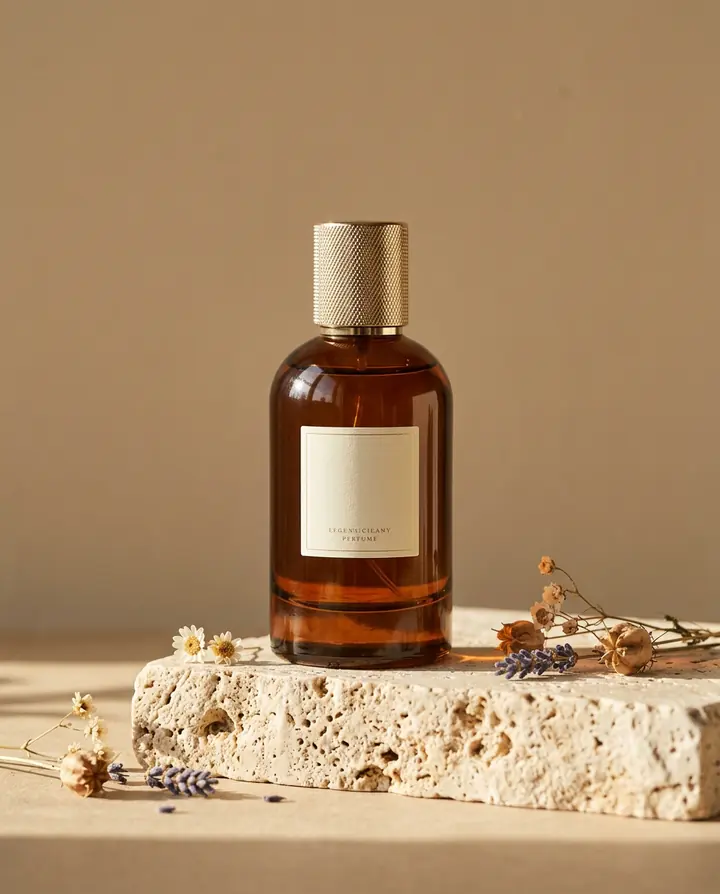
Product photo
A professional product photo of an amber glass perfume bottle with a gold cap standing on a travertine stone block. Soft morning light casts a long shadow, a few dried flowers lie beside it, and the background is plain warm beige. Sharp focus, shot with a 100mm macro lens.
The bottle, the stone, the dried flowers and the long shadow, as asked. The label is left blank, so put your own text in quotes if you want it.
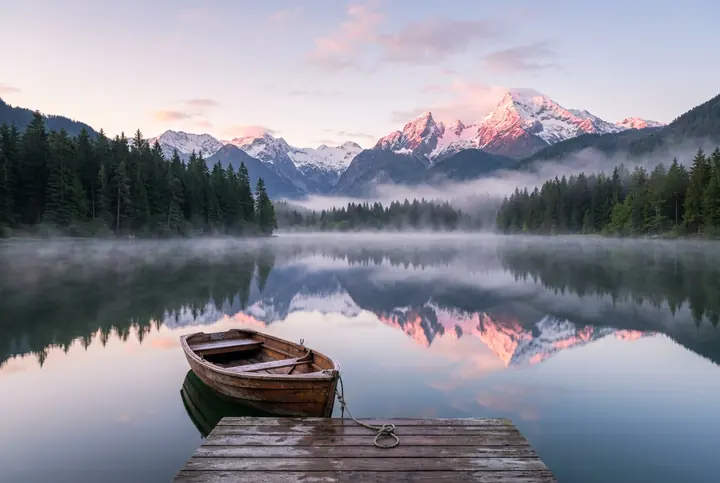
Landscape at sunrise
A realistic landscape photo of a misty alpine lake at sunrise: a wooden rowboat tied to a small dock in the foreground, pine forest and snowy peaks reflected in the still water, pink light on the summits. Shot on a full-frame camera with a 24mm lens.
Mist on the water, the rowboat at the dock and the peaks mirrored in the lake. Naming the lens (24mm) gave it the wide view.
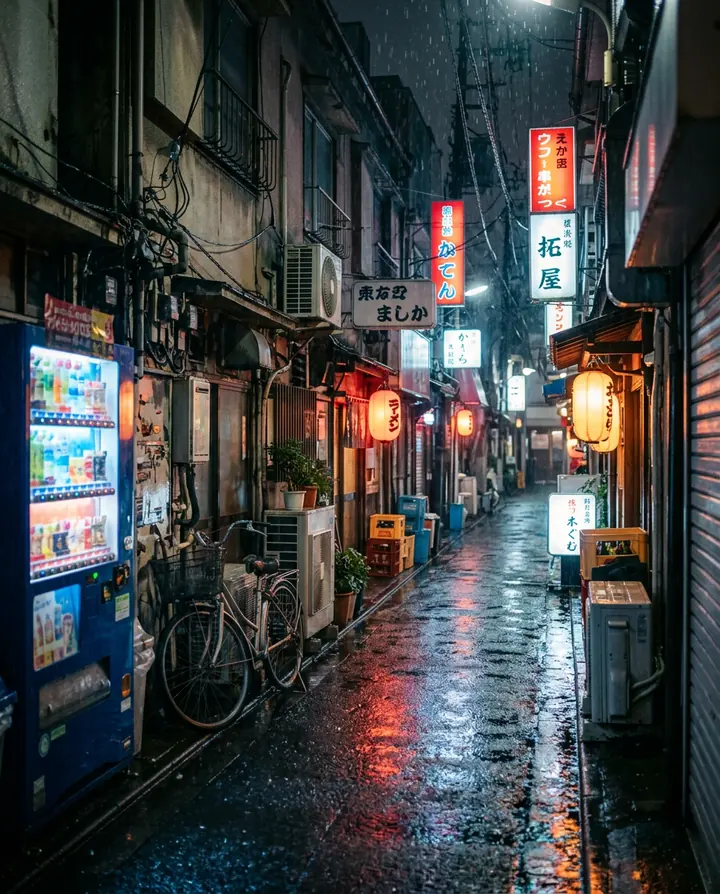
City street at night
A realistic street photo of a narrow Tokyo alley at night in the rain: glowing neon signs and paper lanterns, reflections on the wet pavement, a vending machine and a bicycle, no people. Shot on a 35mm lens, cinematic color, slight film grain.
Neon, lanterns, a lit vending machine and wet reflections, with nobody in the frame, as asked. The signs are the model's own lettering.
Interior photo
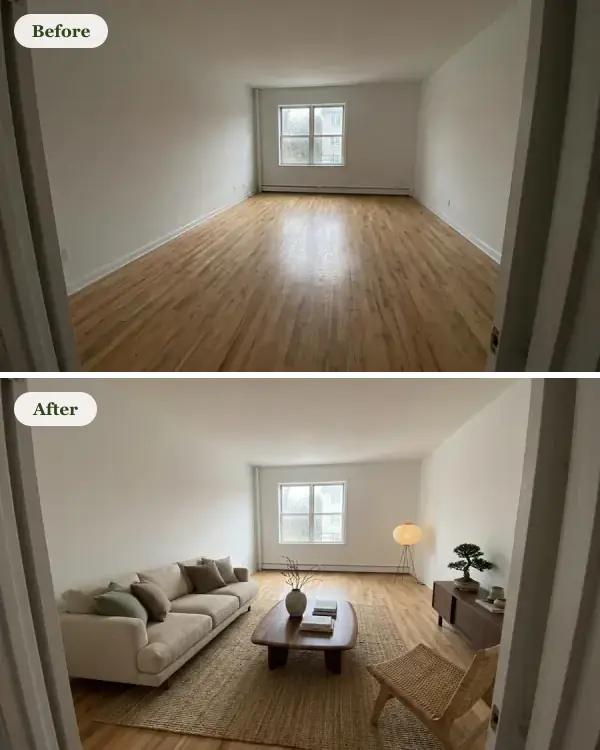
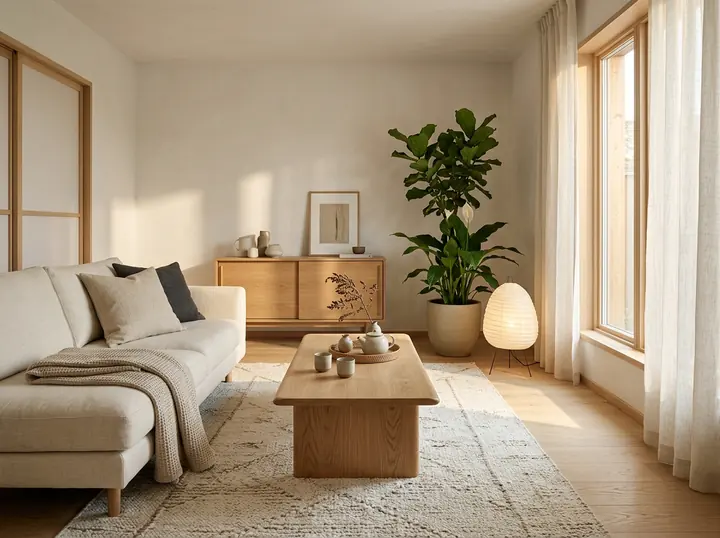
A realistic interior photo of a small Japandi living room: a low oak coffee table, a cream linen sofa, a paper floor lamp, a large window with afternoon sun and a tall plant in the corner. Shot with a wide-angle lens at eye level, like a home magazine photo.
Every piece we listed, in soft afternoon light. A room you describe this way is handy for mood boards before you buy anything.
Photos made from your photo
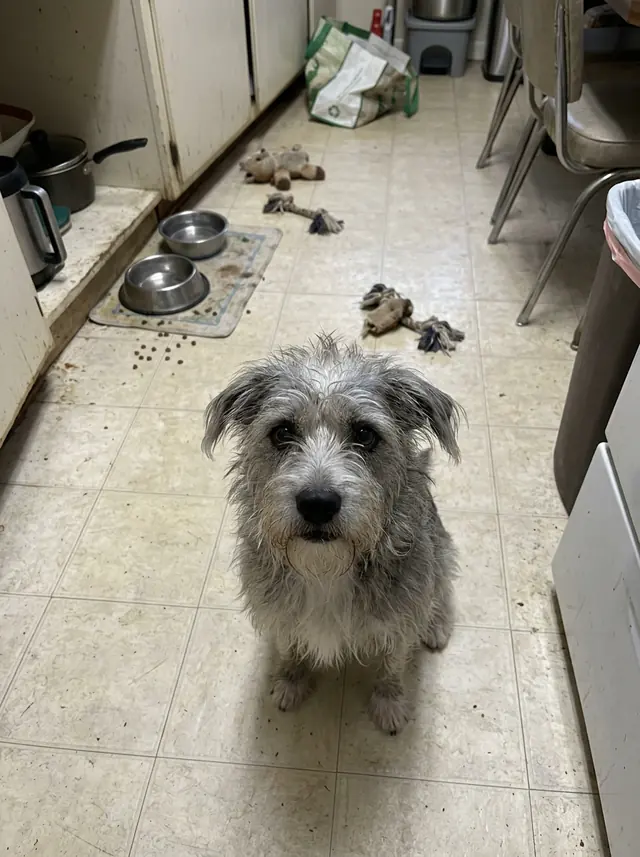
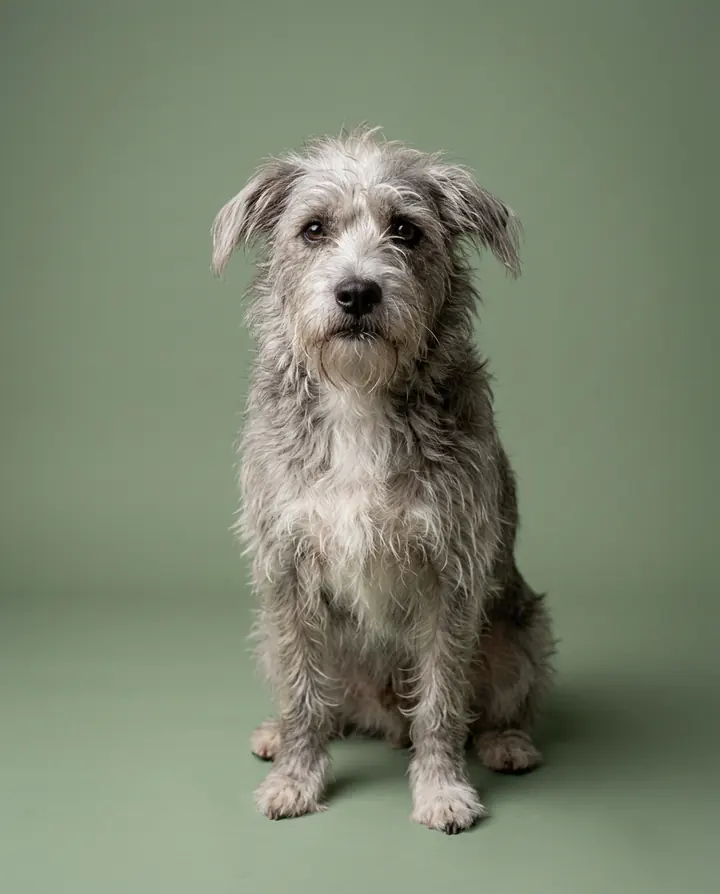
The small picture is the starting photo, made with the model; the big one is what one sentence made of it. Upload your own and keep the part of the prompt that says what to keep the same.
Your pet, studio portrait
Use the dog in this photo and keep it looking exactly like this dog. A professional studio portrait of this dog sitting on a seamless sage-green backdrop, soft key light from the left, sharp focus on the eyes, shot on a medium-format camera.
The same scruffy coat and markings, moved from a cluttered kitchen to a clean studio backdrop.
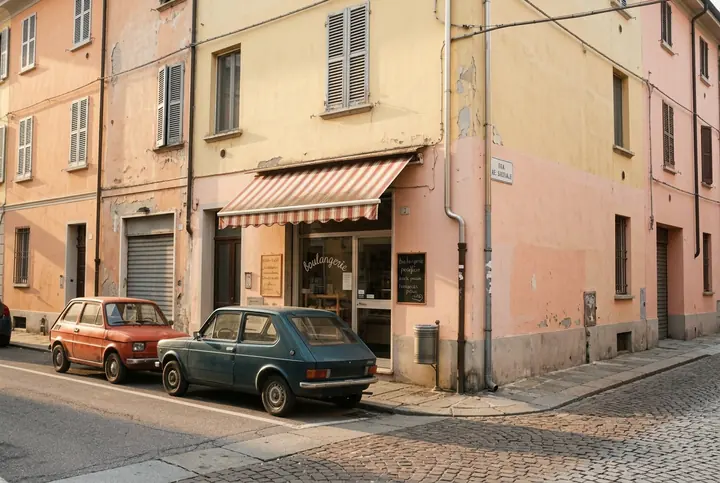
1970s film look
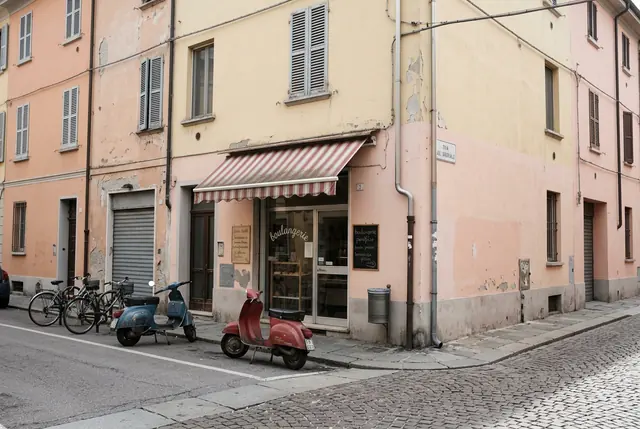
Turn this photo into a 1970s 35mm film photo of the same street corner on a sunny afternoon: warm Kodachrome colors, soft grain, slightly faded highlights, and two period cars parked along the curb instead of the scooters. Keep the buildings and the bakery as they are.
The buildings, the shutters and the bakery stayed put; the scooters became two 1970s cars. The film look is gentle; ask for more grain for a stronger one.
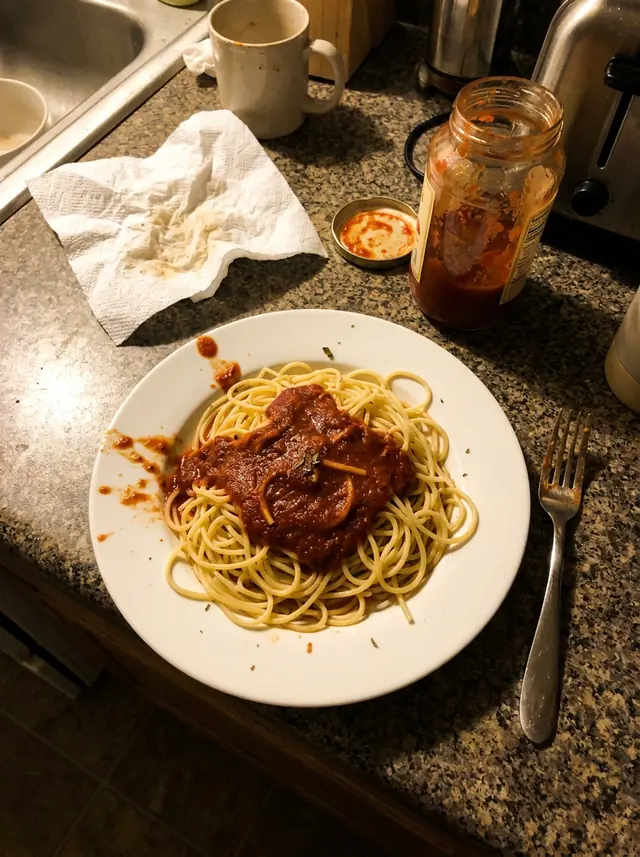
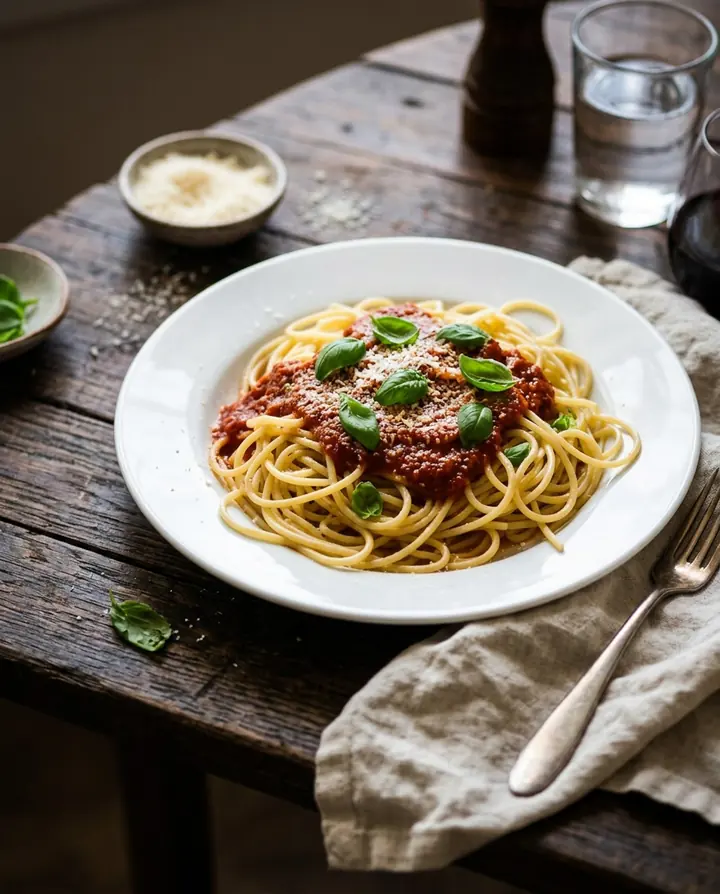
Food photo from a phone snap
Turn this into a professional food magazine photo of the same plate of spaghetti: shot from a 45-degree angle on a dark wooden table with a linen napkin, fresh basil and grated parmesan on top, soft window light from the side and a shallow depth of field.
From a yellow-lit counter to a dark wooden table with basil and parmesan. It redraws the dish, so for a menu, check it still looks like what you serve.
Twilight real estate photo
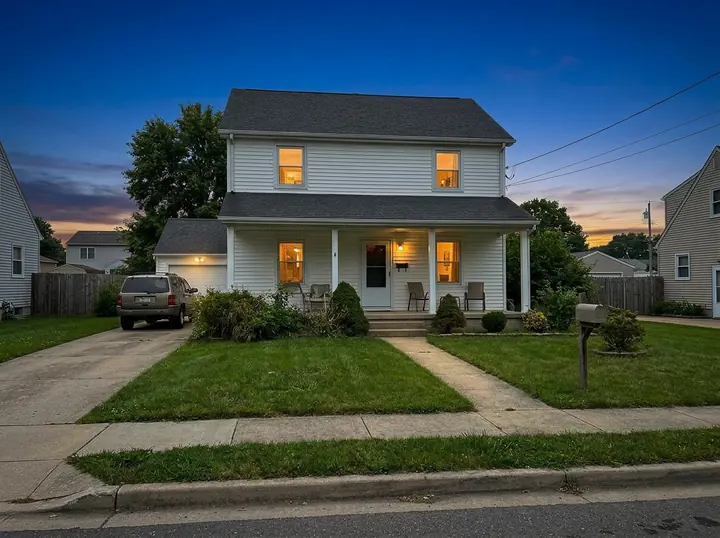
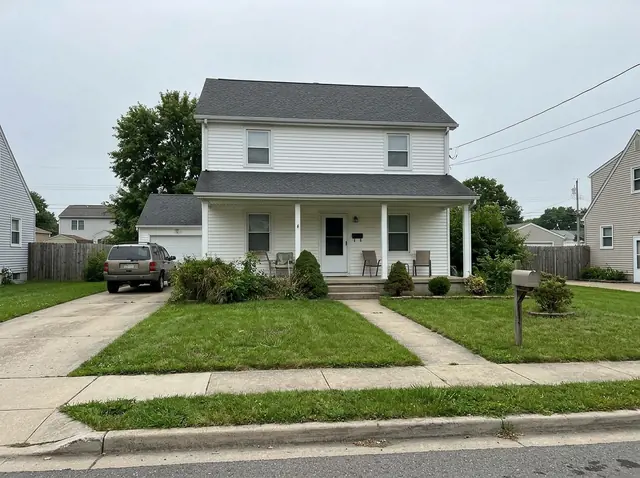
Turn this daytime photo into a twilight real estate photo of the same house: a deep blue evening sky, warm light glowing in every window, the porch light on and the lawn neatly trimmed. Keep the house's shape, siding, roof and windows exactly the same.
Same siding, roof, porch and windows; only the sky and the lights changed. For a real listing, check your local rules on edited photos first.
How to write a prompt for a realistic photo
Write it the way a photographer would brief an assistant: what's in the picture, where it is, the light, then the camera. Naming a lens or a film stock does more for realism than the word "realistic". What to name for each kind of photo:
- Product: the product and its material, what it stands on, the background color, the light and its shadow, and a lens such as "100mm macro".
- Landscape: the place, the time of day and the weather, one thing in the foreground, and a wide lens such as "24mm".
- Food: the dish, the camera angle (overhead or 45 degrees), the table and props, and "soft window light from the side".
- Interior: the room and its style, each main piece of furniture, where the light comes from, and "wide-angle lens at eye level".
- Street at night: the city, the weather, the lights and signs, whether people are in it, and "35mm lens, film grain" for a candid look.
- Vintage film: the decade, the film stock or camera ("35mm", "Kodachrome", "disposable camera"), and what the grain and colors should do.
Starting from your own photo? Begin with what must stay the same ("keep the house's shape, siding and windows exactly the same"), then say what changes.
1K, 2K or 4K?
- 1K (about 1 megapixel, 1 credit): posts, messages and trying out a prompt.
- 2K (about 4 megapixels, 1 credit): websites, product pages and prints up to a few inches across. It costs the same as 1K, so it's the size to keep.
- 4K (about 16 megapixels, 3 credits): big prints and posters, or a photo you'll crop.
Nano Banana 2.1 or Pro?
Start with 2.1: every photo on this page came from it. Switch to Nano Banana Pro for close-up portraits where skin and hair detail matter; it takes 3 credits at 1K or 2K. In our side-by-side test of 8 prompts, 2.1 matched or beat Pro on 7, and Pro made the most detailed portrait.
Next to Adobe Firefly and Canva
Adobe Firefly is a subscription: its plans start at US$9.99 a month for 2,000 generative credits, and it also gives a limited number of free generations a day without a plan. It runs Google's Nano Banana models among others. Canva's AI Image Generator sits inside its design editor: you pick a style such as Photo, Vibrant or 3D Render, then keep designing around the image. (Both pages checked October 10, 2026.)
Here there's no subscription: you buy credits once ($4.90 for 20 credits or $9.90 for 70) and the page is built for one job, a photo from a sentence or from your photo, with the prompts that worked on it. If you already pay for Firefly or Canva, use them; if you want a few photos without a monthly plan, this is the shorter path.
AI photo generator FAQ
What is an AI photo generator?
A tool that makes a realistic photo from a description, or changes a photo you upload when you say what to change. Ours runs Google's Nano Banana 2.1, and Nano Banana Pro for detailed close-up portraits.
Is this AI photo generator free?
No. Every photo is paid with credits: 1 credit at 1K or 2K and 3 credits at 4K, and packs cost $4.90 for 20 credits or $9.90 for 70 (plus local tax where it applies). No subscription.
Can I use the photos for commercial projects?
Yes. We don't claim any rights to the images you make, and our terms let you use them for personal or commercial purposes, subject to the law and to the terms of the model's maker (Google).
Is there a watermark?
There's no visible watermark on the photos you download.
Can I make a photo of a real person?
Of yourself, from your own photo, yes. Not of anyone else without their permission, and never a public figure or two people from separate photos put together; see our acceptable use policy.
Do I need to install anything?
No. It runs in the browser on a phone or a computer. You sign in with Google when you click Generate.