AI Lettering Generator
Type a word, a name or a short quote, pick a look, and get it lettered as brush script, a neon sign, a retro painted sign or chalkboard art. It runs on MOSS Image, a new open-source model built for words in pictures. 1 credit a picture.
Style
Flowing brush lettering in black ink on off-white paper, like a hand-lettered card or print.
Size
about 1 megapixel · 1 credit
4:3, set by the style
Your image will show up here.
How to make lettering with AI
- Type the words, exactly as they should read: capitals, punctuation and all. 40 characters at most.
- Pick a look: Brush script, Neon, Retro sign or Chalk.
- Click Generate. The picture comes back in about 15 to 20 seconds and stays in your account.
- Check the spelling, then download the PNG.
The four looks
- Brush script: Flowing brush lettering in black ink on off-white paper, like a hand-lettered card or print.
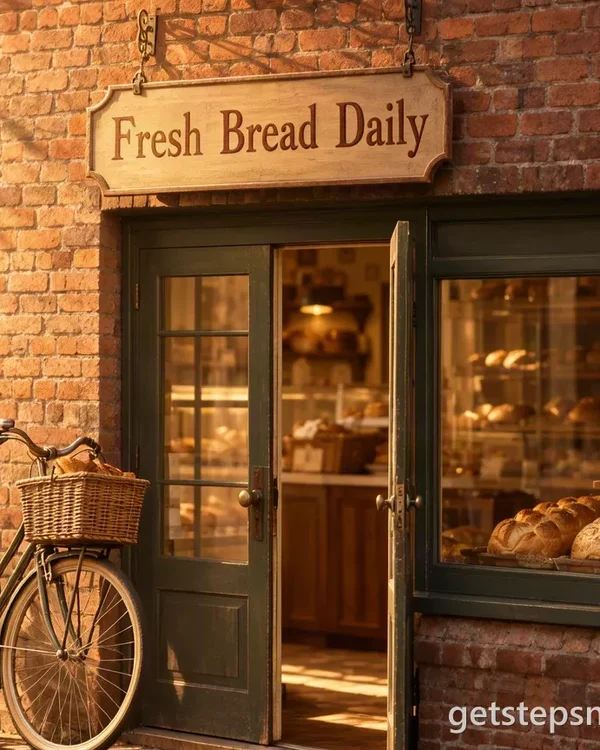
- Neon: Your words as a glowing pink and blue neon sign on a dark brick wall.
- Retro sign: Bold vintage sign-painter letters with a drop shadow, on a weathered green board.
- Chalk: Chalkboard lettering in block capitals and script, with a few hand-drawn swirls and stars.
Words that letter well
- Names: a couple for a wedding sign ("Mia & Theo"), a baby's name for the nursery wall, a pet's name for its bowl.
- Short quotes: "Good vibes only", "Stay curious", "Home sweet home". Three to five words fit the space best.
- Shop words: "Open late", "Hot coffee", "Today's specials". Retro sign and Chalk suit these.
- Greetings: "Happy birthday, Grandma", "Congrats, class of 2027". Neon makes a party backdrop.
Type the words the way they should look: "OPEN LATE" comes out in capitals, "open late" usually doesn't. Leave out quote marks; the button adds what it needs.
Lettering, not a font
A font generator gives you letters to type with, each one the same every time. Lettering is drawn for one set of words: the letters lean into each other, swashes fill the gaps, and the words sit on something real, like paper, brick or a chalkboard. That's what this page makes. It's quick for a social post, a card, a café board, a party banner or a print for the wall, and it saves an afternoon with a brush pen when you just want to see how a phrase looks.
Want a sign rather than art? The AI sign generator puts your words on a shop front, a welcome easel, a yard sign or a printable page. For full control over color, layout and background, write your own prompt on the MOSS Image page, or start from the MOSS Image prompts.
AI lettering generator FAQ
Is this AI lettering generator free?
No: each picture takes 1 credit, and packs cost $11.90 for 20 credits or $32.90 for 70, paid once, with no subscription. If an image fails, its credit goes back to your balance.
Is this a font generator?
No. It draws your words as one picture, the way a lettering artist would, so every letter can be a little different. You get an image to post, print or use as a design, not a font file you can type with.
How many words can I letter?
Up to 40 characters. One to five words come out best: a name, a short quote, a shop's hours. A long sentence gets small and crowded.
Will it spell my words right?
Usually. It runs on MOSS Image, a model built for words in pictures, and the button asks for every letter as written. Short, common words are the safest; check unusual names on the result, and run it again if a letter slips.
Can I pick the colors or the font?
Each button sets its own look. For your own colors, background or layout, write a full prompt on the MOSS Image page instead, with your words in quotes. We don't copy named commercial fonts or brand logos.
Can I use the lettering commercially?
We don't claim any rights to the images you make here: you may use them for personal or commercial purposes, subject to the law. Don't letter a trademark you don't own.
Is the background transparent?
No. Each style comes with its own background: paper, a brick wall, a painted board or a chalkboard. For lettering on nothing, cut it out in an editor afterwards.