GetStepSnap

Powered by Seedream 5.0 Pro from ByteDance · Independent, unofficial tool

Seedream 5 Pro Online: Infographics & Posters With Words

Seedream 5.0 Pro is ByteDance's image model for pictures full of information, out July 8, 2026: infographics, charts, posters and menus with the exact words you type. Here it takes 2 credits at 1K and 3 at 2K, with no API key.

What is Seedream 5 Pro?
ByteDance's image model for pictures full of words: infographics, posters, charts. Out July 8, 2026.
Who makes it?
ByteDance Seed, the AI research team at ByteDance, the company behind TikTok.
What does it cost?
On fal's API, $0.0675 or $0.135 an image. Here, 2 credits at 1K and 3 at 2K.
Free download?
No. ByteDance hasn't released the model to download; it runs on their servers and their partners'.

Size

about 1 megapixel · 2 credits

Your image will show up here.

What Seedream 5.0 Pro is

ByteDance Seed put out Seedream 5.0 Pro on July 8, 2026, as the bigger sibling of Seedream 5.0 Lite. Most image models are judged on how pretty the picture is. ByteDance pitched this one on how much it can explain: turning data, concepts and dense text into one image, with titles, labels, charts and the reading order worked out, in English, Chinese and more than ten other languages.

Its launch post shows infographics with timelines and bar charts, a grid of bird species, a sale poster with the English spelled right, and a menu translated into Chinese with its layout kept. It also edits: pick a spot or draw around it, swap a color by its hex code, split a poster into more than ten layers, or turn a rough sketch into a finished design. On this page it makes new pictures from your words; for editing a photo, use Nano Banana 2.1 or GPT Image 2.

Seedream 5 Pro prompt guide: infographics, posters and charts

  • Describe the layout like a designer handing off a page: name the grid, the regions, and what goes in each. "A title band across the top, a bar chart below, a source line at the bottom" beats "an infographic about my week".
  • Put every word you want to see in double quotes, and say where it goes.
  • Give it the numbers. A chart prompt with the real labels and values gets those labels and values.
  • Name the style and colors ("flat vector, navy and orange"). Words like "detailed" add nothing.
  • Too much in one prompt and pieces start to drop out. Keep a page to one idea, and check small text on the result before you print: ByteDance says fine print is still its weak spot.

Seven prompts to start from. "Use this prompt" puts it in the tool above with its shape; change the words in quotes to yours.

Bar chart infographic

A clean one-page infographic on a cream background, flat vector style in navy, orange and white. A title band across the top: "WHERE MY WEEK GOES". Below it, a horizontal bar chart with five labelled bars, longest first: "Sleep 49 h", "Work 40 h", "Screens 14 h", "Commute 6 h", "Friends 5 h". A small clock icon next to each label. Along the bottom, in small type: "168 hours in a week".

Process timeline

A wide horizontal timeline infographic titled "FROM BEAN TO CUP" at the top left. Five evenly spaced steps from left to right on one line, each a round flat icon with a bold label and a one-line caption under it: "Harvest" (ripe red cherries picked by hand), "Dry" (beans spread in the sun), "Roast" (a drum roaster), "Grind" (a burr grinder), "Brew" (a pour-over cone). Warm browns on off-white, plenty of space between steps.

Sale poster

A bold retail sale poster. Navy background, a big orange "40% OFF" in the middle, "SPRING SALE" in white capital letters above it, and a rounded orange button shape below with "THIS WEEKEND ONLY". Small potted plants and a watering can along the bottom edge. No other text.

Recipe card

A printable recipe card. Top third: an overhead photo of a bowl of lemon spaghetti with basil. Under it, the title "LEMON PASTA" in a bold serif. Two columns below: on the left, "Ingredients" with five lines: "200 g spaghetti", "1 lemon", "2 tbsp butter", "40 g parmesan", "Fresh basil"; on the right, "Steps" with three numbered lines: "1. Boil the pasta", "2. Melt butter with lemon zest", "3. Toss with cheese and basil". Clean kitchen-magazine layout.

Event flyer

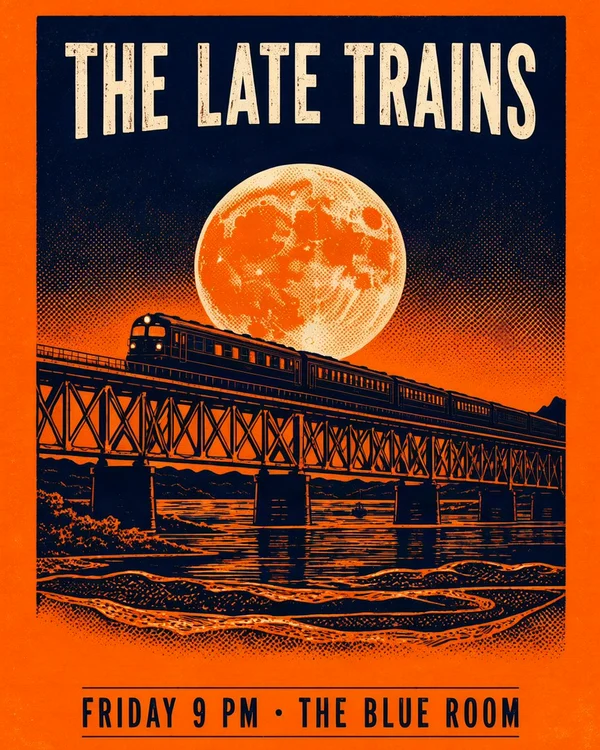
A friendly community flyer, green and yellow, with simple illustrations of gloves, a broom and trash bags. Headline at the top: "NEIGHBORHOOD CLEANUP". In the middle, large: "Saturday, May 9 · 9 AM". Below: "Meet at the Oak Park gate". A line at the bottom: "Gloves and bags provided". Every line centered.

Bilingual café menu

A chalkboard café menu with the title "MENÚ / MENU" at the top. Four items, each with the Spanish name, the English name in smaller letters under it, and a price on the right: "Café con leche / Coffee with milk 3.50", "Chocolate caliente / Hot chocolate 4.00", "Pan dulce / Sweet bread 2.75", "Tostada con tomate / Tomato toast 5.00". Keep the accents. White and pastel chalk, a small coffee cup drawn in one corner.

Study sheet

An educational diagram titled "THE WATER CYCLE" across the top. A landscape with a lake, mountains and clouds, and four curved arrows forming a loop, each with a bold label: "Evaporation" rising from the lake, "Condensation" at the clouds, "Precipitation" as rain over the mountains, "Collection" where the river runs back into the lake. Bright, flat textbook style on white.

Seedream 5 Pro vs Nano Banana 2 vs GPT Image 2

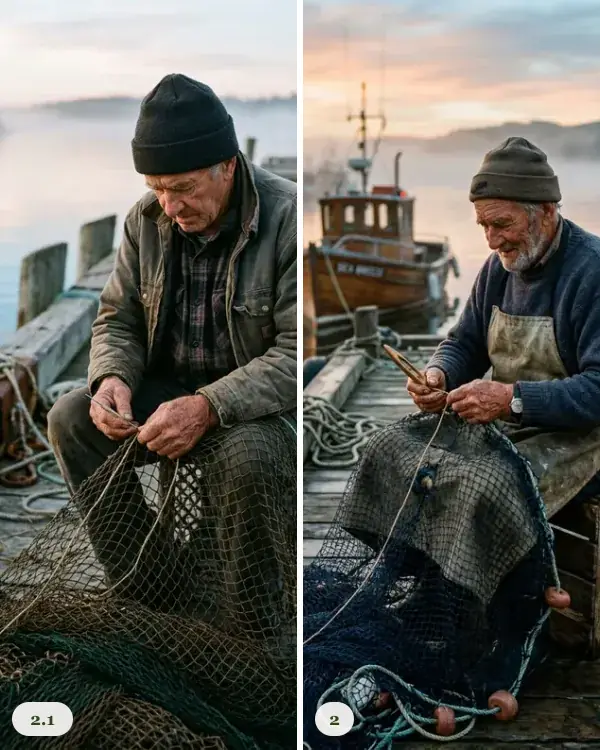
Seedream 5.0 ProNano Banana 2 / 2.1GPT Image 2
Made byByteDance SeedGoogleOpenAI
OutJuly 8, 20262.1, the update to 2, on October 6, 2026April 2026 (API snapshot gpt-image-2-2026-04-21)
What its maker leads withDense infographics, layouts and text in English, Chinese and over ten other languagesBetter image quality, prompt following, text and character consistency than 2Fast, high-quality image generation and editing
Largest image2048 × 2048 on fal (ComfyUI's page says up to 4K)4KAbout 1 megapixel at the medium quality we use
Price per imagefal: $0.0675 up to 1536 × 1536, $0.135 up to 2048 × 2048Google's API, the image itself at 1K: $0.067 for 2, $0.0336 for 2.1fal, medium quality: $0.037 to $0.053 at about 1 megapixel
On GetStepSnap2 credits at 1K and 3 at 2K, from text2.1: 1 credit at 1K, 2 at 2K and 3 at 4K (one more with 3 or 4 photos), edits photos too2 credits at 1K (one more with 3 or 4 photos), edits photos too

Google has marked Nano Banana 2 as deprecated and points people to 2.1, which is what runs here; what changed is in Nano Banana 2.1 vs Nano Banana 2. For a short line of words on a sign or a poster, the open-source MOSS Image does it for 1 credit at 1K; for a dense page of labels and numbers, use Seedream.

The Seedream 5 Pro API: where it's open and what it costs

  • fal.ai: bytedance/seedream/v5/pro/text-to-image and bytedance/seedream/v5/pro/edit (up to 10 images in). $0.0675 an image up to 1536 × 1536 pixels, $0.135 up to 2048 × 2048, which fal still calls tentative.
  • BytePlus ModelArk, ByteDance's own cloud, which sells it with its own prices and account.
  • ComfyUI, as a partner node that calls the API: you need a ComfyUI account, and the image is made on their servers, not your graphics card.

Each one needs an account, a key and some code or a workflow. This page is the no-code way: type, pick 1K or 2K, get the image.

What it costs here

  • 2 credits at 1K and 3 at 2K, in any of the seven shapes. Packs cost $11.90 for 20 credits or $32.90 for 70, paid once: 10 or 35 images at 1K, about $0.94 each on the bigger pack. No subscription, and credits don't expire.
  • If an image fails, its credits go straight back to your balance.
  • See credit packs

Questions

What is Seedream 5 Pro?

Seedream 5.0 Pro is ByteDance Seed's image model, released July 8, 2026. ByteDance calls it a multimodal image creation model and leads with pictures dense with information: infographics with timelines and charts, posters with exact wording, menus and study sheets. It also edits images (selecting a part, swapping colors and materials, splitting a poster into layers) and writes text in English, Chinese and more than ten other languages.

Who makes Seedream?

ByteDance, the company behind TikTok and Doubao, through its AI research team, ByteDance Seed. Seedream is their family of image models; Seedance is their video model.

When did Seedream 5 Pro come out?

ByteDance Seed announced Seedream 5.0 Pro on July 8, 2026. The plain Seedream 5.0 came earlier in 2026; Seedream 5.0 Lite is the faster version, for making lots of images.

Is Seedream 5 Pro good?

For pictures that have to carry a lot of words and numbers, its makers' own examples are strong: charts, timelines, a sale poster without spelling mistakes, a menu translated with its layout kept. ByteDance is also upfront that "there is still room to improve in finer-grained text rendering", so check small body text before you print. We haven't run our own side-by-side test of it yet.

How much does Seedream 5.0 Pro cost?

On fal.ai's API, $0.0675 an image up to 1536 × 1536 pixels and $0.135 up to 2048 × 2048; fal calls that tentative pricing. On GetStepSnap it takes 2 credits at 1K and 3 at 2K, from packs of $11.90 for 20 credits or $32.90 for 70, paid once, with no API key and no subscription.

Is there a Seedream 5 Pro API?

Yes. fal.ai has two endpoints, bytedance/seedream/v5/pro/text-to-image and bytedance/seedream/v5/pro/edit, which takes up to 10 images, and ByteDance sells it through its own cloud, BytePlus ModelArk. Both need an account, a key and some code. No code? Use it on this page.

Can I download Seedream 5 Pro for free or run it in ComfyUI?

There's no download: ByteDance hasn't released the model's weights, so it only runs on their servers and their partners'. ComfyUI has it as a partner node, which sends the prompt to the API and needs a ComfyUI account; it doesn't run on your own graphics card.

Seedream 5 Pro vs Nano Banana 2: which is better for text?

ByteDance built Seedream 5 Pro around dense text and infographics; Google's Nano Banana 2.1, the update to 2, is the all-rounder that also edits your photos and goes up to 4K. For an infographic or a poster that's mostly words, start with Seedream. For a photo of you, or a 4K print, use Nano Banana 2.1: it takes 1 credit at 1K, 2 at 2K and 3 at 4K (one more with 3 or 4 photos) here.

Seedream 5 Pro vs GPT Image 2: which one should I use?

Both put long text in pictures. Seedream 5 Pro goes up to 2048 × 2048 here and leads with charts and layouts; GPT Image 2 runs at about 1 megapixel here and can edit a photo you upload. Here Seedream takes 2 credits at 1K and 3 at 2K and GPT Image 2 takes 2 credits at 1K (one more with 3 or 4 photos), so try the same prompt in both.

What languages can it write?

ByteDance lists Chinese and English, plus more than ten common languages including French, German, Russian, Japanese, Korean, Spanish and Arabic, with Arabic written right to left and Spanish accents kept. Write the exact words in quotes.

How big are the images?

At 1K, about 1 megapixel: 864 by 1152 (3:4), 1024 by 1024 (1:1), 1152 by 864 (4:3), 832 by 1248 (2:3), 1248 by 832 (3:2), 736 by 1312 (9:16), 1312 by 736 (16:9). At 2K, up to 4 megapixels: 1728 by 2304 (3:4), 2048 by 2048 (1:1), 2304 by 1728 (4:3), 1664 by 2496 (2:3), 2496 by 1664 (3:2), 1536 by 2720 (9:16), 2720 by 1536 (16:9). The upright 2K image prints at about 5.8 by 7.7 inches at 300 dots an inch.

Is this the official Seedream?

No. GetStepSnap is an independent service, not affiliated with or endorsed by ByteDance. We run Seedream 5.0 Pro through an API provider, fal.ai, and charge credits for the images you make here. Your prompt goes to fal and ByteDance to make the image; this page takes no photos.

Can I use the images commercially?

We don't claim any rights to the images you make here: you may use them for personal or commercial purposes, subject to the law.

Sources: ByteDance Seed's launch post, fal.ai's model page and its Seedream 5.0 Pro guide, ComfyUI's partner node page and OpenAI's GPT Image 2 page, read October 25, 2026.

More AI photo tools

GetStepSnap is an independent product and is not affiliated with, endorsed by, or sponsored by ByteDance. Seedream is ByteDance's name for its models.