Tattoo try on: see it on your skin first
Tattoo try on in one step: upload the spot and the design, say where it goes, and see it healed. Uses Google's Nano Banana 2.1.
Your photo
Size
about 1 megapixel · 1 credit
 Before
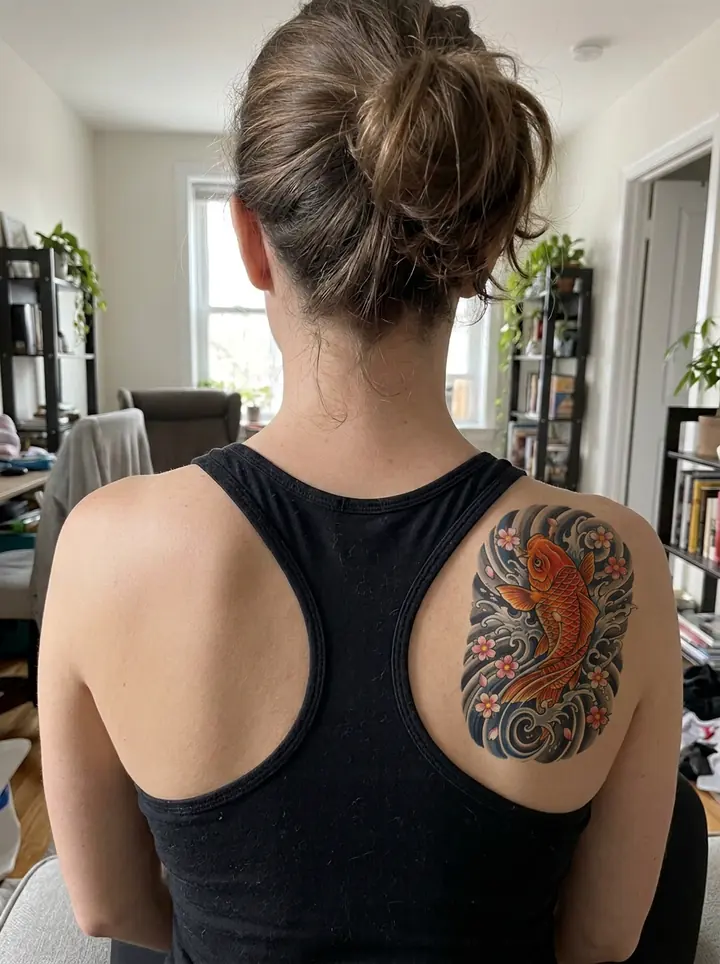
The koi on the right shoulder blade, next to the strap, with the texture of the skin showing through the color. Her hair, the tank top and the room are the photo's.
Your own image will show up here.
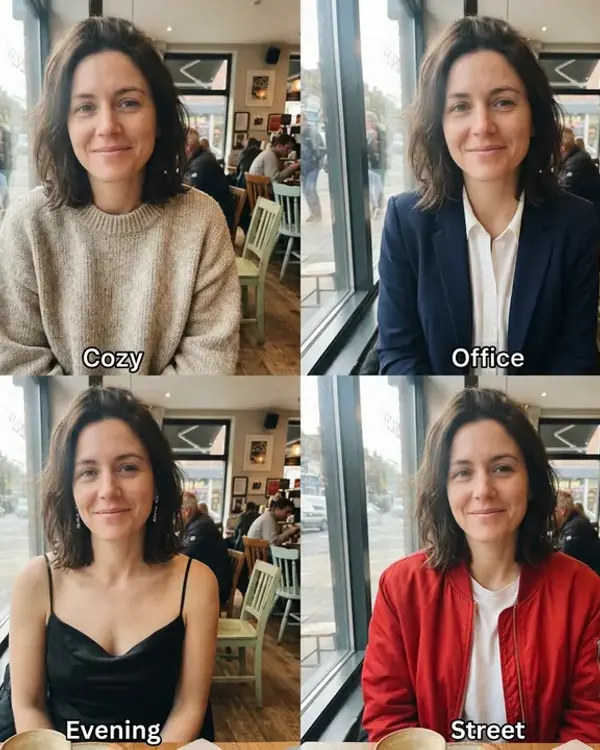
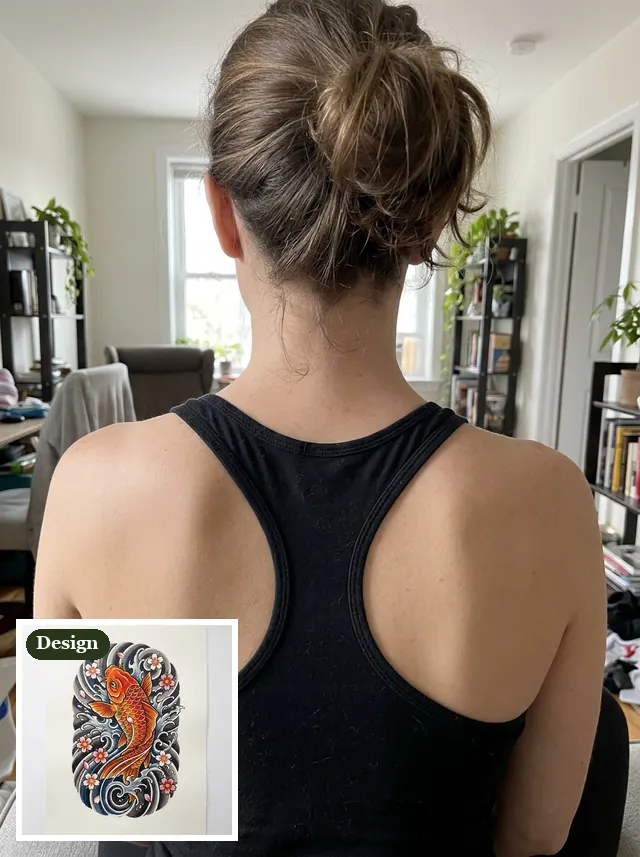
The body photos were made with the model and show no recognizable face, so no real person appears here. Every result is the first we got at 1K. The small picture is what we gave it; "Use this prompt" puts the prompt in the tool above.
Try on a design: arm, back and calf
Each starts from two images, the photo of the spot and a design from our AI tattoo generator, shown here as one picture with the design pinned in a corner.
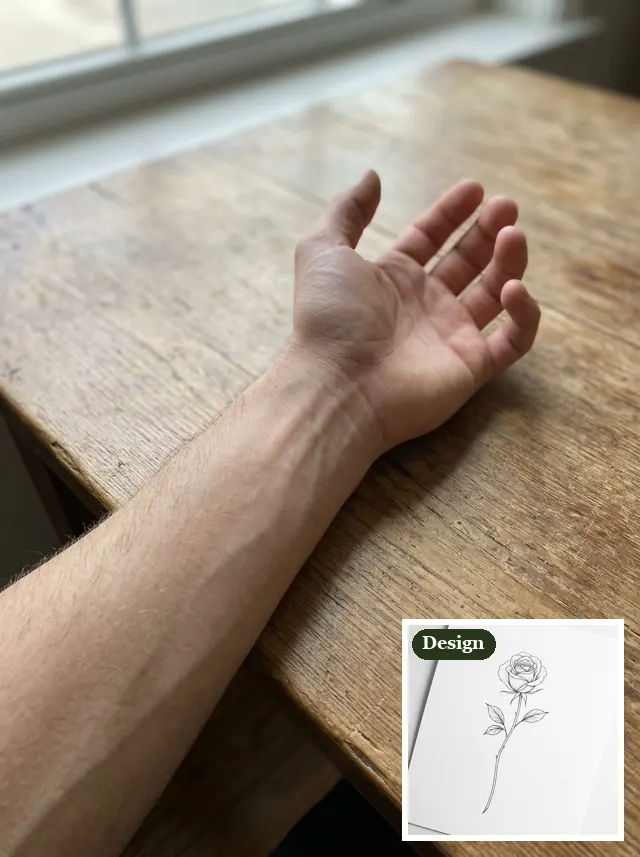
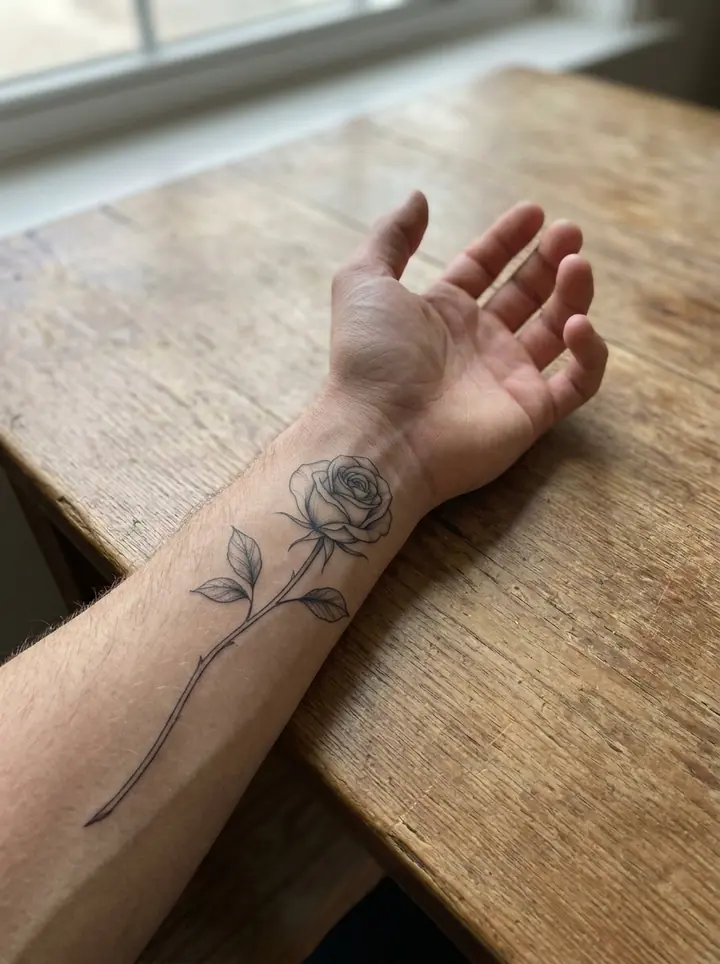
A fine line rose on the forearm
Put the tattoo design from the second image on the inner forearm in the first image, as a real, healed black ink tattoo about as long as the forearm, following the curve of the arm. Keep the arm, the skin, the hand and the background exactly the same.
The rose along the inner forearm, following the curve of the arm and about as long as we asked. The arm, the hand and the table didn't move.
A koi on the shoulder blade
Put the tattoo design from the second image on the right shoulder blade in the first image, as a real, healed color tattoo, following the shape of the shoulder. Keep the person, the tank top, the hair and the background exactly the same.
The koi on the right shoulder blade, next to the strap, with the texture of the skin showing through the color. Her hair, the tank top and the room are the photo's.
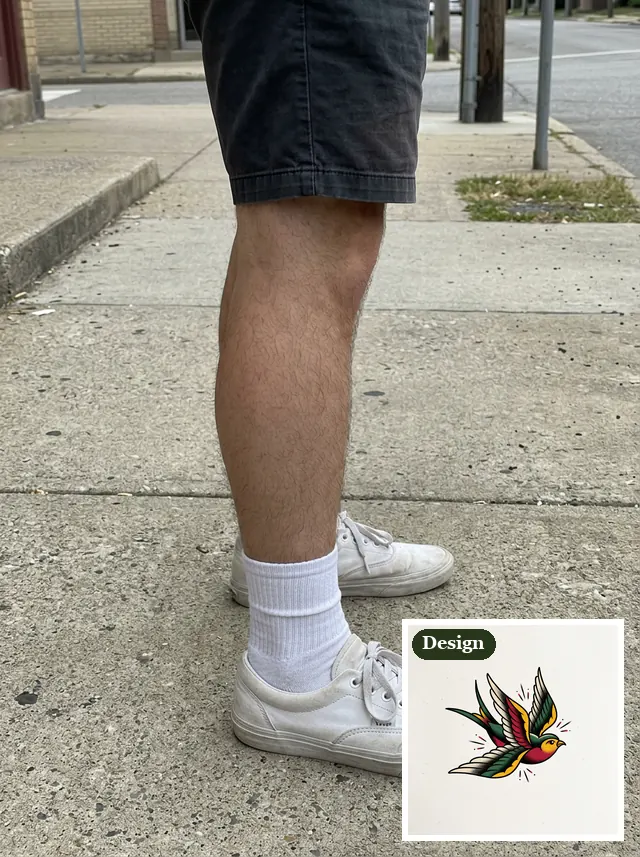
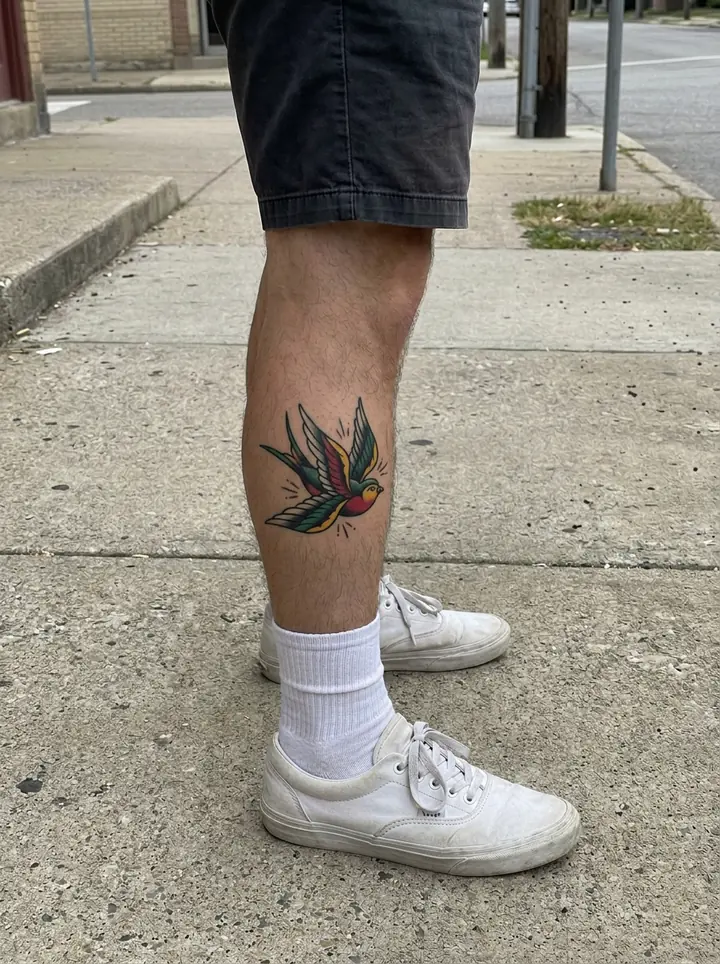
A swallow on the calf
Put the tattoo design from the second image on the side of the calf in the first image, as a real, healed color tattoo about the size of a palm. Keep the leg, the shorts, the sneakers and the background exactly the same.
The swallow on the side of the calf at about palm size, in full color. The leg, the socks and the sidewalk are the photo's.
No design yet? Describe it
One photo and a sentence: the tattoo is drawn from the words.
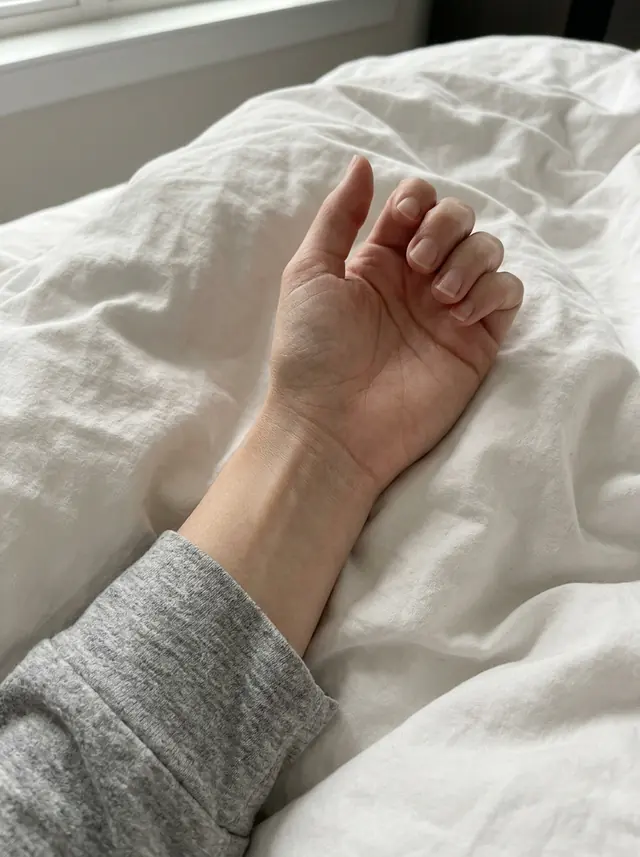
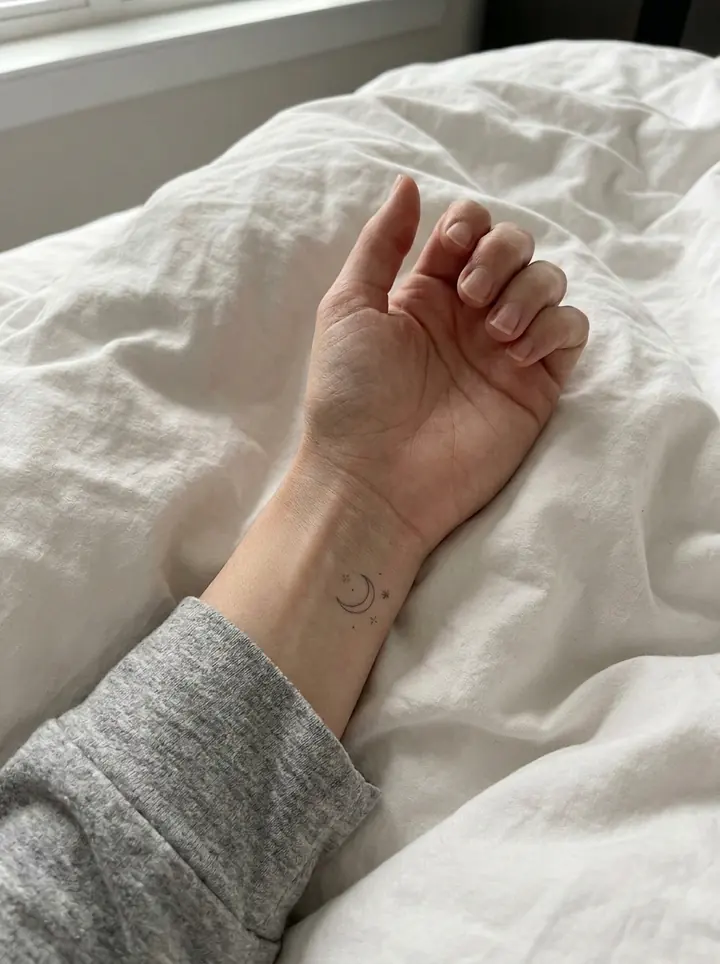
A tiny moon on the wrist
Add a tiny fine line tattoo of a crescent moon and three small stars on the inner wrist, in thin black ink, as a real, healed tattoo. Keep the hand, the skin and the background exactly the same.
A crescent moon and three small stars, thin enough to pass for a fine line tattoo. It sprinkled in a couple of extra dots.
Tattoo cover-up: try it over the old one
A faded tattoo you'd rather not see, and what a bigger, darker design on top of it would look like.
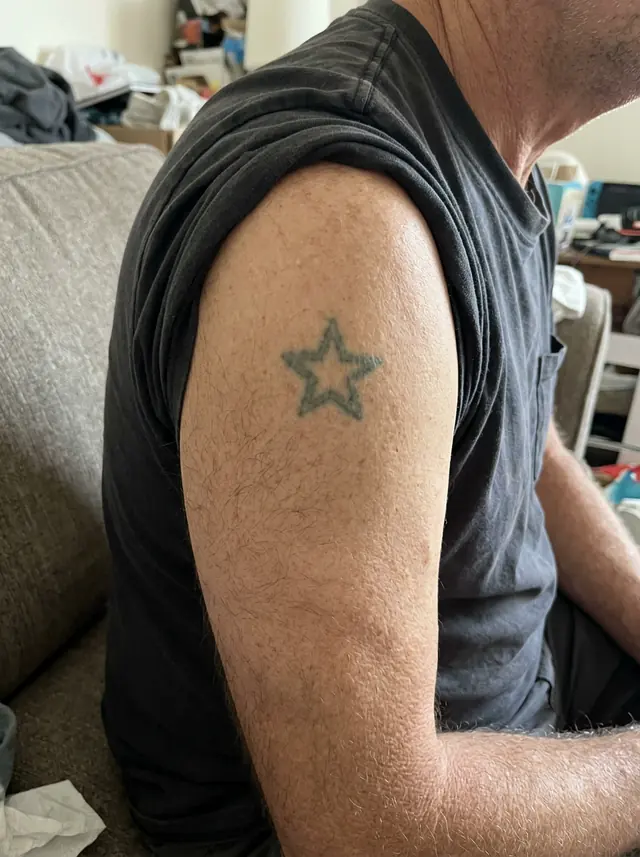
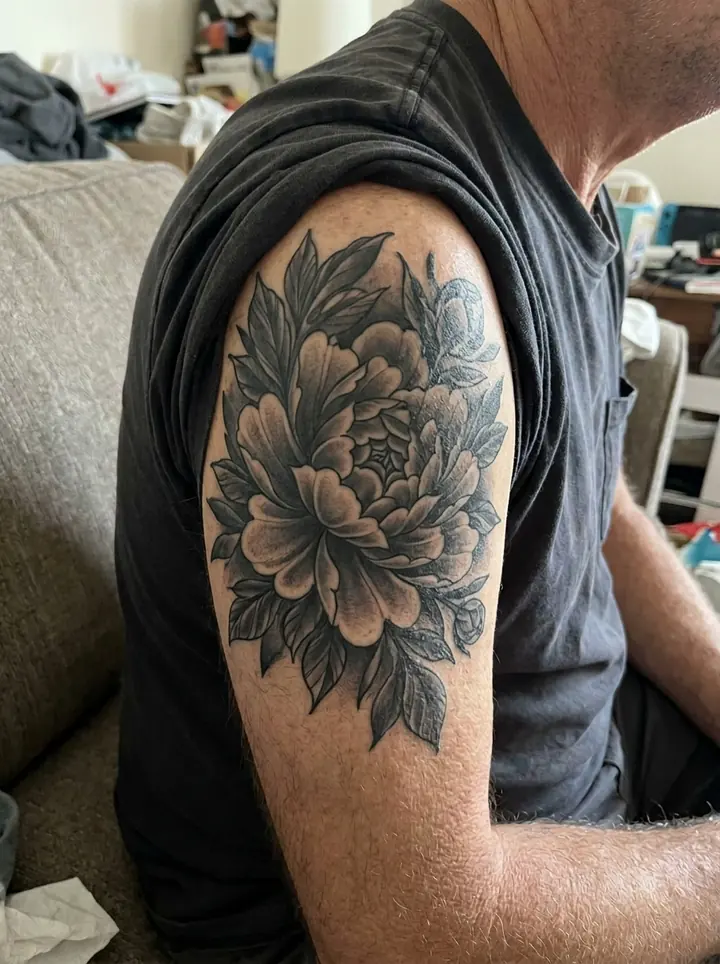
A peony over an old star
Cover the old faded star tattoo with a new, larger black and gray tattoo of a peony with leaves, dark enough that the old tattoo no longer shows, as a real, healed tattoo. Keep the arm, the sleeve and the background exactly the same.
The old star is gone under a black and gray peony several times its size. That's how cover-ups tend to go: the new design has to be bigger and darker than the old one. An artist plans it around the old lines; this shows you the size you'd be signing up for.
How to try on a tattoo from a photo
- Photograph the spot. In daylight, straight on, with the whole area in the frame and no filter. Have someone else take it for your back.
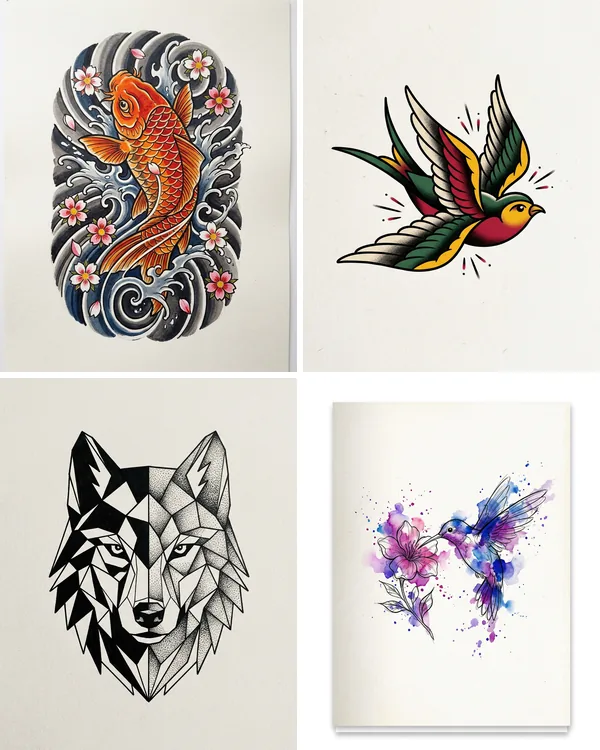
- Add the design as the second image. A clean design on white works best; ours came from the AI tattoo generator. No design yet? Skip it and describe the tattoo in the prompt.
- Say where, how big, and black or color. "On the inner forearm, about as long as the forearm" or "the size of a palm", then "as a real, healed tattoo". Every prompt here ends by keeping the body and the background exactly the same.
- Try it bigger and smaller. Change "about as long as the forearm" to "about half as long", run it again and put the two side by side. It's the cheapest way to settle how big it should be.
What a try-on can't show you
Every result here is a tattoo the day it looks its best: healed, crisp and evenly colored. Real skin stretches, fresh ink stays red and puffy for a while, and fine lines soften over the years. The model also guesses how a color will sit on your skin tone. Use the picture to decide where and how big, then let your artist tell you what will actually hold up.
What it costs
There's no free image: every try-on is paid with credits. One takes 1 credit at 1K, 2 at 2K and 3 at 4K (one more with 3 or 4 photos), and packs cost $4.90 for 20 credits or $9.90 for 70, with no subscription. Ours took 17 to 19 seconds each at 1K.
Tattoo try on FAQ
Can I try on a tattoo before I get it?
Yes: upload a photo of the spot and the design, and say where it goes and how big. Our rose, koi and swallow all landed where we asked, at about the size we asked, and the arm, back and leg around them didn't change.
Is there a free tattoo try on app?
Not here: every try-on is paid with credits. One takes 1 credit at 1K, 2 at 2K and 3 at 4K (one more with 3 or 4 photos), and packs cost $4.90 for 20 credits or $9.90 for 70. It runs in the browser on a phone or a computer, so there's no app to install.
Do I need a design to try on?
No. Describe it instead: our tiny moon and stars on the wrist came from one sentence and no design. For a design to try, make one on our AI tattoo generator page, or use a sketch from your artist.
Can I try a cover-up over my old tattoo?
Yes. Upload the photo of the old tattoo and describe the new one, bigger and darker than the old. Our faded star disappeared under a black and gray peony. Your artist will still plan the real cover-up around the old lines.
Will it look like this on my skin?
Roughly. It shows a healed tattoo with crisp lines, and it guesses how the colors sit on your skin tone. A fresh tattoo looks redder for the first weeks, and fine lines soften over the years. Use it for the placement and the size, and leave the rest to the artist.
Can I use a photo of someone else?
Only with their permission (see our Terms). The body photos on this page were made with the model and show no recognizable face.
What happens to the photos I upload?
We store them so the model can read them and your results stay in your account, and use them for nothing else. To have them deleted, email support@getstepsnap.com.