Remove person from photo: just say who
Remove person from photo, the easy way: upload it, name who should go ("the man in the red cap") and the AI paints the background back in. Your first one is free.
Your photo
Size
about 1 megapixel · 1 credit
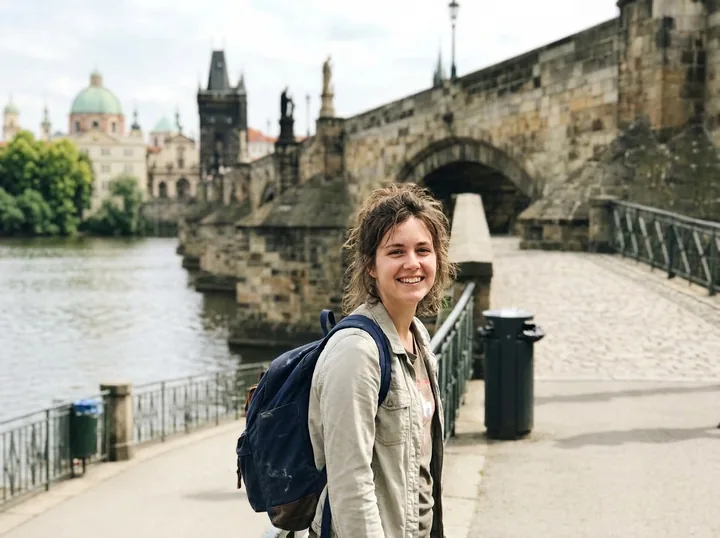
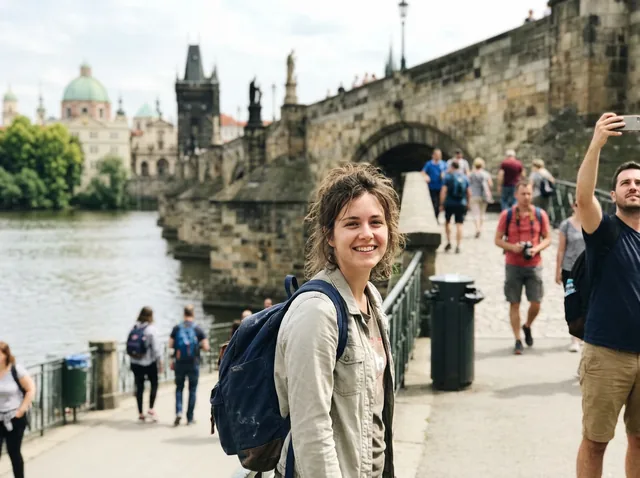 Before
The prompt the box starts with. Every tourist and the man taking a selfie are gone, and the bridge, the railings and the river are drawn in behind them. The trash bin stayed: it isn't a person, so name it too if it bothers you.
Your own image will show up here.
Try next: Fix a blurry photo · Restore old photos · AI family portrait
Remove people from the background of travel photos
Every landmark comes with a crowd. "The people in the background" clears all of them at once and keeps you. The first result we got, at 1K; the small picture is the starting photo, made with the model, and "Use this prompt" puts the prompt in the tool above.
Tourists behind a travel photo
Remove the people in the background of this photo and fill in the scene naturally. Keep the main person and everything else exactly the same.
The prompt the box starts with. Every tourist and the man taking a selfie are gone, and the bridge, the railings and the river are drawn in behind them. The trash bin stayed: it isn't a person, so name it too if it bothers you.
Remove a stranger or a photobomber
Say where they are and what they're wearing: "the person cut off at the right edge", "the man in the red cap behind the couple". Only the person you name goes; everyone else stays.


A stranger cut off at the edge
Remove the person cut off at the right edge of this photo and fill in the park behind them naturally. Keep the three friends at the table and everything else exactly the same.
The half person on the right is gone and the trees and grass carry on behind the table. The three friends, the bottles and the bag didn't move.
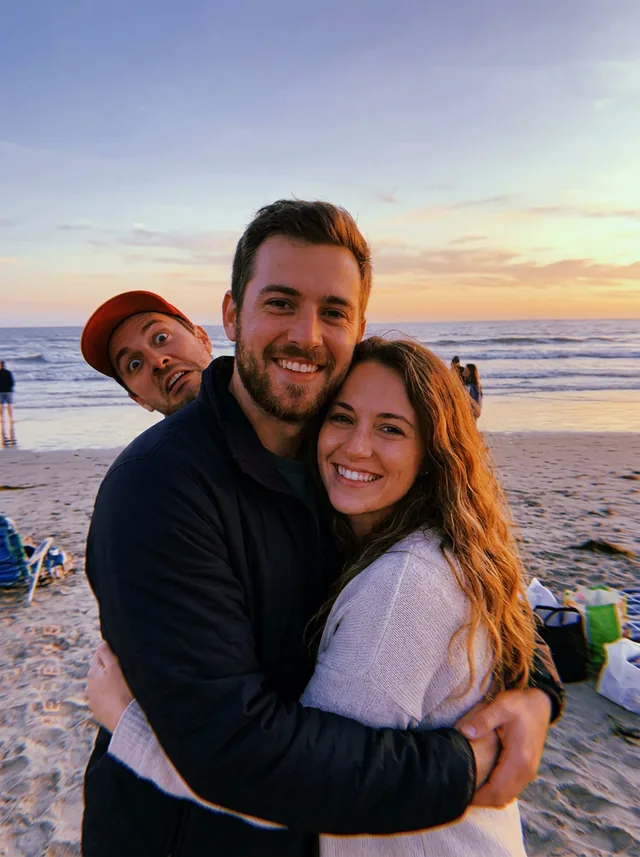
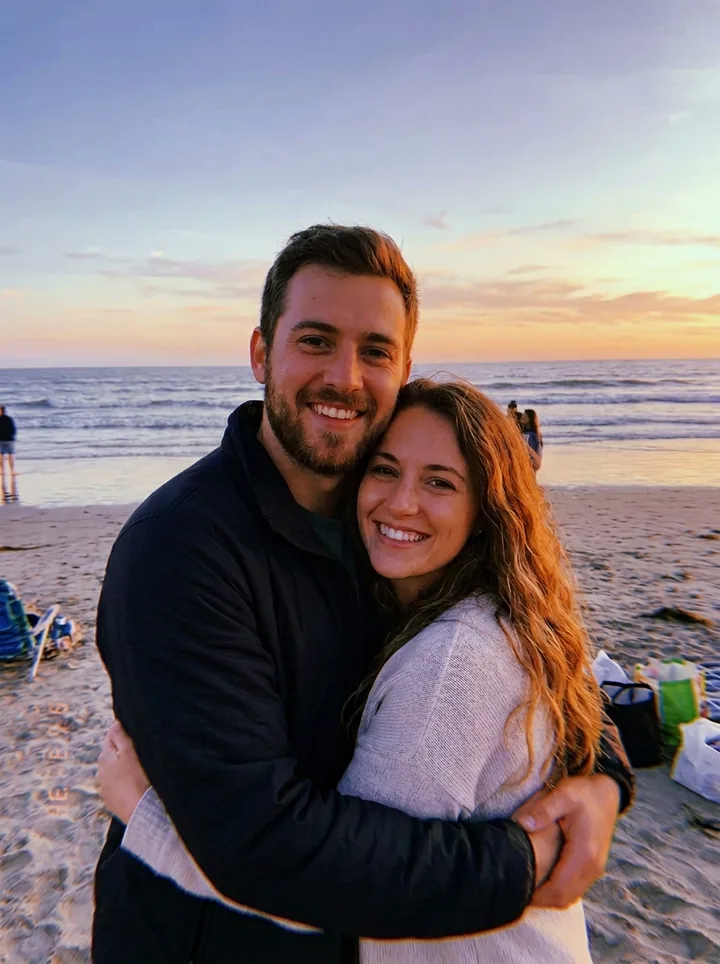
A photobomber behind a couple
Remove the man in the red cap behind the couple and fill in the beach and the sunset naturally. Keep the couple and everything else exactly the same.
The face in the red cap is gone and the sea runs straight through behind them. The tiny people far down the beach stayed, because we only named him.
Remove object from photo
The same sentence works for things: a trash bin, a traffic cone, a parked scooter. List everything in one go, because anything you leave out stays, like the cafe crowd in the distance here.
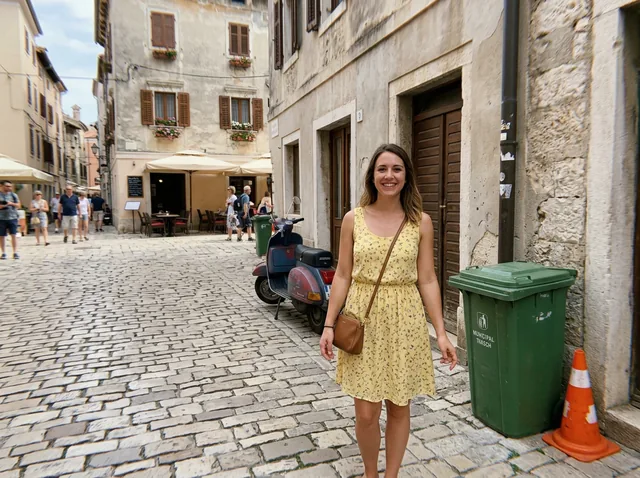
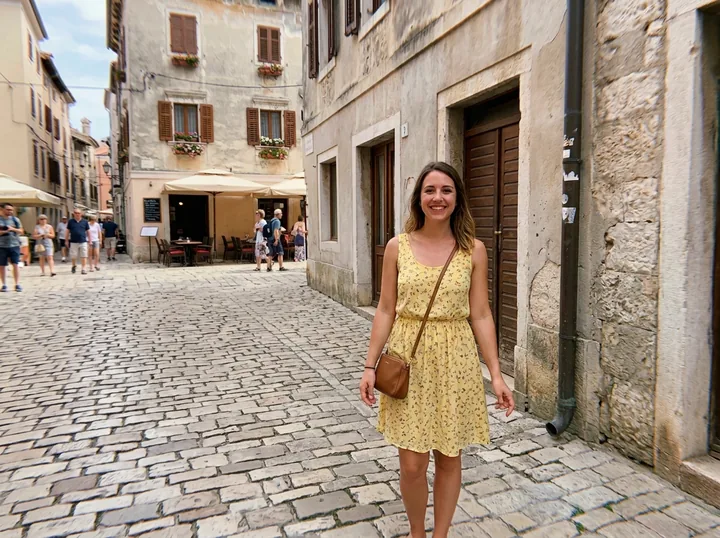
A trash bin, a cone and a scooter
Remove the trash bin, the traffic cone and the scooter from this photo and fill in the cobblestones and the buildings naturally. Keep the woman and everything else exactly the same.
All three are gone, with cobblestones and the old wall drawn in where they stood. The people at the cafe in the distance stayed, since we didn't name them.
How to remove a person from a photo
- Upload the photo. The sharper it is, the cleaner the background comes back.
- Say who should go. Use where they stand and what they wear: "the woman in the blue coat on the left". Name every person and thing you want gone.
- Say what stays. End with "keep everything else exactly the same"; the prompt in the box already does.
- Check it, then download. Zoom in where the person was, and on faces and writing elsewhere. Missed someone? Say who again.
What to expect
- No brushing. You type it, so it also works on a phone screen where dragging a brush over someone small is fiddly.
- The whole picture is redrawn. Small things can come out a little different from the original: the lettering on a sign, a pattern, a face far away. Keep your original.
- Not for IDs or evidence. Don't use it on ID photos, documents or anything that has to show what really happened.
Remove a person from a photo for free
Your first edit is free when you sign in with Google, and there's no visible watermark on the image you download. After that an edit takes 1 credit at 1K or 2K, and 100 credits cost $9.90, paid once. It runs in your browser, so there's no app to install. It uses Google's Nano Banana 2.1.
Remove person from photo FAQ
How do I remove the person in a photo?
Upload it here and type who should go, by where they stand or what they wear: "remove the man in the red cap behind the couple". The AI fills in what was behind them. There's nothing to brush or select.
Is there a free magic eraser?
Here your first edit is free when you sign in with Google. It isn't a brush: you type who or what to erase, and it paints the background back in.
How do I remove an unwanted person without ruining the photo?
Name only that person and end with "keep everything else exactly the same". Then compare it with your original: the model redraws the whole picture, so look at the faces and any writing.
How do I remove people from photos on iPhone for free?
Apple's Photos app has a Clean Up tool on an iPhone 15 Pro, iPhone 15 Pro Max or iPhone 16 or later with Apple Intelligence: open the photo, tap the edit button, then Tools, then Clean Up, and tap, brush or circle what to remove. It isn't in every language or region (Apple's iPhone User Guide, checked October 9, 2026). On any other phone, open this page in the browser.
Does it leave a watermark?
There's no visible watermark on the image you download.
Can I use it on ID photos or evidence?
No. Don't edit ID photos, documents or anything that has to show what really happened. An edited photo shouldn't be passed off as the original.
What happens to the photos I upload?
We store them so the model can read them and your results stay in your account, and use them for nothing else. To have them deleted, email support@getstepsnap.com.