Photo to pixel art with AI: sprites and game scenes
Photo to pixel art in one step: a selfie, a pet or a place, back in big square pixels. Uses Google's Nano Banana 2.1.
Your photo
Size
about 1 megapixel · 1 credit
 Before
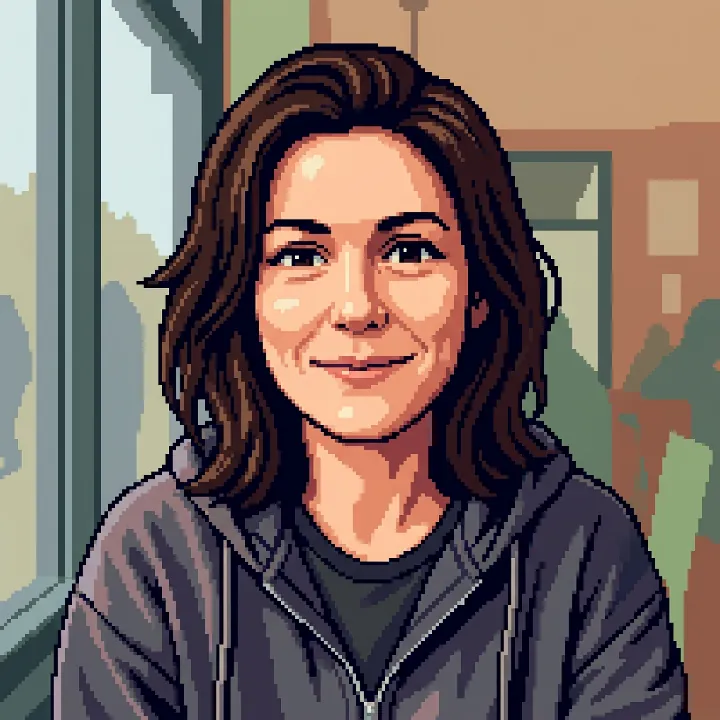
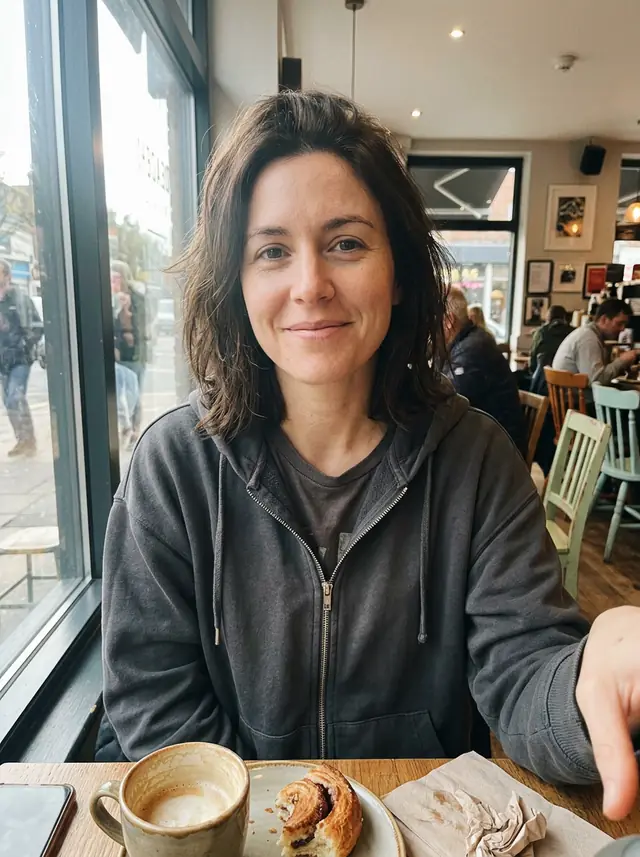
Her smile, hair and hoodie in clean pixels, with the cafe behind her simplified into blocks of color, like a character select screen.
Your own image will show up here.
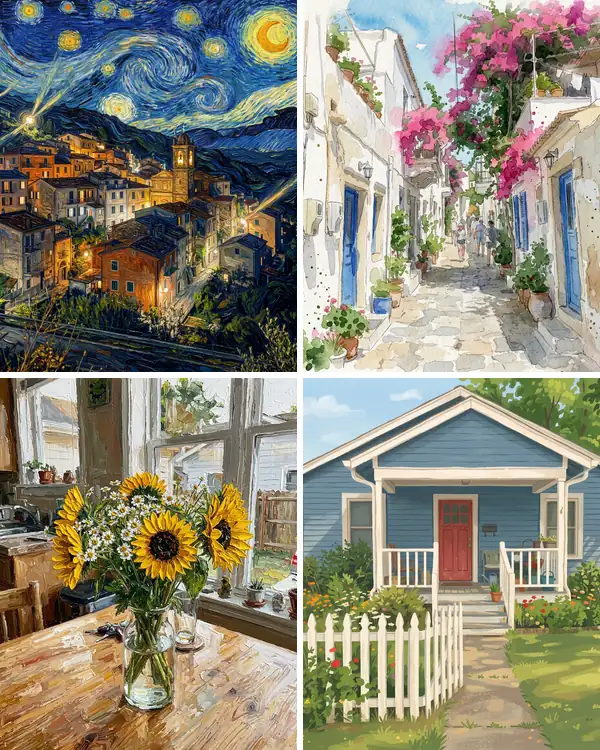
We turned seven ordinary photos into pixel art. Every photo was made with the model, so no real person, pet or place appears here. Each result is the first we got at 1K, except the street, a second try whose card says why. The small picture is the photo we started from; "Use this prompt" puts the prompt in the tool above.
People: a game portrait and a pixel avatar
A selfie and a street snapshot, each asked to keep the face recognizable. The last card is the prompt the tool starts with.
16-bit game character portrait
Turn this photo into pixel art: the same woman as a retro 16-bit video game character portrait, chunky square pixels, a limited palette of about 16 colors, crisp edges and no blur. Keep her face, hair and hoodie recognizable.
Her smile, hair and hoodie in clean pixels, with the cafe behind her simplified into blocks of color, like a character select screen.
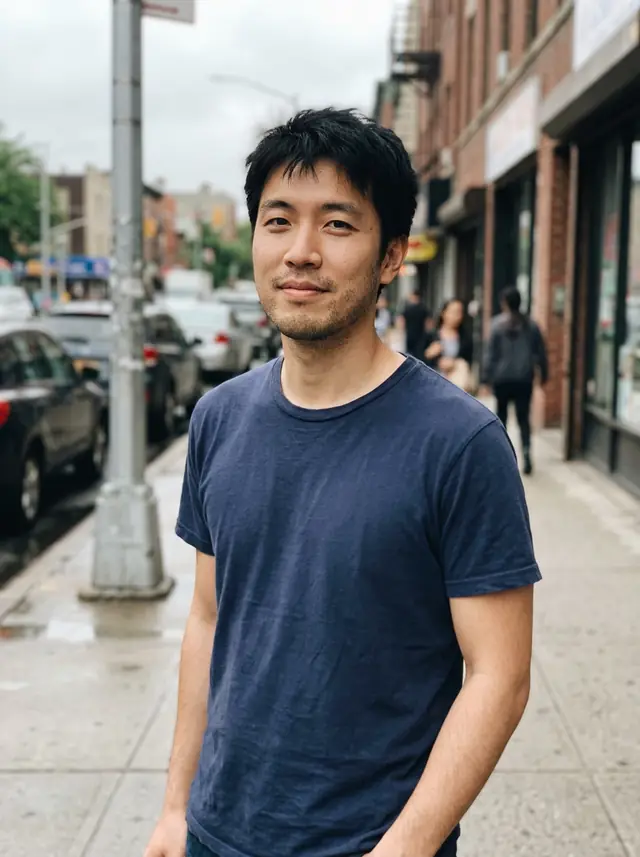
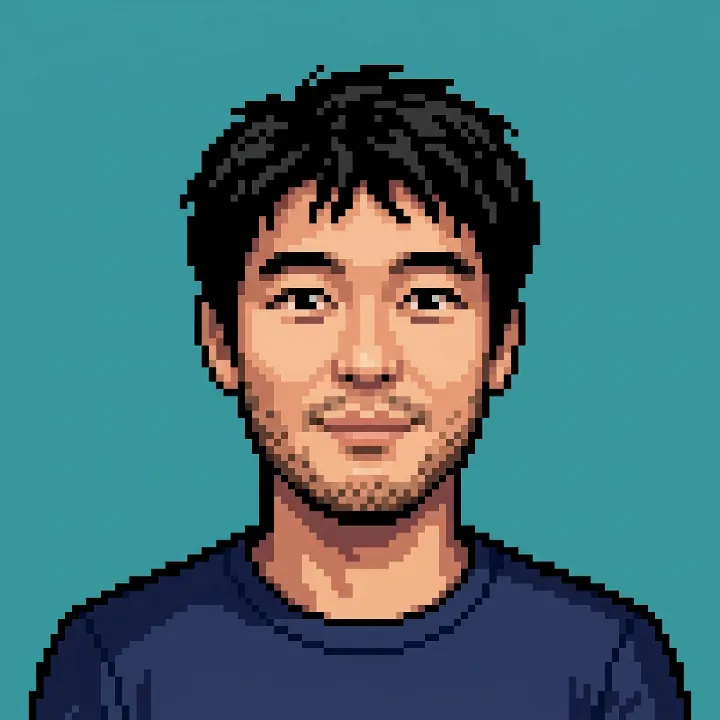
Pixel art profile picture
Turn this photo into a pixel art profile picture: the same man from the shoulders up on a plain teal background, chunky square pixels, a limited palette, crisp edges and no blur. Keep his face, hair and t-shirt recognizable.
A square avatar on the teal background we asked for, ready for a gaming or chat profile. His face, stubble and t-shirt match the photo.
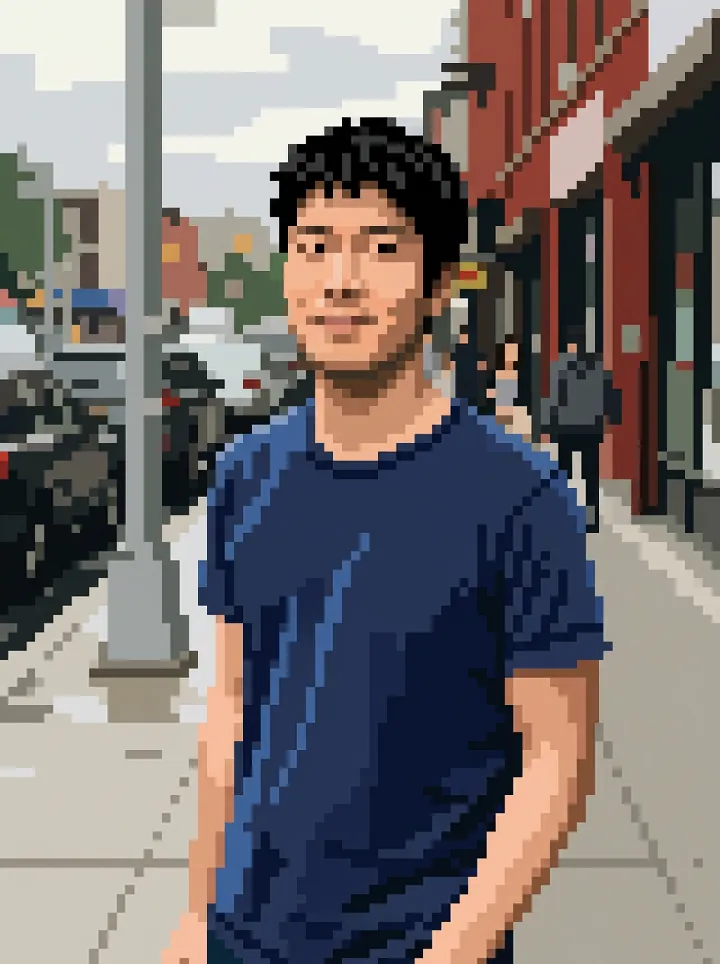
The prompt in the tool, on a street snapshot
Turn this photo into pixel art on a 64 by 64 grid, scaled up: big square pixels you can count, a palette of about 16 flat colors, no gradients and no blur. Keep the people, places and objects of the photo recognizable, like a scene in a retro 16-bit game.
The prompt the tool starts with names no subject, so it works on any photo. Here his face, hair and t-shirt survive the big pixels, and the street behind him turned into a game background.
Your pet as a game sprite
A dog photo from the park, turned into a character from an old game.
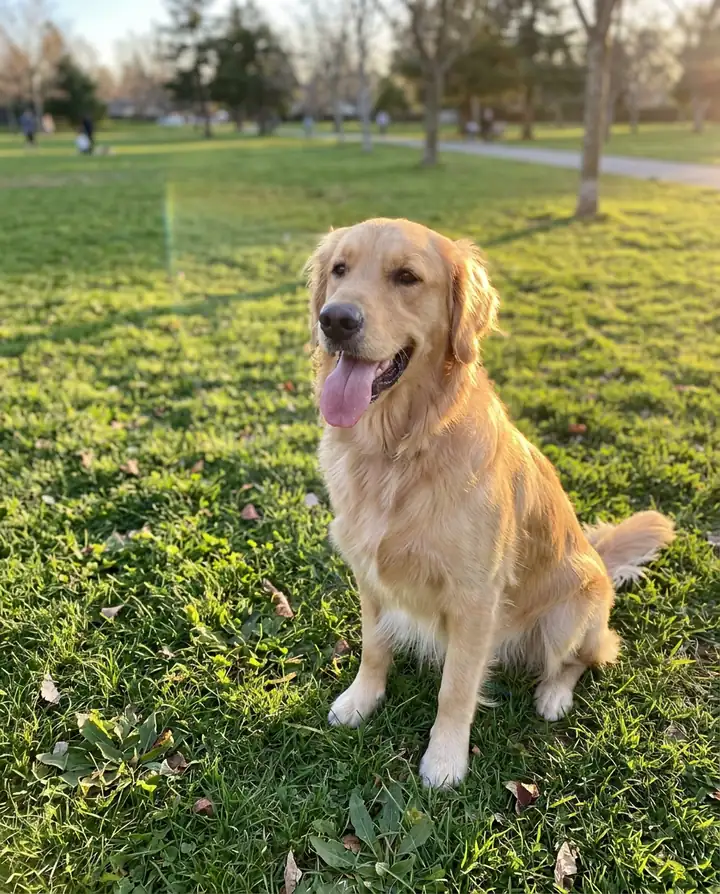
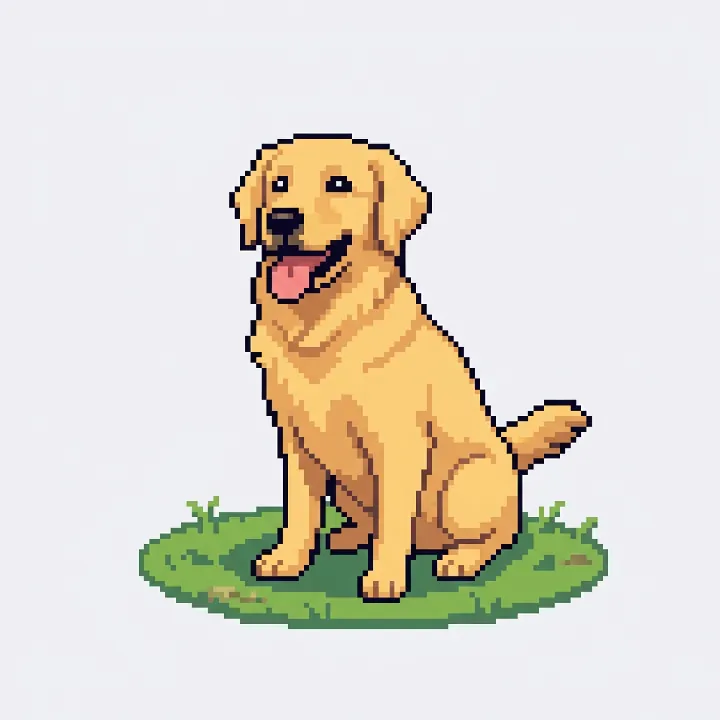
Pet game sprite
Turn this photo into a pixel art game sprite: the same golden retriever sitting on a small patch of grass, chunky square pixels, a limited palette, crisp edges and a plain light background, like a character in a retro game.
The same happy retriever, tongue out, on a little island of grass. The background is plain, not see-through: cut it out in an editor if you need a transparent sprite.
Places and houses
A street, a house seen two ways and a mountain view.
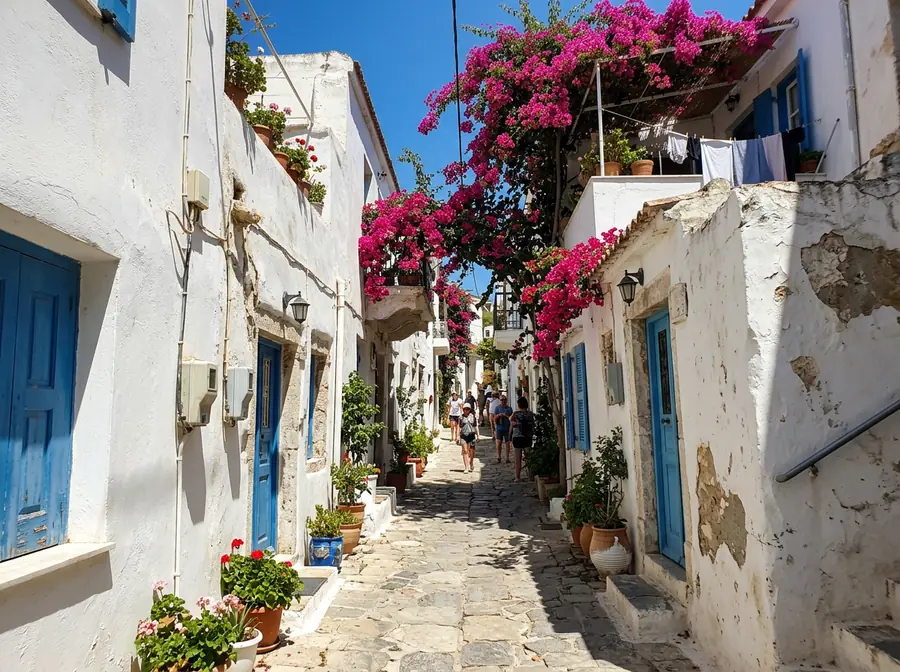
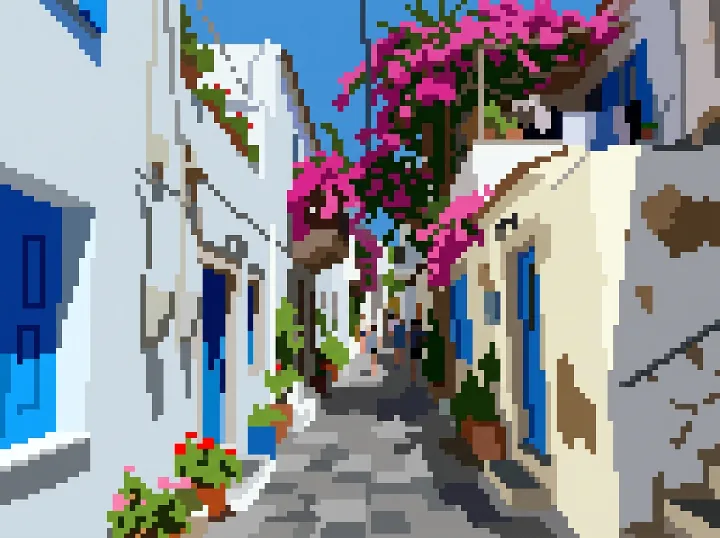
Retro game background
Turn this photo into pixel art on a 64 by 64 grid, scaled up: big square pixels you can count, a palette of about 16 flat colors, no gradients and no blur. The same street with the white houses, the blue shutters and the pink flowers, like a background in a retro 16-bit game.
Our second try. The first prompt, without a grid size, came back almost a photo; asking for a 64 by 64 grid and "big square pixels you can count" fixed it.
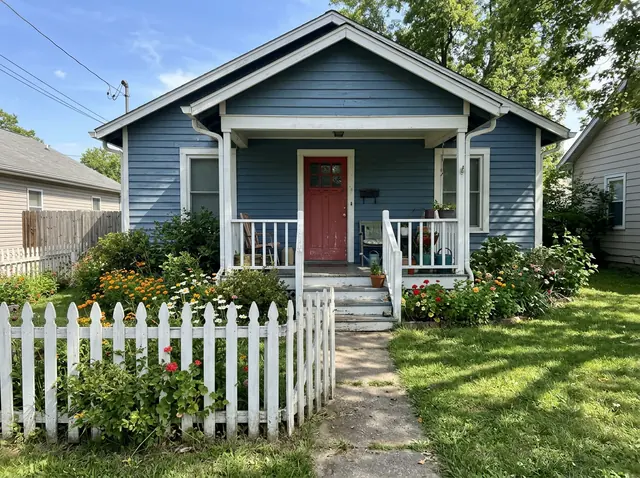
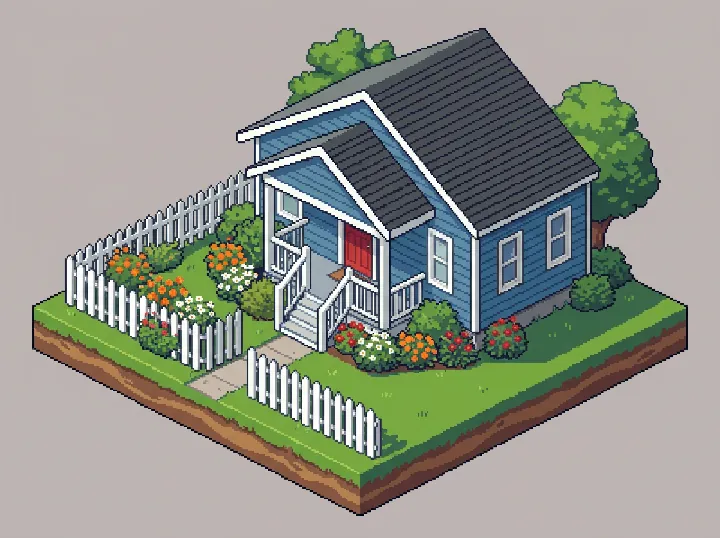
Isometric pixel house
Turn this photo into isometric pixel art: the same blue house with its white porch, red door and picket fence as a small game building on a square of grass, seen from above at an angle, chunky square pixels and a limited palette.
The house turned into a little game building, seen from above at an angle, porch, red door, fence and flower beds included.
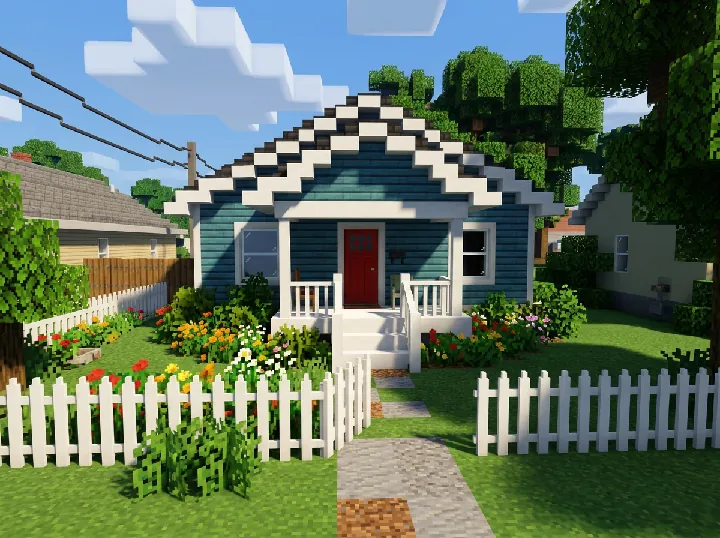
Built from blocks
Rebuild the house in this photo out of cube blocks, like a block-building video game: the same blue walls, white porch, red door, picket fence and flower beds, every surface made of square blocks with simple pixel textures, on a blocky grass lawn under a blue sky.
The same house as a block build: walls, porch, fence and even the clouds are made of cubes. It's a picture of a build, not a file you can load into a game.
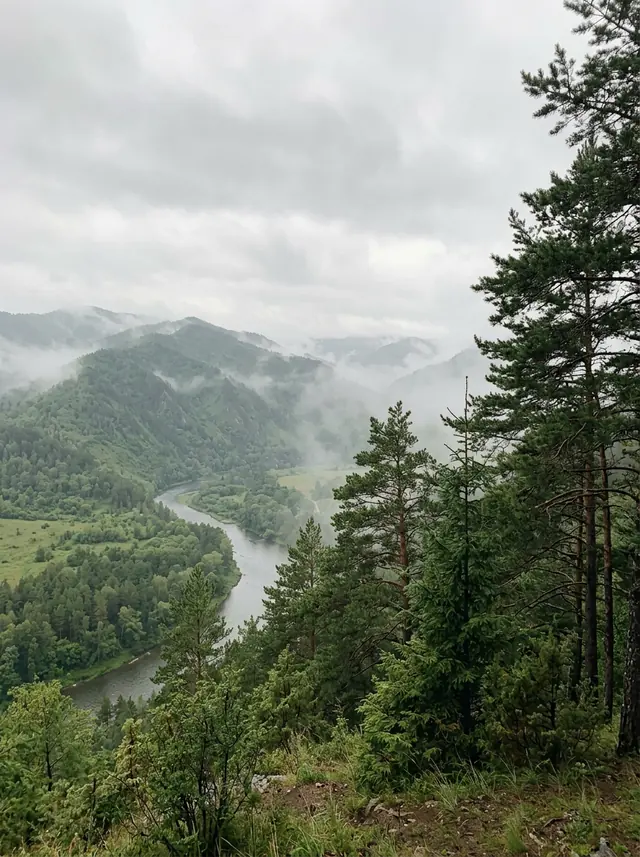
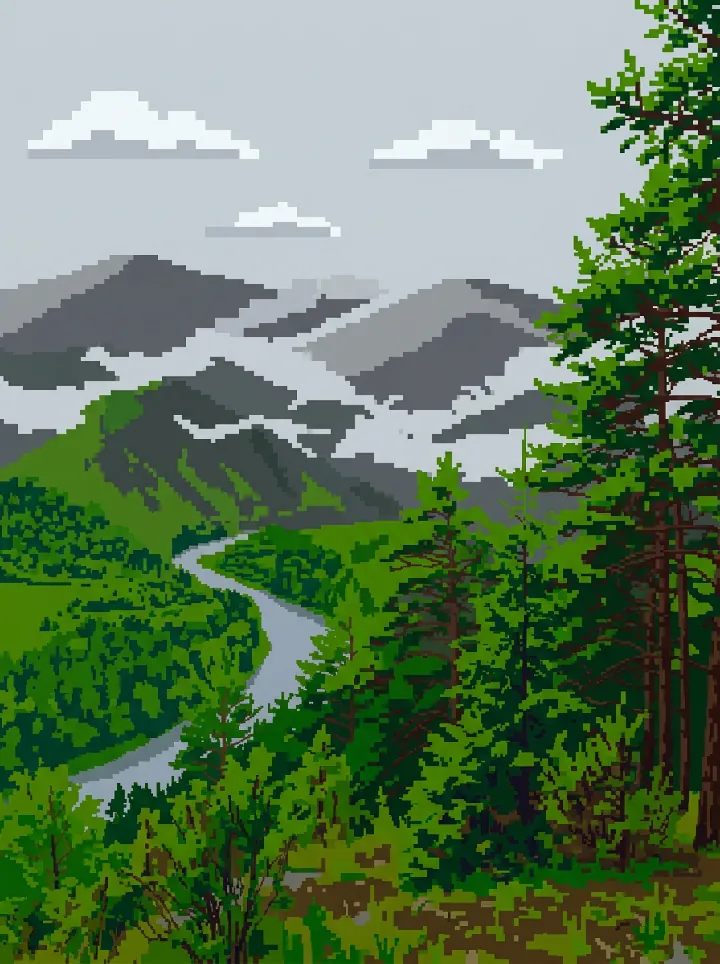
8-bit landscape
Turn this photo into 8-bit pixel art: the same misty mountains, river and pines with a palette of only 8 colors, big square pixels, no gradients and no blur, like a background from an old game console.
The river, the ridges and the pines in big pixels. It used more than 8 colors, though: the greens alone come in several shades.
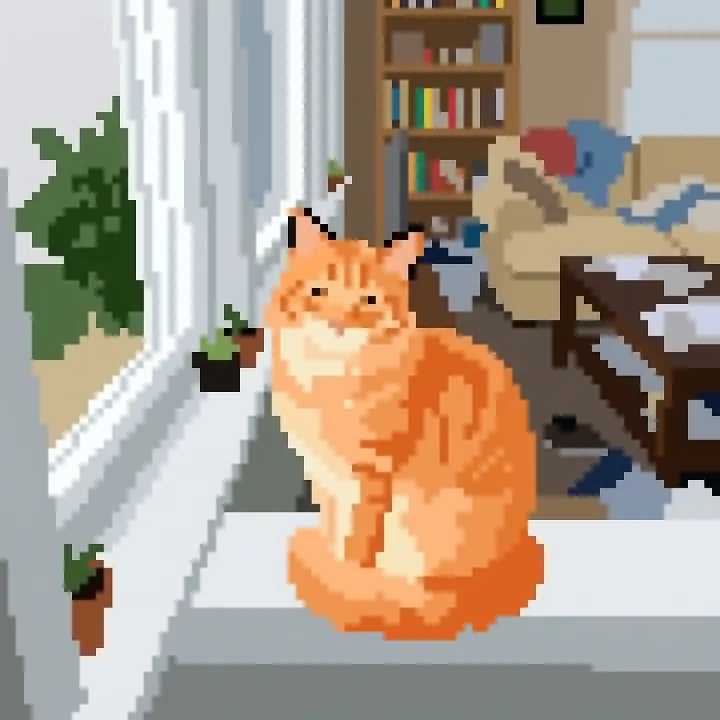
Big pixels or small: one cat, three grid sizes
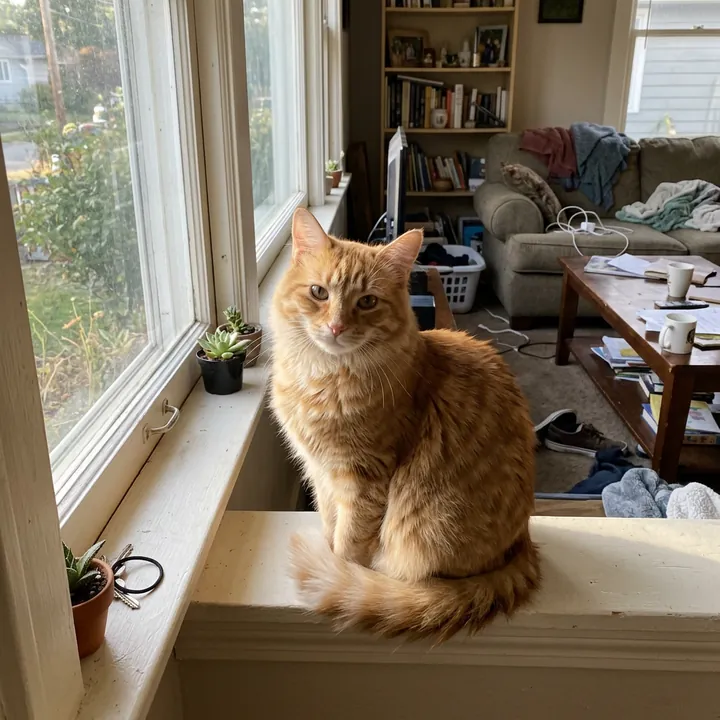
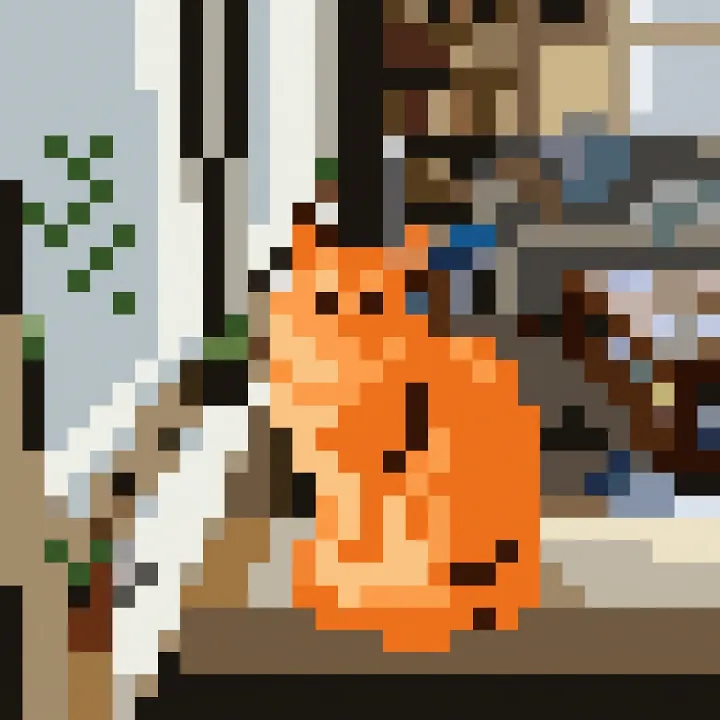
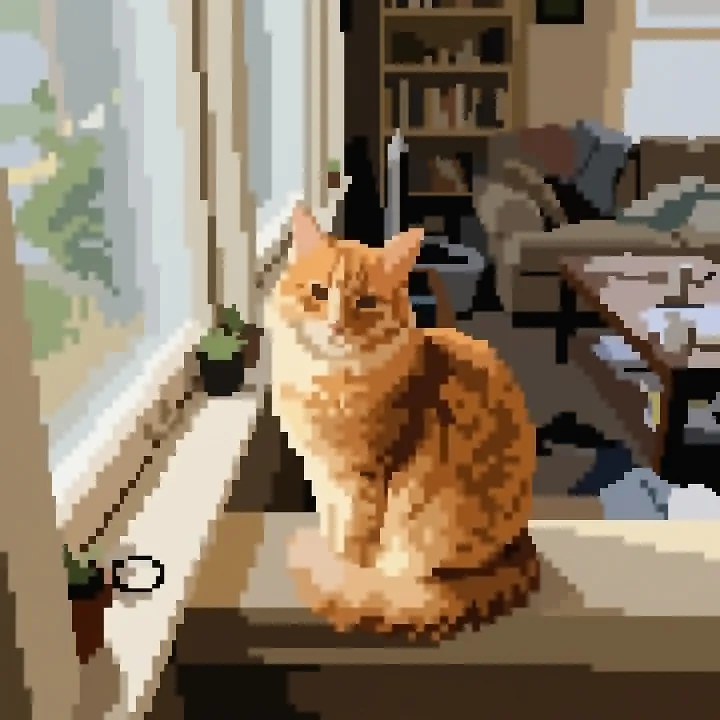
The same cat photo, the same prompt, with only the grid size changed. The 16 came out coarse and blocky and the 64 clean, with flat colors. The 32 came out the most detailed of the three, which isn't what we asked for: the number nudges the size of the pixels, it doesn't set it.
Turn this photo into pixel art on a [16, 32 or 64] by [the same] grid, scaled up: big square pixels you can count, a palette of about 12 flat colors, no gradients, no blur and no fine detail. The same orange cat sitting by the window.
Looking for Minecraft pixel art?
People who search for picture to pixel art for Minecraft usually want something to build. The block-built house above is the closest: the same house made of cubes with pixel textures, which you can copy block by block. It's a picture, not a file the game can load.
How to turn a photo into pixel art
- Upload the photo. One clear subject works best: a face, a pet, a house. Busy scenes turn into busy pixels.
- Ask for pixels you can count. "Big square pixels you can count", a grid size, a small palette and "no gradients and no blur". Without them, our street came back nearly a photo.
- Say what to keep, and the look. "Keep her face, hair and hoodie recognizable", then the kind of game: a 16-bit portrait, a sprite, an isometric building.
- Pick 1K. Pixel art has no fine detail to keep, so the 1 credit size is enough; enlarge it later with a nearest-neighbour resize to keep the pixels square.
What it costs
There's no free image: every picture is paid with credits. One takes 1 credit at 1K, 2 at 2K and 3 at 4K (one more with 3 or 4 photos), and packs cost $4.90 for 20 credits or $9.90 for 70, with no subscription. Ours took 17 to 31 seconds each. For pictures of your pet in other styles, see the AI pet portrait prompts.
Photo to pixel art: FAQ
How do I turn a photo into pixel art?
Upload the photo and ask for pixel art with "big square pixels you can count", a small palette and no blur, then say what to keep. Naming a grid, such as 64 by 64, made our pixels bigger and cleaner. Pick 1K: pixel art doesn't need more.
Can I choose the pixel size?
Roughly. We asked for the same cat at 16, 32 and 64: the 16 came out coarse and blocky and the 64 clean and flat, but the 32 came out the most detailed of the three. The grid number nudges the model; it isn't an exact size.
Is there a free photo to pixel art converter?
Not here: every image is paid with credits, 1 credit at 1K, 2 at 2K and 3 at 4K (one more with 3 or 4 photos), and packs cost $4.90 for 20 credits or $9.90 for 70. It runs in the browser, with nothing to install.
Can I use it as a game sprite?
As art, yes: our dog sprite sits on a plain light background, ready to cut out. The file is a PNG with a background, not a transparent sprite sheet, so remove the background in an editor before you use it in a game.
Can it make Minecraft pixel art?
It can make a picture of a block build, like our house made of cubes, and flat pixel art you could copy block by block. It doesn't make a world or schematic file you can load into a game.
What happens to the photos I upload?
We store them so the model can read them and your results stay in your account, and use them for nothing else. To have them deleted, email support@getstepsnap.com.