Turn photo into painting with AI: 8 styles we tested
Turn photo into painting in one step: upload it and pick oil, watercolor or ink. Uses Google's Nano Banana 2.1.
Your photo
Size
about 1 megapixel · 1 credit
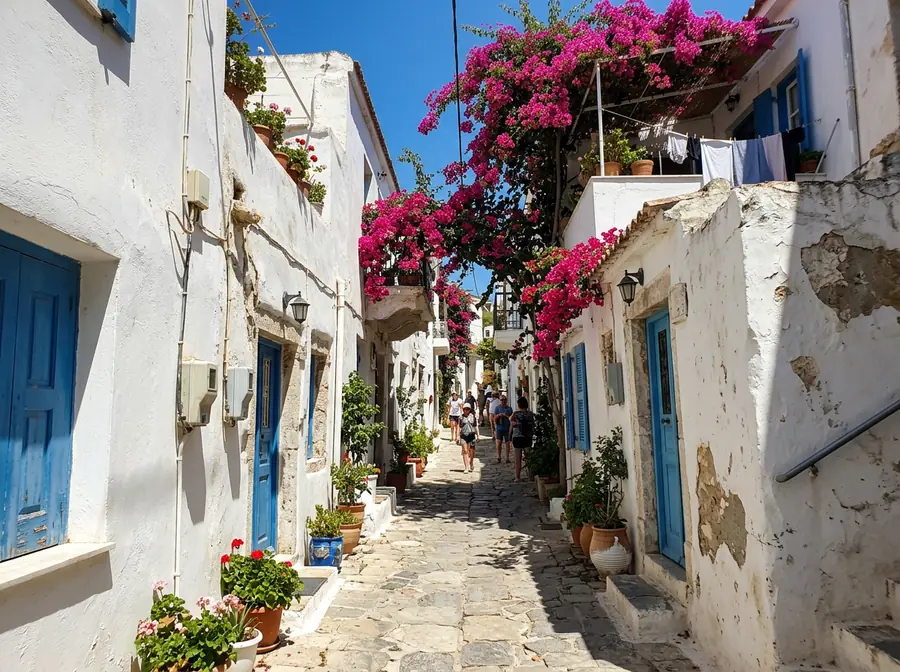 Before
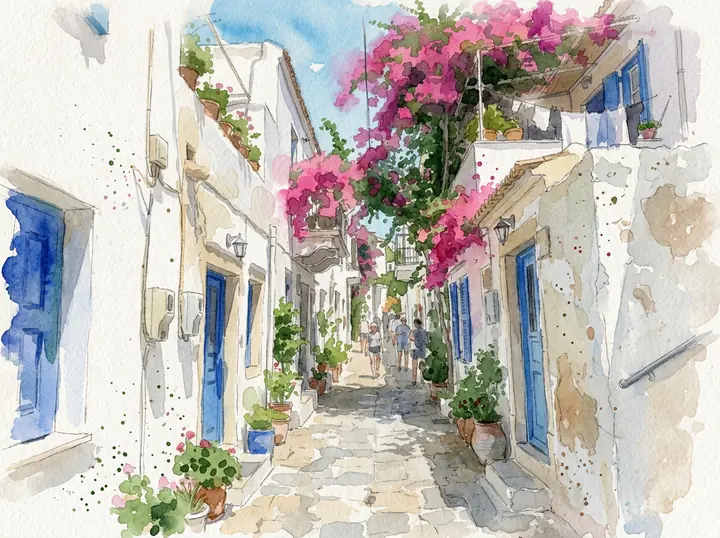
Washes, ink lines, splashes and white paper, like a page from a travel sketchbook. The street, the shutters and the bougainvillea are all where they were.
Your own image will show up here.
We turned eight ordinary photos into eight kinds of painting. Every photo was made with the model, so no real person or place appears here, and every painting is the first result we got at 1K. The small picture is the photo we started from; "Use this prompt" puts the prompt in the tool above.
Portraits: oil painting from a selfie
Two snapshots of people, painted in oil. Both prompts ask to keep the face exactly the same.
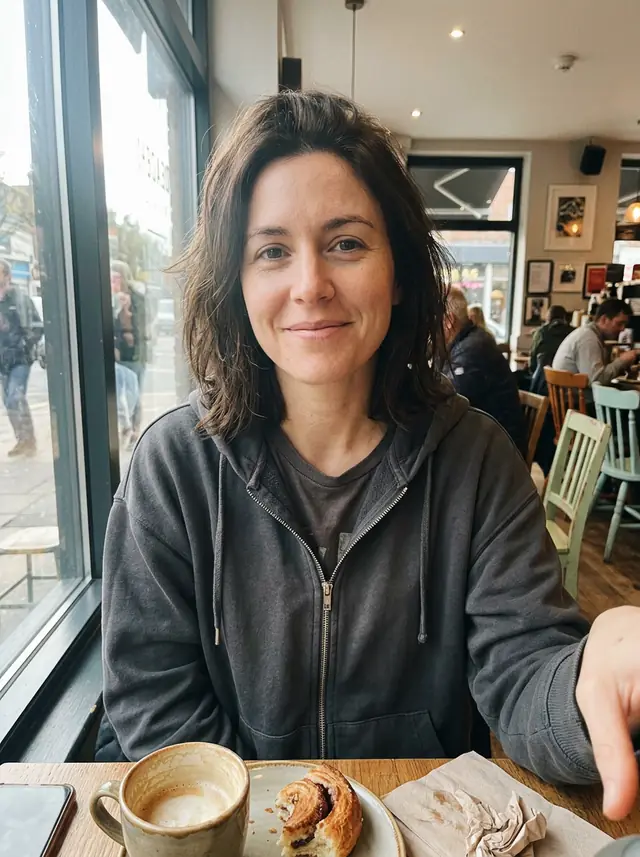
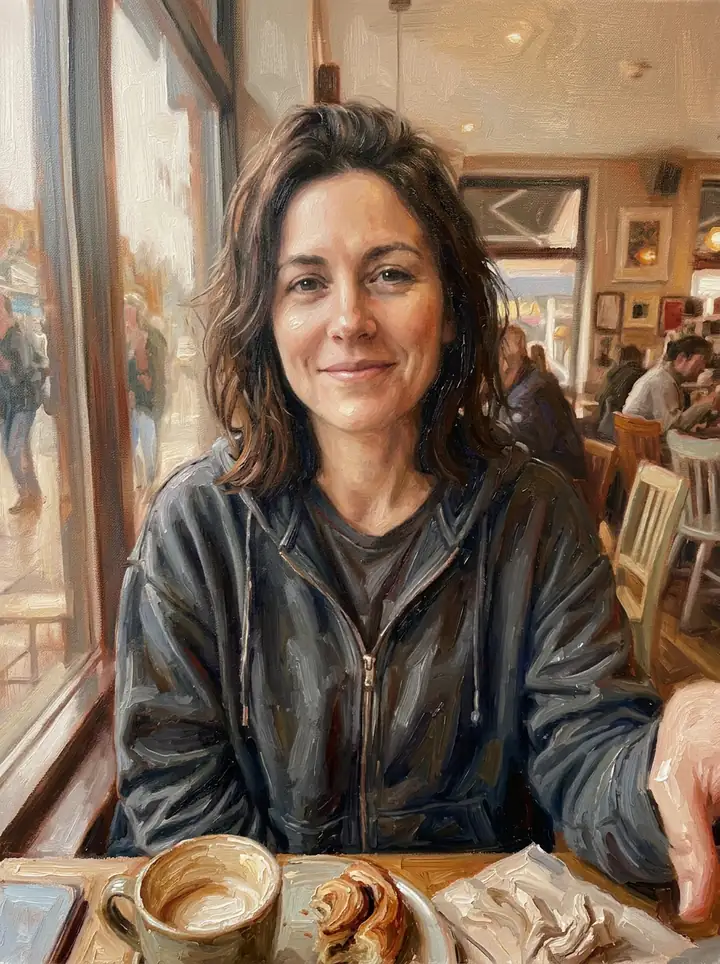
Oil painting on canvas
Turn this photo into an oil painting on canvas: rich, layered color and visible brushstrokes, soft studio-style light on the face and a warm, plain painted background. Keep the woman's face, hair and expression exactly the same. Keep the composition, the subject and the details of the photo, so it's clearly the same scene.
Her face, smile and hoodie came through in visible brushstrokes. It kept the cafe behind her, painted, instead of the plain background we asked for: the last sentence of the prompt asks to keep the scene, and it won.
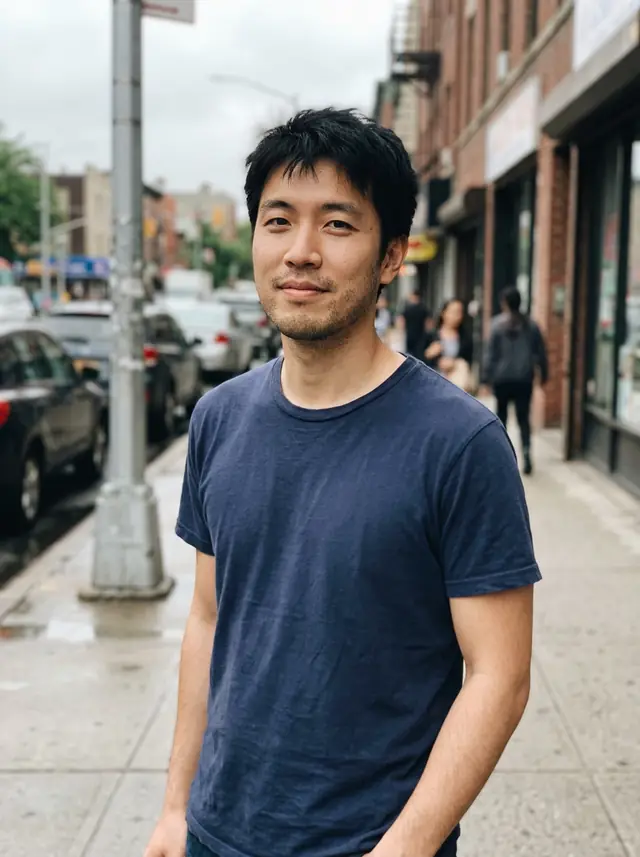
Old-master portrait
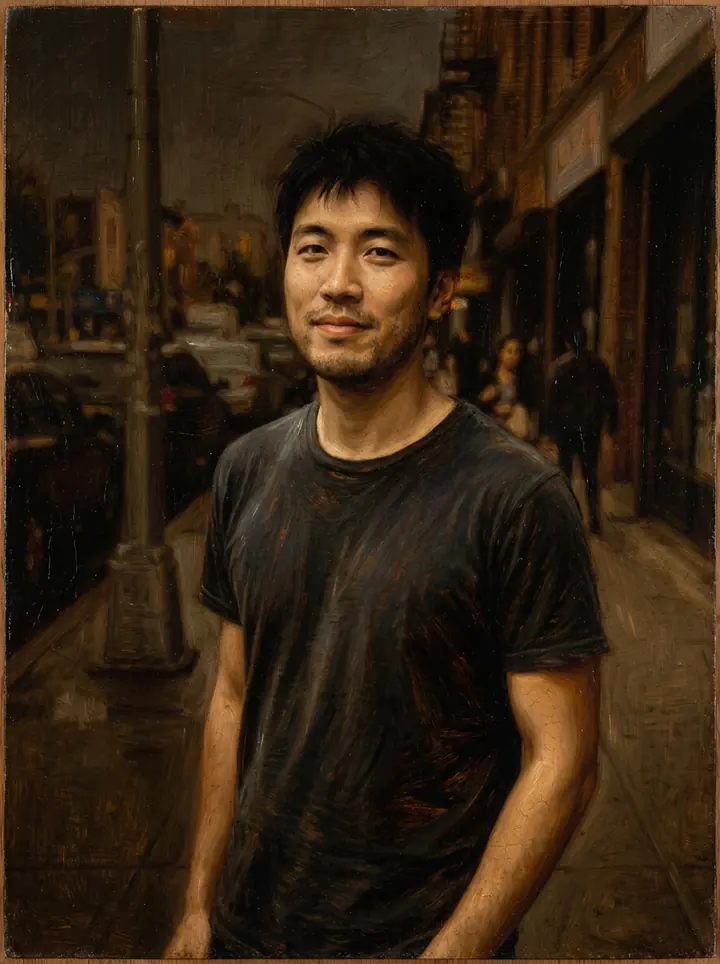
Turn this photo into a classical old-master portrait painting: oil on a wooden panel, a dark background, warm candle-like light from one side, fine glazes and a subtle varnish sheen. Keep the man's face, hair and expression exactly the same. Keep the composition, the subject and the details of the photo, so it's clearly the same scene.
A dark, warm portrait with a varnish sheen, and the street behind him faded into shadow. His face and the t-shirt are the photo's.
Travel photos and landscapes
Four places, four kinds of paint: watercolor, broken impressionist strokes, thick swirling night skies and ink on rice paper.
Watercolor travel sketch
Turn this photo into a loose watercolor painting on textured paper: soft washes, colors bleeding at the edges, a few fine ink lines and white paper showing through. Keep the composition, the subject and the details of the photo, so it's clearly the same scene.
Washes, ink lines, splashes and white paper, like a page from a travel sketchbook. The street, the shutters and the bougainvillea are all where they were.
Impressionist lake
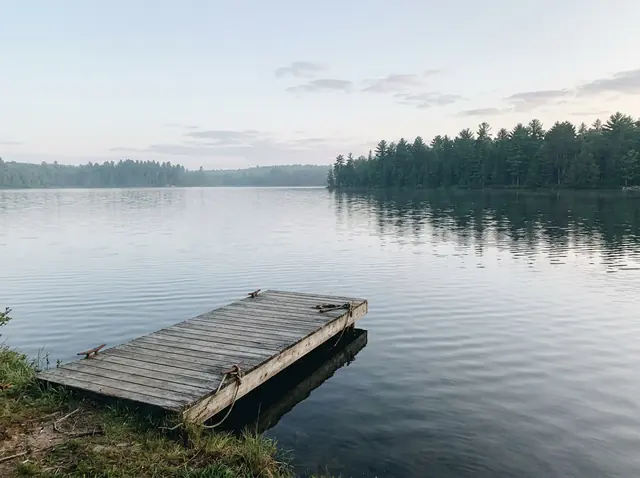
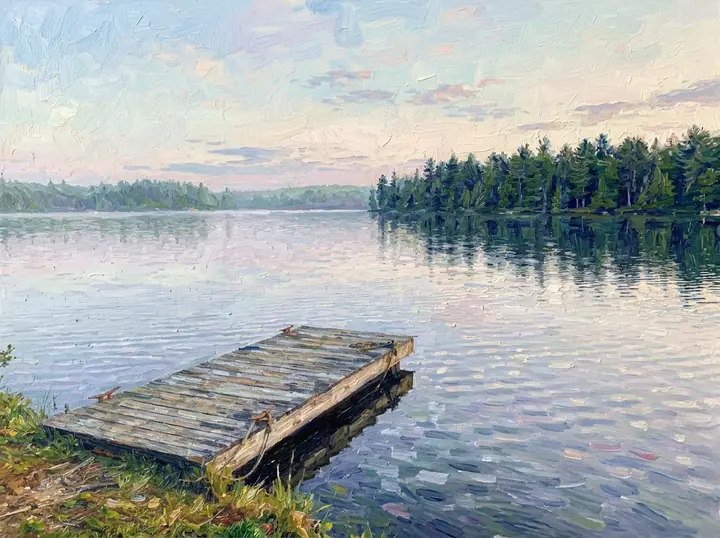
Turn this photo into an impressionist painting: short, broken brushstrokes of pure color, shimmering light on the water and soft morning haze. Keep the composition, the subject and the details of the photo, so it's clearly the same scene.
The flat morning photo got the light it was missing: pink and blue strokes on the water, the dock and the pines in the same places.
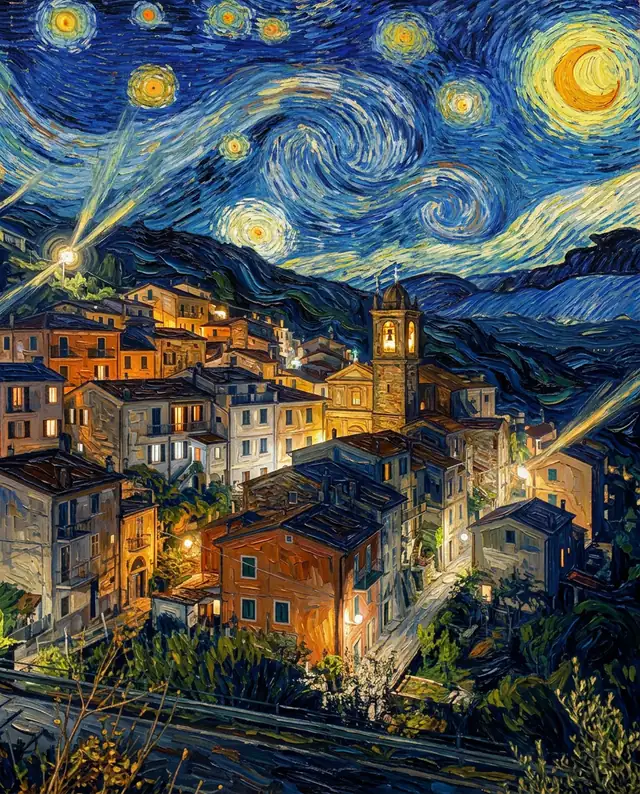
Swirling starry night
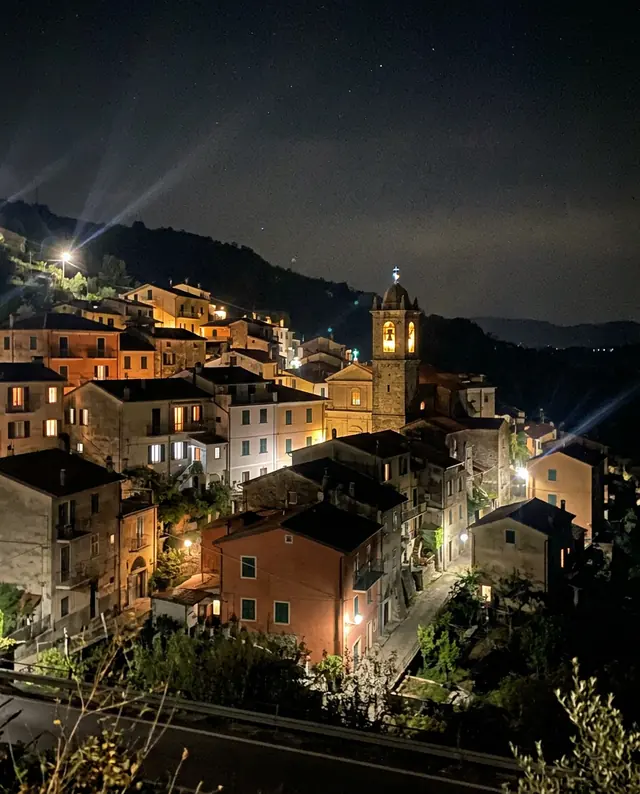
Turn this photo into a post-impressionist night painting: thick, swirling brushstrokes, a glowing sky full of spiraling stars, deep blues and bright yellows, and heavy impasto texture. Keep the composition, the subject and the details of the photo, so it's clearly the same scene.
The most dramatic of the eight: spiraling stars, a yellow moon and thick paint, with the town, the church tower and the lit windows still in place. We described the look; we didn't name a painter.
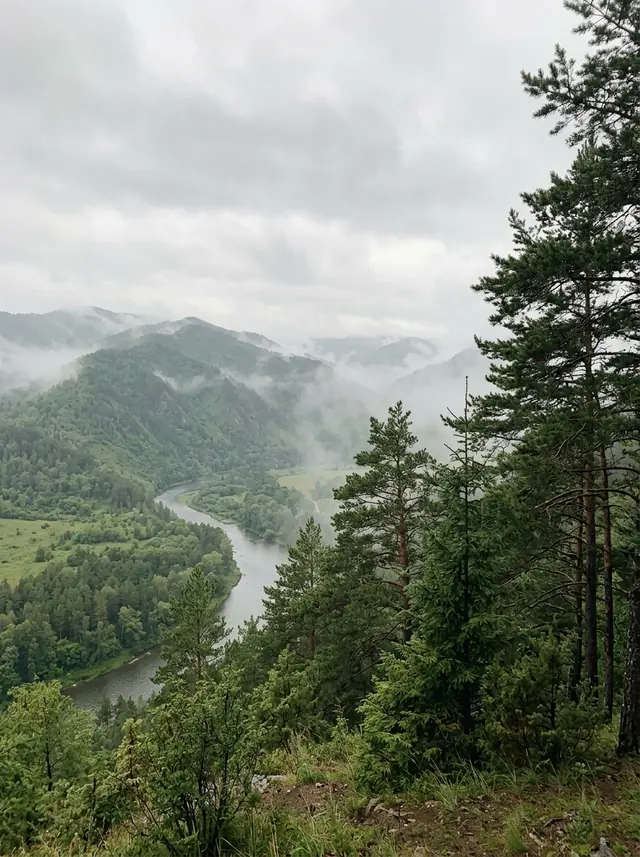
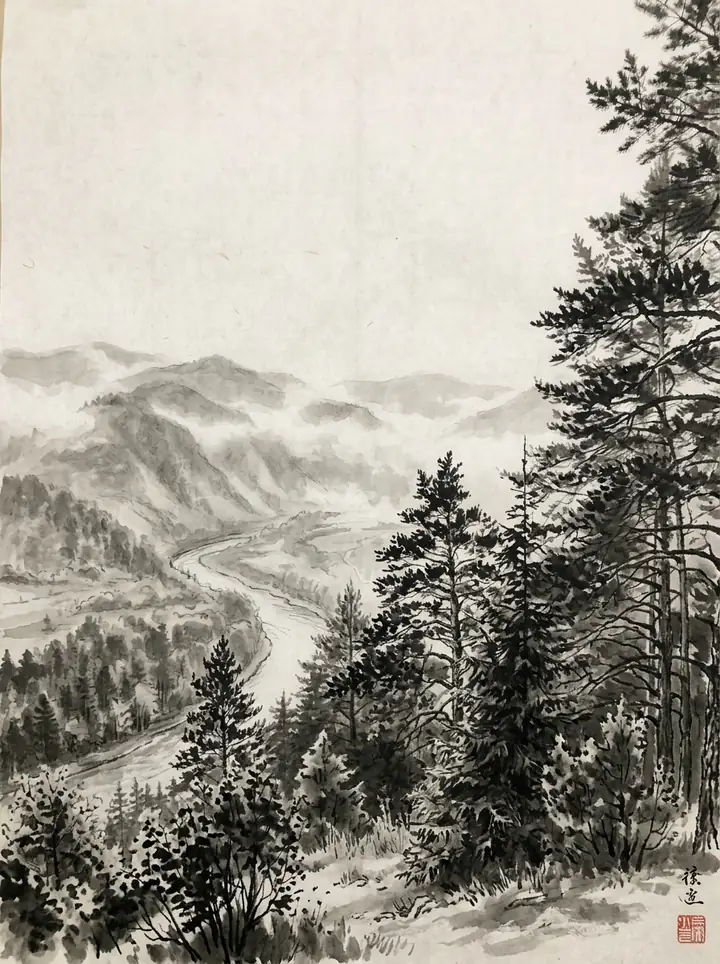
Ink wash on rice paper
Turn this photo into a traditional East Asian ink wash painting on rice paper: black and gray ink in soft washes and confident brush strokes, lots of empty space for the mist, and a small red seal in a corner. Keep the composition, the subject and the details of the photo, so it's clearly the same scene.
Gray washes for the mist, sharp strokes for the pines, and the red seal we asked for. It also signed the painting with two brush characters above the seal, which we didn't ask for.
Your house and still life
A house for a housewarming card, and flowers from the kitchen table.
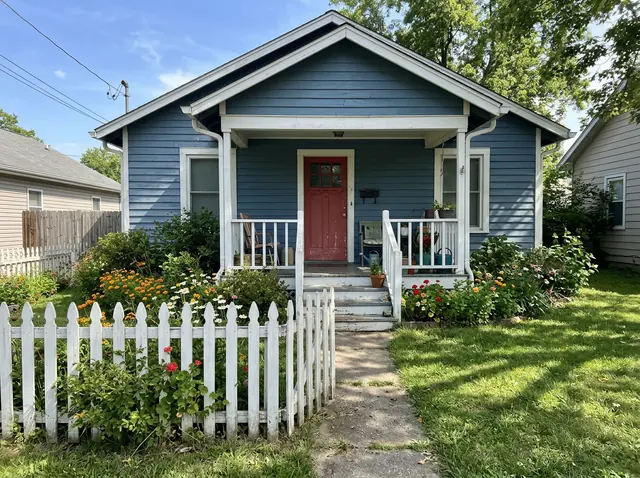
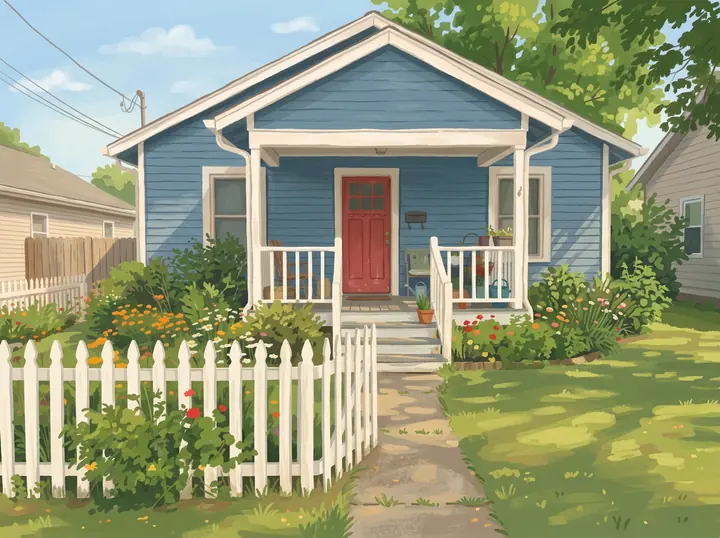
Storybook gouache house
Turn this photo into a cozy gouache painting like a storybook illustration: flat, matte colors, soft edges, simple shapes and a warm afternoon light. Keep the composition, the subject and the details of the photo, so it's clearly the same scene.
Flat, matte color and soft shapes, like a children's book. The porch, the red door, the fence and the flower beds match the photo.
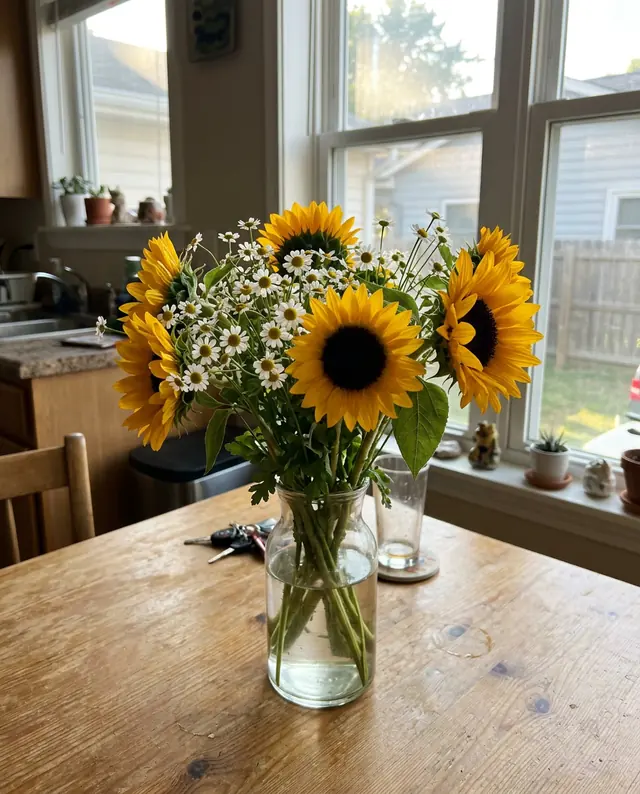
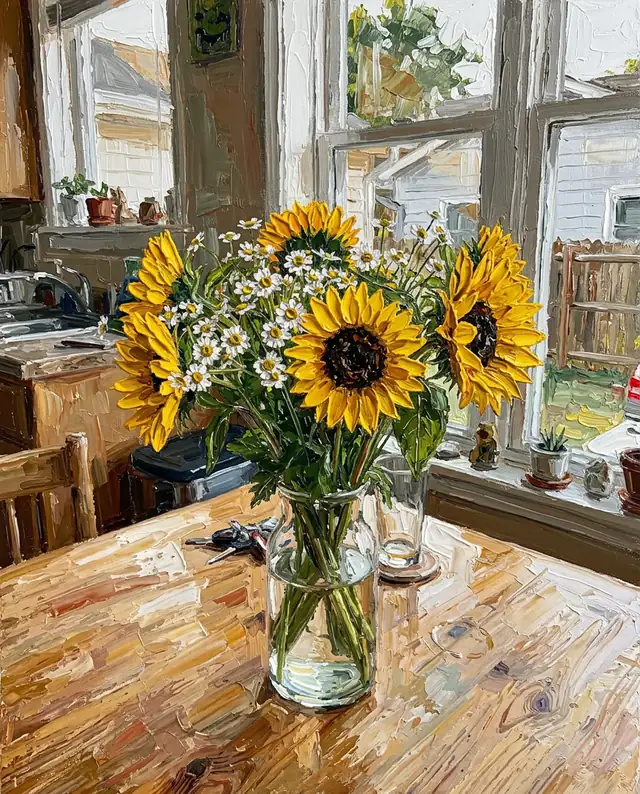
Palette knife flowers
Turn this photo into a palette knife painting: thick, sculpted strokes of oil paint, bold color and a textured background. Keep the composition, the subject and the details of the photo, so it's clearly the same scene.
Thick ridges of paint on the petals and the table, and the window light kept. The thickest paint of the eight.
Photo to oil painting: what to ask for
Three of our eight are oils, and each asks for a different kind. "Visible brushstrokes" and "layered color" gave the modern canvas portrait; "oil on a wooden panel", "glazes" and "a varnish sheen" gave the dark old-master look; "thick, sculpted strokes" with a palette knife gave the flowers their ridges of paint. Name the texture you want to see, not just "oil".
How to turn a photo into a painting
- Upload the photo. A clear, well-lit one: the painting keeps its composition, so what's in the photo is what's in the painting.
- Name the style and what the paint looks like. Every prompt on this page has the same shape:Turn this photo into [a painting style]: [what the paint looks like: brushstrokes, paper or canvas], [the light or the colors]. Keep the composition, the subject and the details of the photo, so it's clearly the same scene.
- Say what must stay. For a portrait, add "Keep the face, hair and expression exactly the same." Both of our portraits kept the face.
- Pick the size. 1K takes 1 credit and 2K takes 2 credits; take 2K for the screen. Take 4K (3 credits) for a print.
Paintings of your pet
Cats and dogs have their own page, with a royal oil painting, a watercolor and pop art, all tested on real-looking pets: see the AI pet portrait prompts.
What it costs
There's no free image: every painting is paid with credits. One takes 1 credit at 1K, 2 at 2K and 3 at 4K (one more with 3 or 4 photos), and packs cost $4.90 for 20 credits or $9.90 for 70, with no subscription. Ours took 19 to 27 seconds each at 1K.
Turn photo into painting: FAQ
Can AI turn a photo into a painting?
Yes. Upload the photo and say which kind of painting you want and what the paint should look like. All eight paintings on this page came from one sentence each, and every one kept the scene of its photo.
How do I turn a photo into an oil painting?
Upload it and ask for "an oil painting on canvas: rich, layered color and visible brushstrokes", then add what must stay the same, such as the face. Pick 2K for the screen or 4K to print. Our two oil portraits are in the first section, with their prompts.
Is there a free app to turn photos into paintings?
We don't make an app, and painting a photo here isn't free: each image takes 1 credit at 1K, 2 at 2K and 3 at 4K (one more with 3 or 4 photos), and packs cost $4.90 for 20 credits or $9.90 for 70. It runs in the browser on a phone or a computer, with nothing to install.
Will the painting still look like me?
In our two portraits, yes: we asked to keep the face exactly the same, and both faces match the photos. The background is less obedient: the oil portrait kept the cafe behind her even though we asked for a plain one.
Can I get the style of a famous painter?
We describe the look instead of naming a painter: thick swirling strokes and a sky full of spiraling stars, or short broken strokes of pure color. Our night town and lake show how far a description goes.
Can I print it?
Yes, as a digital file you take to any print shop; we don't sell canvases. Pick 4K (3 credits): a 4:3 photo comes back 4800 x 3584 pixels in our 4K tests, about 16 x 12 inches at 300 dpi.
What happens to the photos I upload?
We store them so the model can read them and your results stay in your account, and use them for nothing else. To have them deleted, email support@getstepsnap.com.