Photo to coloring page, ready to print
Upload a photo of your pet, house or family and get a printable coloring page. Photo to coloring page with Google's Nano Banana 2.1; first one free.
Your photo
Size
about 1 megapixel · 1 credit
 Before
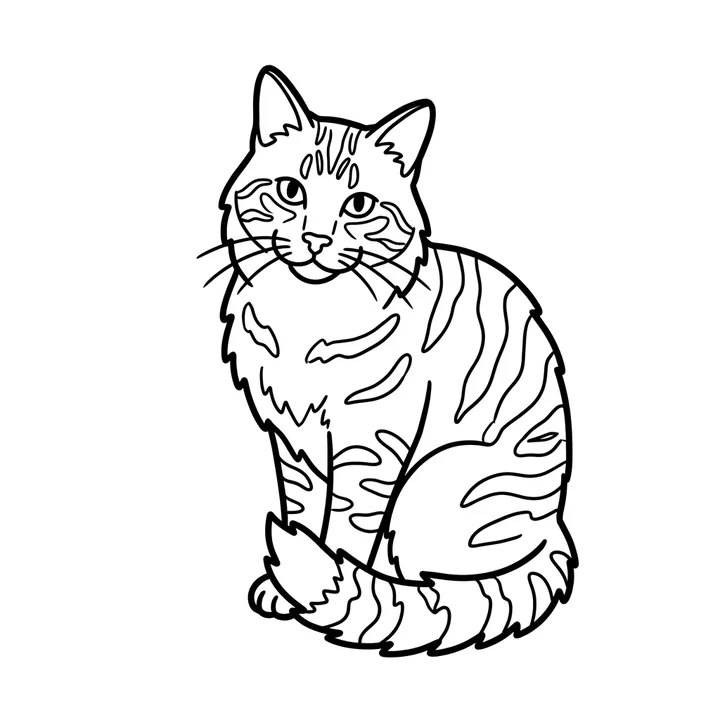
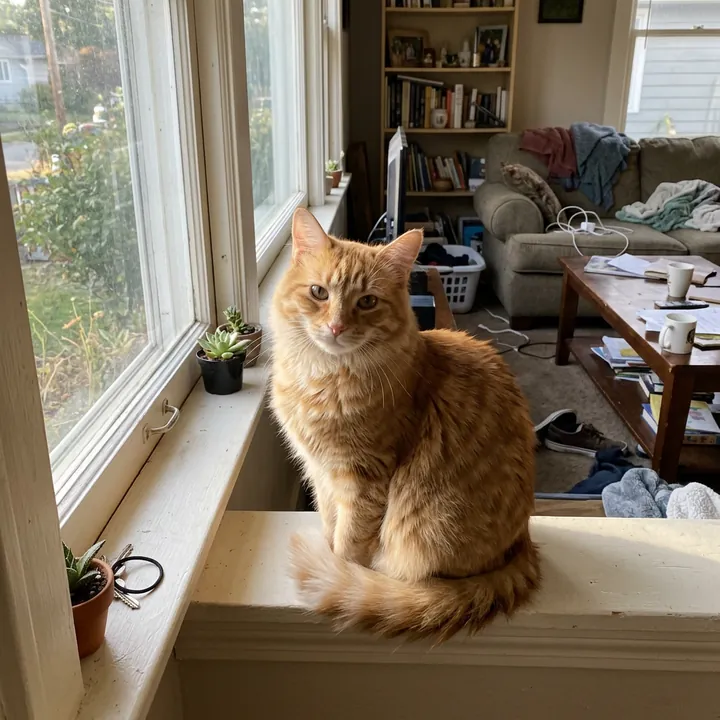
"The cat only" and "no room behind it" dropped the busy living room. The stripes became simple shapes a child can fill in.
Your own image will show up here.
Try next: Photo to line drawing · AI sticker maker · AI pet portrait
Printable coloring pages from your photos
The first result we got for each, at 1K. The small picture is the starting photo, made with the model; "Use this prompt" puts the prompt in the tool above. Thick, closed outlines with no shading or gray are what make a page easy to color, and cheap on ink.
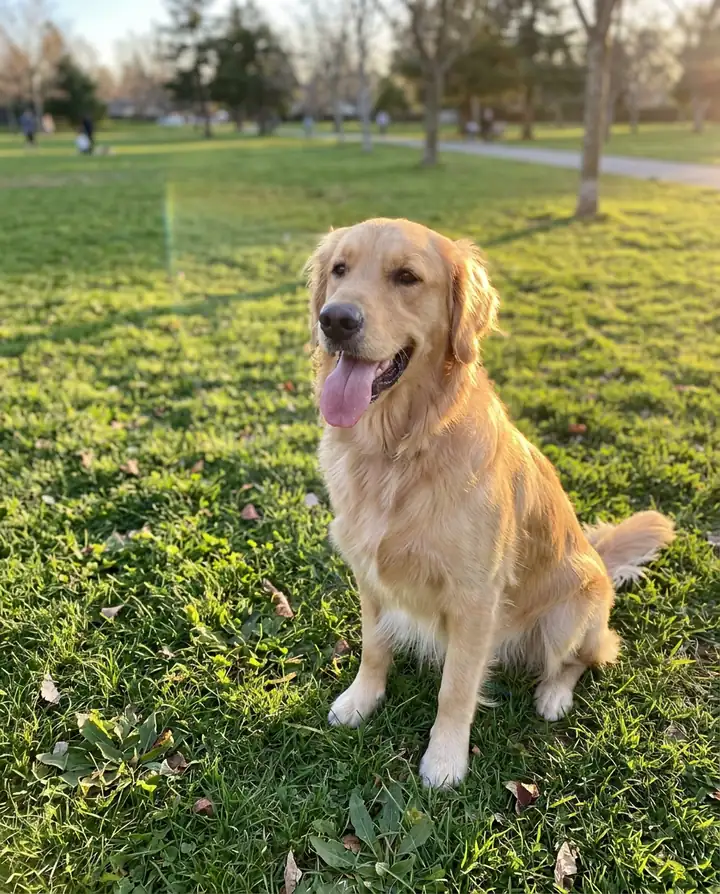
A dog
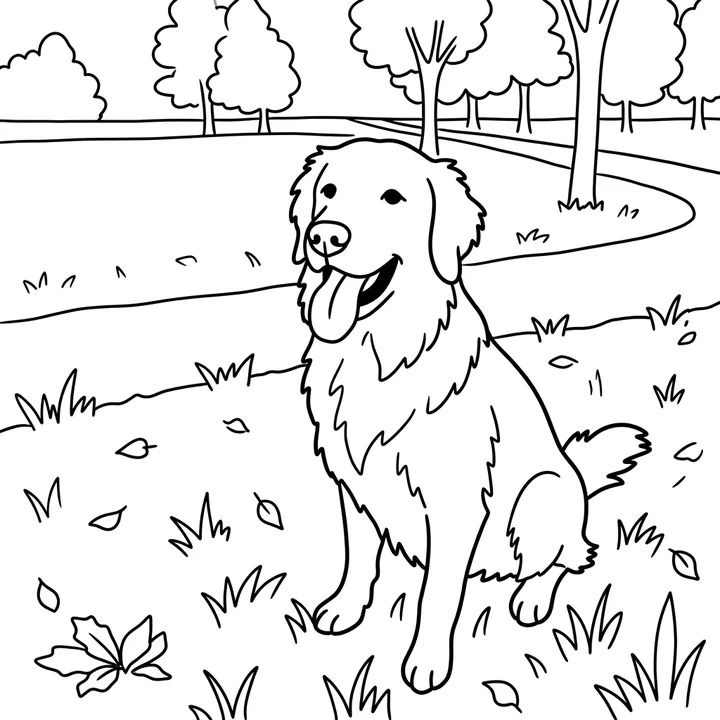
Turn this photo into a printable coloring page on a plain white background: bold, thick black outlines, closed shapes, no shading, no gray and no color. Simple enough for a child to color in.
Bold, closed outlines with big spaces to color. It kept a simple park around the dog even though we asked for a plain background; the cat below shows the fix.
A cat, with the room left out
Turn this photo into a printable coloring page of the cat only, on a plain white background with no room behind it: bold, thick black outlines, closed shapes, no shading, no gray and no color, with the stripes drawn as simple shapes. Simple enough for a child to color in.
"The cat only" and "no room behind it" dropped the busy living room. The stripes became simple shapes a child can fill in.
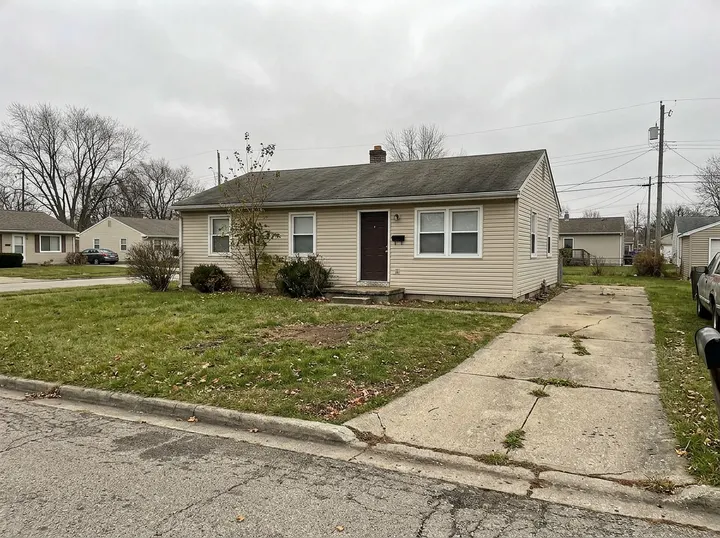
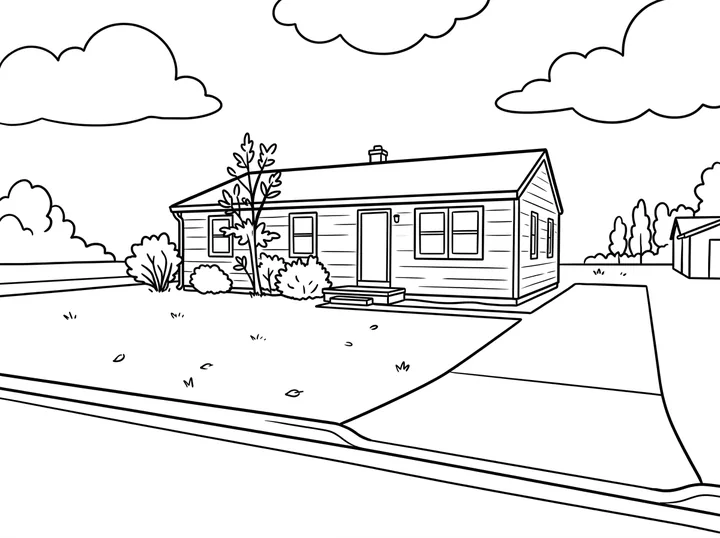
A house
Turn this photo into a printable coloring page of the house: bold, thick black outlines, closed shapes, no shading, no gray and no color. Keep the house, the front yard and a few trees, and leave out the cars and the wires. Simple enough for a child to color in.
The house, the shrubs and a few trees, with puffy clouds it added for fun. No cars and no wires, as asked.
Coloring pages of people
A person works too, in a friendly cartoon style. So do two people from two separate photos: a page of the two of you to color together, or of the grandparents for the grandkids.
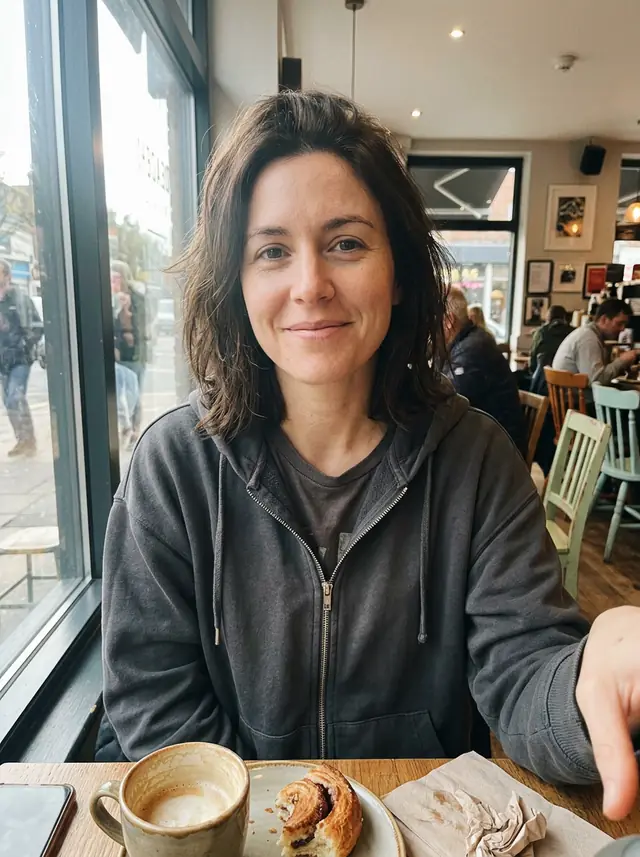
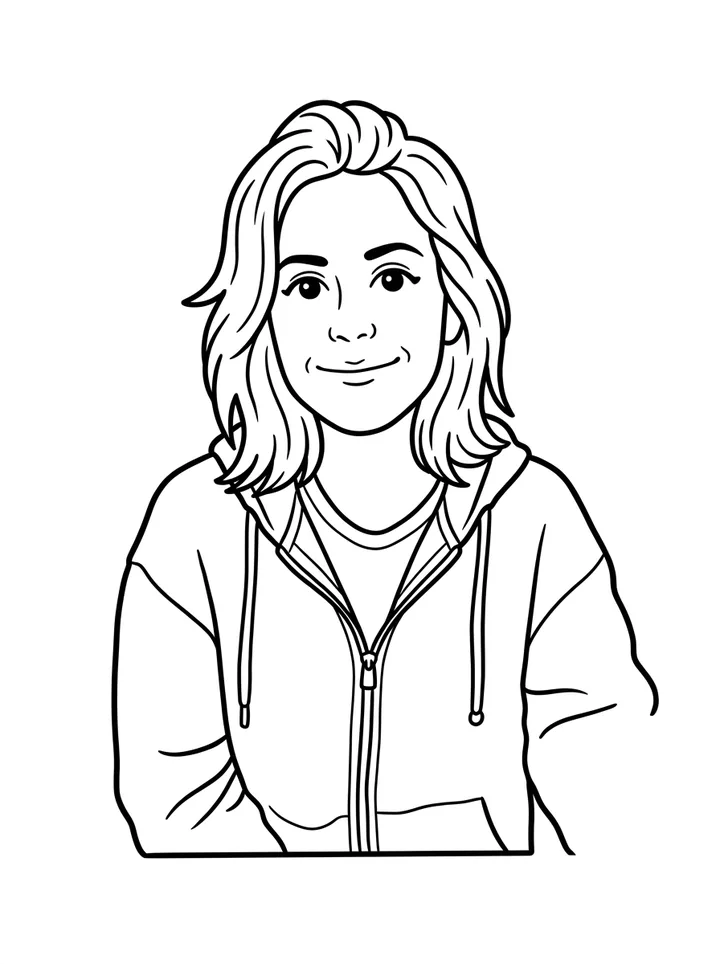
A person, in a friendly cartoon style
Turn this photo into a printable coloring page of the same person on a plain white background: bold, thick black outlines, closed shapes, no shading, no gray and no color, in a simple, friendly cartoon style with large areas to color.
A friendly cartoon of the selfie on plain white, down to the hoodie's zipper and strings. Big shapes, easy to color.

Two people from two photos
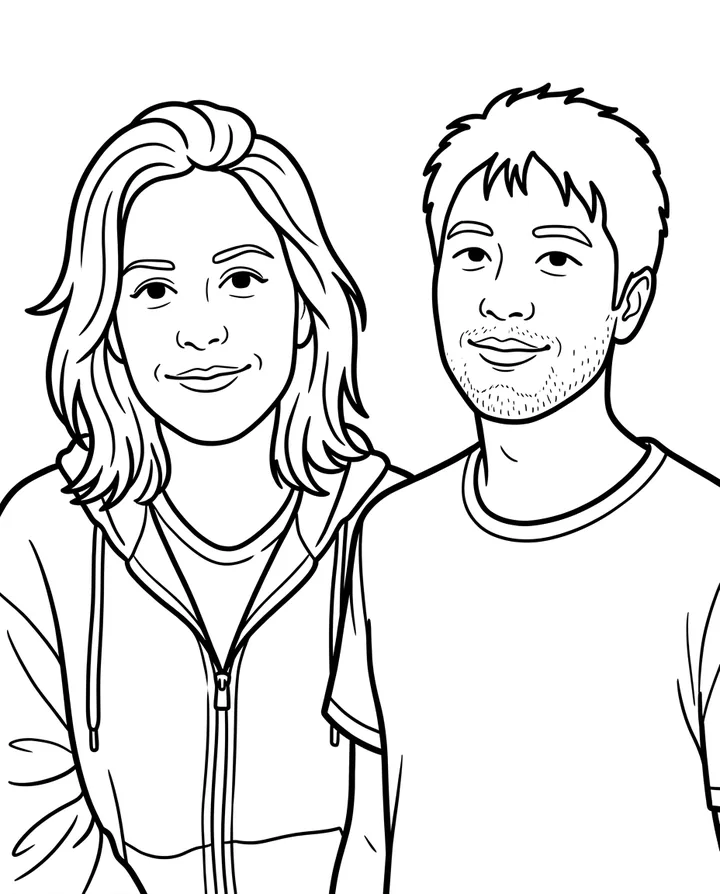
Put the two people from these photos side by side in one printable coloring page, keeping both faces recognizable: smiling, on a plain white background, with bold, thick black outlines, closed shapes, no shading, no gray and no color. Simple enough to color in.
Two separate photos, one page. Both faces are recognizable, down to his stubble.
Coloring pages for kids
Kids love coloring what they know: the dog, the cat, the house, the family car. For little hands keep "bold, thick black outlines" and "simple enough for a child to color in" in the prompt, and name the subject ("the dog only") so the background doesn't fill the page with tiny bits. We tested only this simple style; for older kids, try asking for thinner lines and more detail.
How to print it at home
- Pick 3:4 and 2K before you generate. 3:4 is close to a letter or A4 sheet, and 2K keeps the lines crisp for the same 1 credit as 1K.
- Download the PNG. It's an ordinary image file, so any printer can take it.
- Print it to fit the page, in portrait. Plain paper is fine for crayons and colored pencils; use thicker paper for markers.
Free photo to coloring page
Your first page is free when you sign in with Google, right in your browser with no app to install. After that a page takes 1 credit at 1K or 2K, and 100 credits cost $9.90, paid once. You get a PNG to print yourself, not a PDF or a vector file.
Photo to coloring page FAQ
Can I turn any photo into a coloring page?
Almost any: pets, people, houses and places all work. A busy photo makes a busy page, so name the subject and ask for a plain white background, like our cat.
Can ChatGPT turn a picture into a coloring page?
We haven't tested ChatGPT, so we can't say how it does; OpenAI's own help pages are the place to check. This page shows what our tool does, from the photos we started with.
How do I turn a photo into a coloring page without AI?
Trace it. Print the photo light, put tracing paper over it (or hold both against a window) and go over the main outlines with a black marker, skipping the shadows. Then copy or scan the tracing.
Can I download it as a PDF?
No, you get a PNG image, which you can print straight from your computer or phone.
Can I get a vector file (SVG)?
No. A PNG is made of pixels, not vectors. To cut it on a machine, run it through a tracing tool first.
What happens to the photos I upload?
We store them so the model can read them and your results stay in your account, and use them for nothing else. To have them deleted, email support@getstepsnap.com.